
Simple Gallery: Photo Manager
更新日期
目前版本
1.0.3
提供者

想體驗Simple Gallery: Photo Manager,可是手機熒幕太小,一載軟體就變燙,怎麼辦?透過逍遙模擬器,在電腦的大熒幕上暢快體驗!用鍵鼠操作更精準流暢,逍遙模擬器滿足您的所有期待。在電腦上下載安裝Simple Gallery: Photo Manager,不用擔心電池當掉,想體驗多久就多久,順暢跑一天~全新的逍遙模擬器9,絕對是您體驗Simple Gallery: Photo Manager電腦版的最佳選擇。完美的按鍵映射系統讓Simple Gallery: Photo Manager如PC軟體般順手;強大的多開功能可同時執行多個任務;獨家虛擬化技術更能徹底釋放電腦效能,保障長時間穩定運作。我們致力於不讓設備限制您的體驗,助您輕鬆高效,暢快無比!
更多
透過逍遙模擬器,在電腦上下載Simple Gallery: Photo Manager,享受大熒幕的暢快體驗。 Simple Gallery: Photo Manager is your easy-to-use photo viewing and editing app for easy photo and video management.
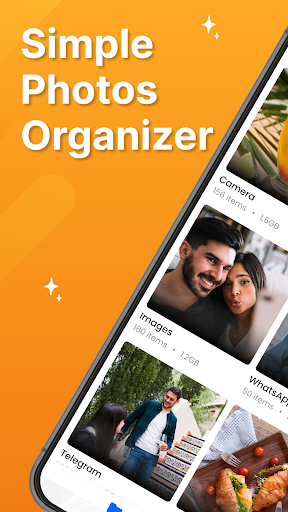
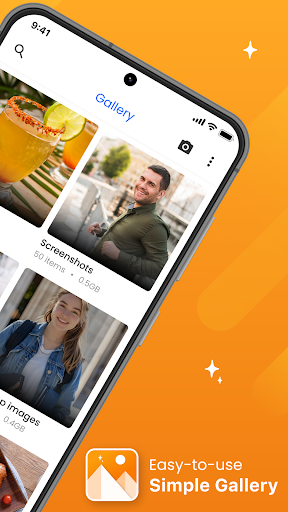
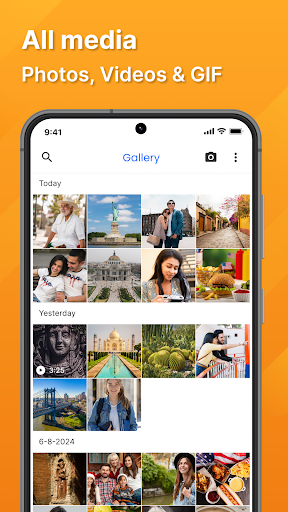
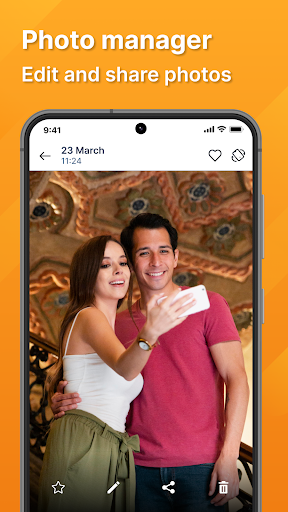
Simple Gallery: Photo Manager is your easy-to-use photo viewing and editing app for easy photo and video management.
Designed with a clean and user-friendly interface, simple gallery - photo manager app is perfect for anyone looking for smart and fast gallery to organize, view, and edit their photos quickly. Simple and intuitive photo gallery also lets you crop photo or add filters photos quickly.
Simple Gallery app Features:
Simple UI:
Simple Gallery offers a fast and seamless way to access your photos and videos.
On the All Media tab, you can view all your pictures in a chronological timeline so you can relive your memories in the order they were taken. On the Folder tab, you can organize and view your media by album.
Advanced photo editing tools:
Crop your photos to perfection, apply a variety of filters to enhance your images, and fine-tune brightness, contrast and saturation to achieve the look you want. You can also add text to your photos to make them more personal and expressive.
Album Manager:
The Folder tab is for those who prefer to view their media sorted by album. Whether it's a vacation album, a family event or just everyday moments, you can easily create and manage photo albums to organize your photos and videos.
Fast and efficient performance:
Our fast gallery is optimized for speed and performance. Browse through your media library without delay, even if you have thousands of photos and videos.
Multilingual support:
We believe that technology should be accessible to everyone. Photo Gallery supports all major languages, so users can enjoy the app in their native language for a personalized experience.
HD photo viewer:
Experience your photos in high definition. HD Gallery is the perfect HD photo viewer ensures that every detail of your images is displayed in the highest clarity and quality. HD Gallery app offers support for various file formats like JPEG, PNG, MP4, MKV, GIF, Panoramic photos, videos and more.
Privacy protection:
Your privacy is important to us. It does not require an internet connection to work. This ensures that your photos and videos stay on your device and are not uploaded or shared without your permission.
Whether you are looking for a quick HD gallery app, a simple photo viewer or a comprehensive photo manager, Simple Gallery has everything you need. Our app is designed to meet the needs of users who value simplicity, speed and functionality.
Download Simple Gallery: Photo Manager today and experience the easiest way to manage your photos and videos.
更多

1. 下載逍遙安裝器並完成設置

2. 啟動逍遙後打開位於桌面上的谷歌商店

3. 在谷歌商店中搜尋Simple Gallery: Photo Manager
Install
4. 下載並安裝Simple Gallery: Photo Manager
5. 下載完成後點擊圖標來啟動

6. 透過逍遙享受在電腦上體驗Simple Gallery: Photo Manager
逍遙安卓是優秀的安卓模擬器,全球超過5000萬用戶的優先選擇。逍遙安卓以虛擬化技術為核心,為用户打造突破手機配備局限的應用平台!
大屏精細展示;無限待機,超越電池和流量限制
鍵鼠,手把操作全面支持,操作更精準
用逍遙多開同時運行多個遊戲、應用。
Use Simple Gallery: Photo Manager on PC by following steps: