Sleepio
更新日期
目前版本
2.46.0
提供者

想體驗Sleepio,可是手機熒幕太小,一載軟體就變燙,怎麼辦?透過逍遙模擬器,在電腦的大熒幕上暢快體驗!用鍵鼠操作更精準流暢,逍遙模擬器滿足您的所有期待。在電腦上下載安裝Sleepio,不用擔心電池當掉,想體驗多久就多久,順暢跑一天~全新的逍遙模擬器9,絕對是您體驗Sleepio電腦版的最佳選擇。完美的按鍵映射系統讓Sleepio如PC軟體般順手;強大的多開功能可同時執行多個任務;獨家虛擬化技術更能徹底釋放電腦效能,保障長時間穩定運作。我們致力於不讓設備限制您的體驗,助您輕鬆高效,暢快無比!
更多
透過逍遙模擬器,在電腦上下載Sleepio,享受大熒幕的暢快體驗。 Sleepio is an online sleep improvement program proven to help you clear your mind, get better sleep, and have better days.
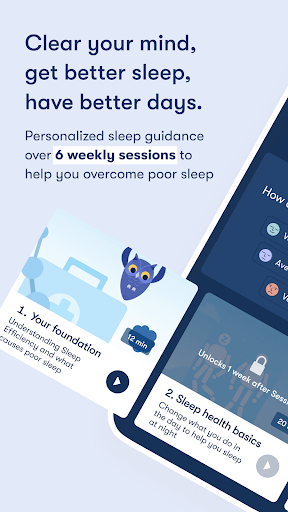
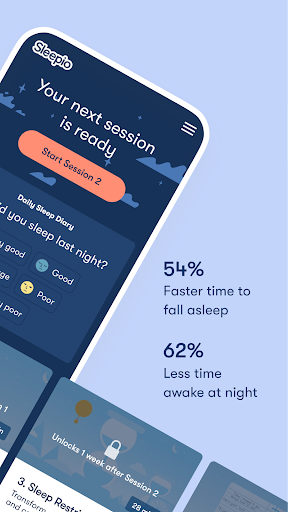
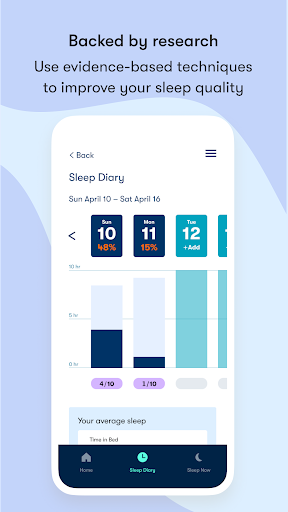
Sleepio is an online sleep improvement program proven to help you clear your mind, get better sleep, and have better days.
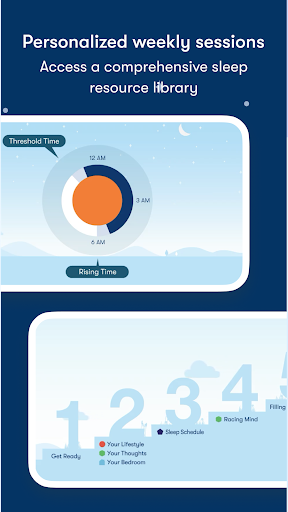
Sleepio isn’t a one-size-fits-all approach. It incorporates your unique needs to create a personalized six-week program that you complete at your own pace. Each session builds on the last, guiding you step-by-step through methods proven to help you quiet your racing mind, reshape your behaviors, and get better sleep — all in about 20 minutes per week.
The program uses cognitive behavioral techniques that are backed by decades of clinical research, and has undergone more testing than some of the most common sleep medications. In 12 randomized controlled trials with over 13,000 people, Sleepio was proven to help participants fall asleep 54% faster, spend 62% less time awake at night, and have 45% better functioning the next day. You’ll have access to all of this clinical evidence from directly within the app.
KEY FEATURES:
- A personalized program of clinically proven cognitive and behavioral techniques, designed to get your sleep schedule, thoughts, and lifestyle into shape over six tailored sessions.
- A comprehensive onboarding approach with an in-depth questionnaire that shapes your tailored program experience.
- A Sleep Diary to track your progress and monitor your sleep efficiency as you work towards your sleep goals.
- Instant, bite-sized support through the “Help Me Now” feature to get back on track after a long night or rough morning.
“The most effective, long-term solution for poor sleep is a cognitive and behavioral approach, which addresses the mental and behavioral parts of the individual's sleep pattern,” shared Professor Espie. “These approaches help the person to think and behave differently in relation to their sleep, which encourages good sleep to return. Sleepio is a clinically proven digital sleep improvement program that uses cognitive and behavioral techniques to help users with persistent sleep problems.”
Any questions? Get in touch with the Sleepio team at hello@sleepio.com. We'd love to hear from you!
Disclaimer: In the US, Sleepio has not been cleared by the FDA for use in diagnosis or treatment of a disease or condition, such as insomnia disorder, generalized anxiety disorder, or major depressive disorder.
更多

1. 下載逍遙安裝器並完成設置

2. 啟動逍遙後打開位於桌面上的谷歌商店

3. 在谷歌商店中搜尋Sleepio
Install
4. 下載並安裝Sleepio
5. 下載完成後點擊圖標來啟動

6. 透過逍遙享受在電腦上體驗Sleepio
逍遙安卓是優秀的安卓模擬器,全球超過5000萬用戶的優先選擇。逍遙安卓以虛擬化技術為核心,為用户打造突破手機配備局限的應用平台!
大屏精細展示;無限待機,超越電池和流量限制
鍵鼠,手把操作全面支持,操作更精準
用逍遙多開同時運行多個遊戲、應用。
Use Sleepio on PC by following steps: