Honkai: Nexus Anima
Оновлено
Поточна версія
Постачальник

Перестаньте турбуватися про надмірні витрати, використовуючи ххх на своєму мобільному телефоні, звільніться від крихітного екрану і насолоджуйтеся використанням програми на набагато більшому дисплеї. Відтепер отримуйте повний екран свого додатка за допомогою клавіатури та миші. MEmu пропонує вам усі дивовижні функції, які ви очікували: швидка установка та просте налаштування, інтуїтивно зрозумілі елементи керування, більше обмежень від акумулятора, мобільних даних та тривожних дзвінків. Новий MEmu 9 - найкращий вибір використання Honkai: Nexus Anima на вашому комп’ютері. За допомогою нашого поглинання менеджер із кількома примірниками одночасно дозволяє відкрити 2 або більше рахунків. І найголовніше, наш ексклюзивний емуляційний двигун може вивільнити весь потенціал вашого ПК, зробити все гладким і приємним.
Show more
Насолоджуйтесь чудовим досвідом Honkai: Nexus Anima гри на ПК за допомогою програми MEMU App Player. Це потужний безкоштовний емулятор Android, який дозволяє вам грати в тисячі ігор Android. Honkai: Nexus Anima supports players who like thoughtful planning and creature collection during short sessions.
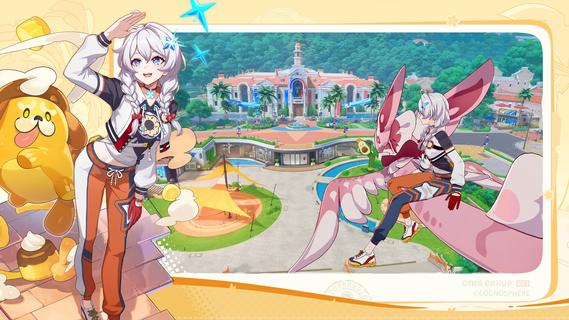
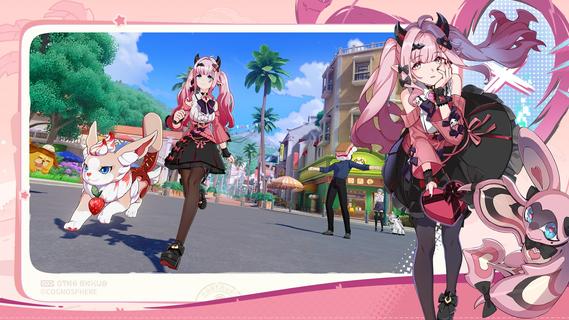
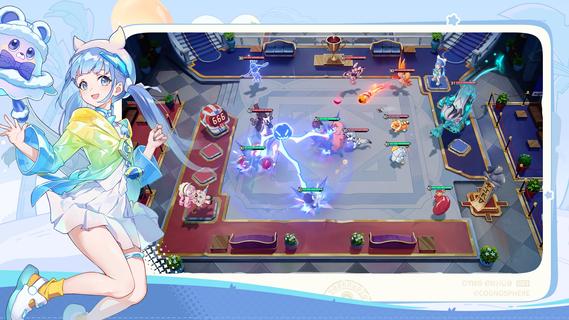
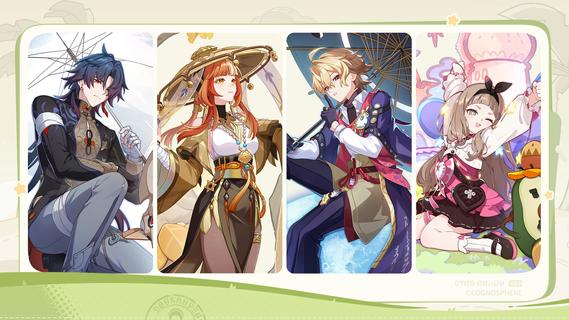
Honkai: Nexus Anima supports players who like thoughtful planning and creature collection during short sessions. It uses a clear grid with predictable outcomes, so you can learn steadily and adjust choices without pressure. At the same time, its world references the Honkai series while staying accessible to newcomers. Availability can shift during testing, and when the Honkai: Nexus Anima APK is offered, content may change as development continues.Honkai: Nexus Anima FeaturesCollect and bond with AnimasDiscover diverse Animas with distinct skills, then build bonds that make your roster perform better in combat. As you add new creatures, progression feels steady, because growth is linked to how squads act together. This focus on collection connects naturally to later tactical choices.Tactical board combat on a clear gridBattles play out on a visible board where placement, timing, and formations influence outcomes. You watch how synergy changes results, then adapt plans before the next turn. Since rules are clear and results feel predictable, short sessions remain practical even as stages grow more complex.Team building and lineup tweaksHonkai: Nexus Anima lets you tailor squads to match enemy types and stage rules, then iterate small changes to shift results. You can swap roles, adjust formations, and test subtle variations to see which combination works best. This continuous tuning encourages learning without demanding rapid inputs.Explore varied locations with polished audio and visualsTravel through colorful zones that pace quests, collection, and combat. The presentation uses an anime style approach to frame encounters and movement between planes. These visual and audio cues help you read the flow of each chapter while preparing for the next fight.Lore ties for fans, welcome for newcomersReferences to Novarchs and the 81 Planes connect the game to the wider Honkai series. Fans will notice familiar elements, yet the story remains approachable for players who are new. As the Honkai: Nexus Anima latest version evolves, specific lore details may change during testing.How to play Honkai: Nexus Anima on AndroidUse this simple guide to get started once you download Honkai: Nexus Anima. The process moves from learning basics to building squads and testing tactics.1. Open the game and complete the tutorial to learn grid rules and basic controls.2. Recruit your first Animas, then review each creatureâs skills and role.3. Form a squad and place units on the board to match stage rules and enemy types.4. Start the battle, watch outcomes, and adjust positioning, timing, and formations as needed.5. After each stage, tweak the lineup, strengthen bonds, and explore a new zone or quest.Start playing with clear tacticsHonkai: Nexus Anima combines creature collection with board strategy, emphasizing planning, synergy, and short sessions. Check back for access details and the Honkai: Nexus Anima APK as testing progresses.
Show more

1. Download MEmu installer and finish the setup

2. Start MEmu then open Google Play on the desktop

3. Search Honkai: Nexus Anima in Google Play
Install
4. Download and Install Honkai: Nexus Anima
5. On install completion click the icon to start

6. Enjoy playing Honkai: Nexus Anima on PC with MEmu
MEmu App Player є кращим безкоштовним емулятором Android, і 50 мільйонів людей вже користуються його чудовим ігровим досвідом Android. Технологія віртуалізації MEmu дає вам змогу відтворювати тисячі ігор Android на вашому комп'ютері, навіть найбільш насичених графікою.
Bigger screen with better graphics; Long duration, without limitation of battery or mobile data.
Full Keymapping support for precise control of keyboard and mouse or gamepad.
Multiple game accounts or tasks on single PC at one time with Multi-Instance manager.
Play Honkai: Nexus Anima on PC by following steps: