Transformers: Eternal War
Оновлено
Поточна версія
Постачальник

Перестаньте турбуватися про надмірні витрати, використовуючи ххх на своєму мобільному телефоні, звільніться від крихітного екрану і насолоджуйтеся використанням програми на набагато більшому дисплеї. Відтепер отримуйте повний екран свого додатка за допомогою клавіатури та миші. MEmu пропонує вам усі дивовижні функції, які ви очікували: швидка установка та просте налаштування, інтуїтивно зрозумілі елементи керування, більше обмежень від акумулятора, мобільних даних та тривожних дзвінків. Новий MEmu 9 - найкращий вибір використання Transformers: Eternal War на вашому комп’ютері. За допомогою нашого поглинання менеджер із кількома примірниками одночасно дозволяє відкрити 2 або більше рахунків. І найголовніше, наш ексклюзивний емуляційний двигун може вивільнити весь потенціал вашого ПК, зробити все гладким і приємним.
Show more
Насолоджуйтесь чудовим досвідом Transformers: Eternal War гри на ПК за допомогою програми MEMU App Player. Це потужний безкоштовний емулятор Android, який дозволяє вам грати в тисячі ігор Android. Autobots and Decepticons unite against the Chaos Legion in an all-new Transformers strategy RPG featuring an original story by Simon Furman.
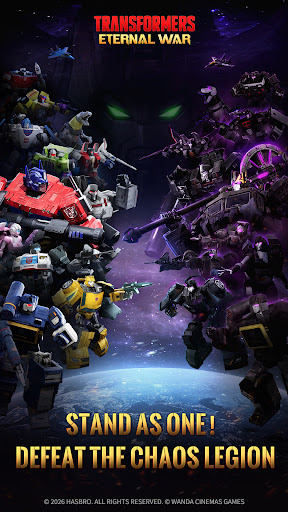
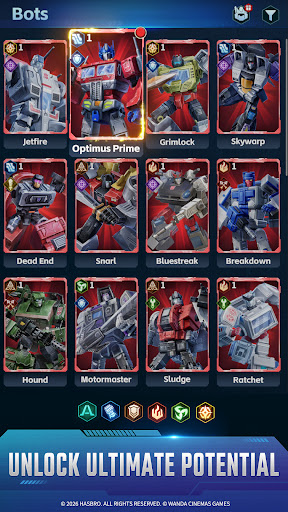
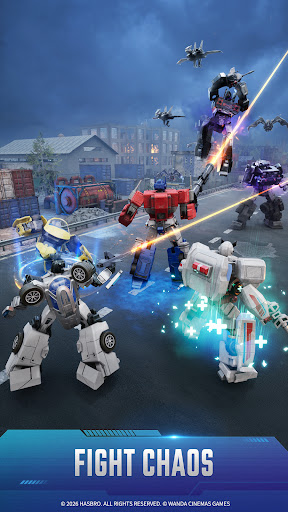
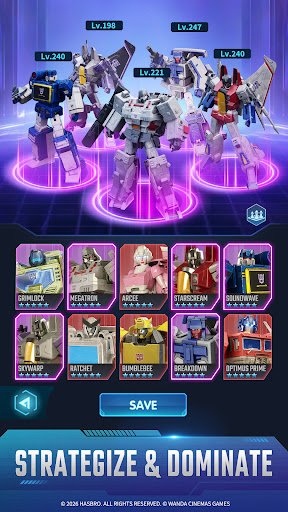
Autobots and Decepticons unite against the Chaos Legion in an all-new Transformers strategy RPG featuring an original story by Simon Furman.
Earth is being consumed by a mysterious force born from pure chaos energy: an unstoppable corruption spreading toward humanity's last line of defense.
For generations, Autobots and Decepticons have waged an unrelenting war. But faced with the Chaos Legion, old enemies must stand together against a greater threat.
The fight for Earth is no longer about victory. It is about survival.
Forge an Original Transformers Epic with Simon Furman
Transformers: Eternal War features an original story written by Simon Furman, the legendary writer who helped shape the Transformers universe for generations of fans.
In this all-new chapter, players will uncover the rise of the Chaos Legion, an apocalyptic faction empowered by unstable chaos energy capable of corrupting even the greatest warriors. As familiar heroes and villains fall under its influence, the balance of the universe begins to unravel.
Faced with a threat unlike anything they have ever encountered, Autobots and Decepticons must confront an impossible choice: continue their endless war, or stand together to protect Earth, Cybertron, and the future of all they fight for.
Command the Battlefield
Transformers: Eternal War reimagines the character-collection experience with a streamlined system focused on tactical squad-building and long-term strategic progression rather than constant micromanagement.
Whether players are online or away from the battlefield, their forces continue fighting, gathering resources, and advancing the war effort around the clock. Recruit, upgrade, and command an ever-expanding roster of iconic Transformers while creating powerful team synergies that can turn the tide of battle.
Every squad composition matters. Every commander shapes the future of the conflict.
Build the Ark. Sustain the Battle.
Beyond the battlefield, players can expand and manage support facilities surrounding the Ark, creating a steady flow of resources that keeps their forces combat-ready at all times.
By upgrading automated production systems and optimizing resource operations, commanders can continuously strengthen their forces.
Built for effortless progression, Transformers: Eternal War lets players spend less time managing resources and more time assembling powerful teams, refining their strategy, and pushing back the growing Chaos Legion threat.
A New Era of Transformers Warfare Begins
Combining legendary characters, an original story crafted by one of the franchise's most iconic writers, and a modern strategic gameplay experience built for mobile, Transformers: Eternal War celebrates the franchise's rich history while forging a bold new future.
The universe is changing.
The signal has been broadcast.
Now the fate of Earth depends on who answers the call!
Show more

1. Download MEmu installer and finish the setup

2. Start MEmu then open Google Play on the desktop

3. Search Transformers: Eternal War in Google Play
Install
4. Download and Install Transformers: Eternal War
5. On install completion click the icon to start

6. Enjoy playing Transformers: Eternal War on PC with MEmu
MEmu App Player є кращим безкоштовним емулятором Android, і 50 мільйонів людей вже користуються його чудовим ігровим досвідом Android. Технологія віртуалізації MEmu дає вам змогу відтворювати тисячі ігор Android на вашому комп'ютері, навіть найбільш насичених графікою.
Bigger screen with better graphics; Long duration, without limitation of battery or mobile data.
Full Keymapping support for precise control of keyboard and mouse or gamepad.
Multiple game accounts or tasks on single PC at one time with Multi-Instance manager.
Play Transformers: Eternal War on PC by following steps: