Lucky VIP Proxy
Оновлено
Поточна версія
V43.00
Постачальник

Перестаньте турбуватися про надмірні витрати, використовуючи ххх на своєму мобільному телефоні, звільніться від крихітного екрану і насолоджуйтеся використанням програми на набагато більшому дисплеї. Відтепер отримуйте повний екран свого додатка за допомогою клавіатури та миші. MEmu пропонує вам усі дивовижні функції, які ви очікували: швидка установка та просте налаштування, інтуїтивно зрозумілі елементи керування, більше обмежень від акумулятора, мобільних даних та тривожних дзвінків. Зовсім новий MEmu 9 – найкращий вибір для використання Єдина Школа на вашому комп’ютері. За допомогою нашого поглинання менеджер із кількома примірниками одночасно дозволяє відкрити 2 або більше рахунків. І найголовніше, наш ексклюзивний емуляційний двигун може вивільнити весь потенціал вашого ПК, зробити все гладким і приємним.
Show more
Насолоджуйтесь чудовим досвідом використання Lucky VIP Proxy на ПК за допомогою MEmu Play. Це потужний безкоштовний емулятор Android, який пропонує тисячі програм Android для настільних комп'ютерів. Насолоджуйтесь спілкуванням з друзями та покращенням своєї роботи з більшою ефективністю! Lucky VIP Proxy - Pro VPN Secure & Unlimited Proxy is free and secure with an unlimited VPN pro for Android users.
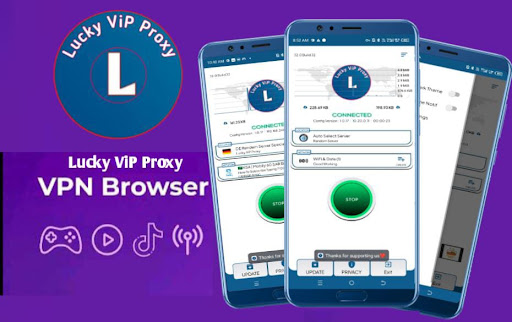
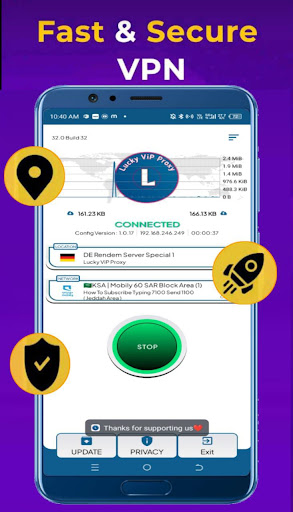
Lucky VIP Proxy - Pro VPN Secure & Unlimited Proxy is free and secure with an unlimited VPN pro for Android users. You can easily unblock websites/apps and protect your online privacy or stream your favorite shows and improve your gaming experience. It offers overall servers worldwide, guaranteeing you the fastest connection. You will be able to surf anonymously and freely in UAE and India.
Features:
- Unlimited time VPN, Unlimited data using, and unlimited proxy.
- No credit cards required no payment need.
- No registration or login need.
- No data saved from any users
- Simple and easy to use fast one-tap connect to super free VPN
- Select locations in fast servers
- Protect your privacy and security
- Provide free global VPN Available Servers:
Why Choose This Lucky VIP Proxy App?
Enhance your online privacy and enable you to safely and anonymously browse the Internet Protect you when using a public Wi-Fi hotspot. Allows you to create a secure VPN connection to another network over the Internet.
Free VPN, Yes It’s 100% Secure!
A new VPN proxy secures your sensitive data with cutting-edge encryption technology, which hides your IP address so no malicious hacker can track your Internet address! With a fastest super VPN best your IP address is hidden and all your online traffic is securely encrypted to ensure totally protected privacy.
Show more

1. Download MEmu installer and finish the setup

2. Start MEmu then open Google Play on the desktop

3. Search Lucky VIP Proxy in Google Play
Install
4. Download and Install Lucky VIP Proxy
5. On install completion click the icon to start

6. Enjoy using Lucky VIP Proxy on PC with MEmu
MEmu App Player є кращим безкоштовним емулятором Android, і 50 мільйонів людей вже користуються його чудовим ігровим досвідом Android. Технологія віртуалізації MEmu дає вам змогу відтворювати тисячі ігор Android на вашому комп'ютері, навіть найбільш насичених графікою.
Bigger screen with better graphics; Long duration, without limitation of battery or mobile data.
Full Keymapping support for precise control of keyboard and mouse or gamepad.
Multiple game accounts or tasks on single PC at one time with Multi-Instance manager.
Use Lucky VIP Proxy on PC by following steps: