Memu ڈاؤن لوڈ ہو رہا ہے...
اگر ڈاؤن لوڈ شروع نہیں ہوتا ہے،یہاں کلک کریں
پی سی پر Google Keep - Notes and Lists کو کیسے ڈاؤن لوڈ کریں
-
![Google Keep - Notes and Lists پی سی]()
1. MEmu انسٹالر ڈاؤن لوڈ کریں اور سیٹ اپ مکمل کریں
-
![Google Keep - Notes and Lists پی سی]()
2. MEmu شروع کریں اسکے بعد ڈیسکٹاپ پر Google Play کھولیں
-
![Google Keep - Notes and Lists پی سی]()
3. Google Play میں Google Keep - Notes and Lists تلاش کریں
-
 Install
4. Google Keep - Notes and Lists ڈاؤن لوڈ کریں اور انسٹال کریں
-
5. انسٹال مکمل ہونے کے بعد سٹارٹ کرنے کے لیے آئیکن پر کلک کریں
-
![Google Keep - Notes and Lists پی سی]()
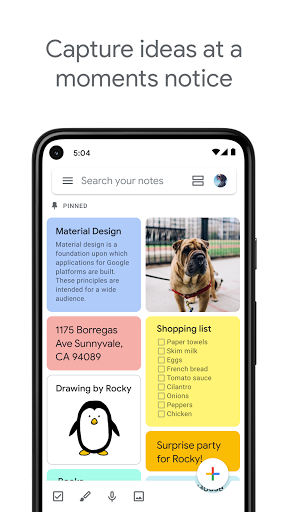
6. MEmu کے ساتھ پی سی پر Google Keep - Notes and Lists کھیلنے کا لطف لیں




















مقبول موضوعات