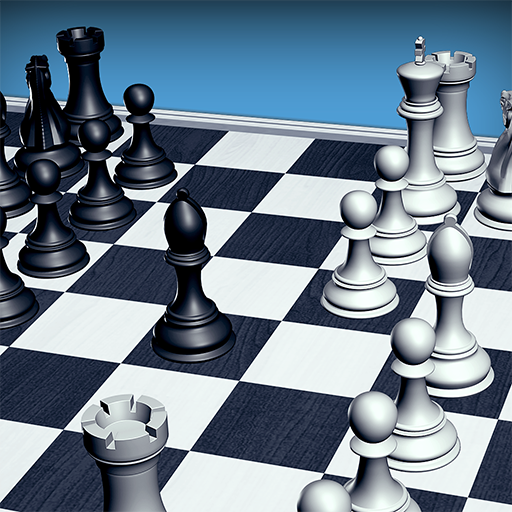
Chessis: Chess Analysis
تازہ کاری
موجودہ ورژن
9.3
پیشکش بذریعہ

Chessis: Chess Analysis کھیلنے کے اپنے پورے جنون کے دوران آپ کے ہاتھ آپ کے فون کی ایک چھوٹی سی اسکرین تک محدود نہیں ہونے چاہئیں۔ پرو کی طرح کھیلیں اور کی بورڈ اور ماؤس کے سہارے اپنے گیم پر مکمل کنٹرول حاصل کریں۔ MEmu آپ کو وہ تمام چیزیں پیش کرتا ہے جس کی آپ امید کرتے ہیں۔ پی سی پر Chessis: Chess Analysis ڈاؤن لوڈ کریں اور کھیلیں۔ جتنی دیر تک آپ چاہیں کھیلیں، بیٹری، موبائل ڈیٹا کی کوئی حد نہیں ہے اور پریشان کن کالز نہیں ہیں۔ نئے برانڈ کا MEmu 9 پی سی پر Chessis: Chess Analysis کھیلنے کا بہترین اختیار ہے۔ ہماری مہارت کی مدد سے تیار کردہ، شاندار پری سیٹ کی میپنگ سسٹم Chessis: Chess Analysis کو ایک ریئل پی سی گیم بناتا ہے۔ MEmu کثیر نظیری منیجرایک ہی ڈیوائس پر 2 یا زیادہ اکاؤنٹس پلے کرنا ممکن بناتا ہے۔ اور سب سے اہم بات یہ ہے کہ، ہمارا خصوصی ایمولیشن انجن آپ کے پی سی کی مکمل طاقت ریلیز کرتے ہوئے ہر چیز ہموار بنا سکتا ہے۔
مزید دکھائیں
Download Chessis: Chess Analysis on PC with MEmu Android Emulator. Enjoy playing on big screen. ChessIs is a Chess Analysis app that allows you to .
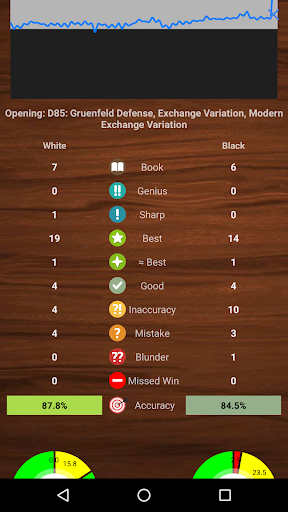
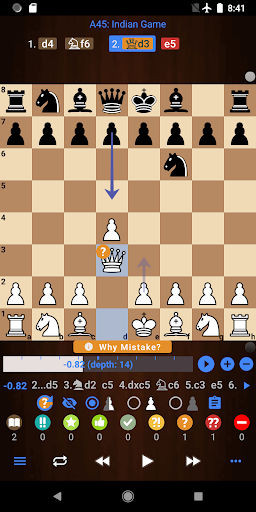
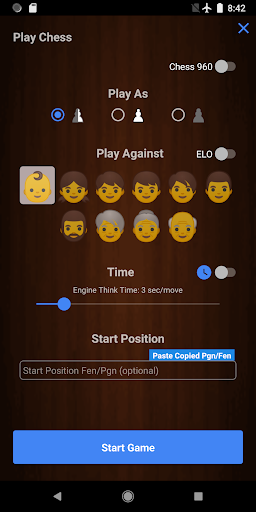
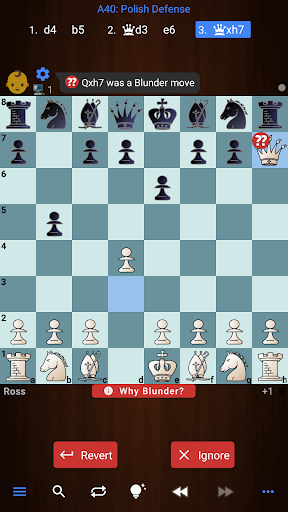
ChessIs is a Chess Analysis app that allows you to
✔️ Analyze your games and get game reports
✔️ Analyze chess positions with Stockfish Engine
✔️ Detect Blunders, Mistakes, Missed Wins, Best Moves, etc
✔️ Play chess against Computer according to your level.
✔️ Setup Board Positions (Board Editor) and analyze them
✔️ Open Pgn files (PGN Viewer)
✔️ Get blunder alerts and learn why it was a blunder
✔️ Add multiple engine lines
✔️ Play engine lines
✔️ Customize board color and pieces
✔️Analyze your chess games from chess.com or Lichess
✔️ Export Annotated Pgn
✔️ Adjust "Game Report Depth"
✔️ Chess960
✔️ Games database with the ability to search fen in games
✔️ Add Oex engines
✔️ Change Engines settings like hash value and threads
✔️ List of all chess openings to explore
✔️ Play chess on the clock or set engine think time
✔️ Avg CPL on game reports
✔️Analyze games on either time or depth
✔️Show Threats
✔️Accuracy %
✔️ Threats
✔️ Draw Arrows on the board
ChessIs is one of the best Chess Analyzer apps. It helps you to improve your chess by analyzing your games and providing you with game reports which contain Blunders, Missed Wins, Best Moves, etc. It not only tells you where you made a blunder but also tells why that was a blunder.
To support the app we offer a Pro version with some extra benefits.
Most features of the app are free but you get some extra benefits with the Pro version:
✔️ Play/Show "Why Blunder" Line
✔️ Play Engine Lines
✔️ Enable NNUE
✔️Add unlimited engine lines
✔️ Adjust "Game Report Depth"
✔️ Adjust "Game Report Time"
✔️ Deep Analysis
✔️ While Playing show each move's strength
✔️ While Playing get a mistakes alert as well
✔️ No Ads
✔️ Analyze unlimited games forever!
✔️ Key Elements
Note: Deep analysis provides much more accurate and consistent results compare to quick analysis.
So Let's Analyze Chess with the ChessIs app!!!
You can expect lots of improvements and new features in the future! If you have any suggestions or need help, please feel free to email me at chessimprovementapps@gmail.com, Thank you:)
مزید دکھائیں

1. MEmu انسٹالر ڈاؤن لوڈ کریں اور سیٹ اپ مکمل کریں

2. MEmu شروع کریں اسکے بعد ڈیسکٹاپ پر Google Play کھولیں

3. Google Play میں Chessis: Chess Analysis تلاش کریں
Install
4. Chessis: Chess Analysis ڈاؤن لوڈ کریں اور انسٹال کریں
5. انسٹال مکمل ہونے کے بعد سٹارٹ کرنے کے لیے آئیکن پر کلک کریں

6. MEmu کے ساتھ پی سی پر Chessis: Chess Analysis کھیلنے کا لطف لیں
MEmu پلے بہترین اینڈرائڈ ایمولیٹر ہے اور 100 ملین لوگ اس کے زبردست اینڈرائڈ گیمنگ تجربہ سے لطف اندوز ہو رہے ہیں۔ MEmu کی ورچولائزیشن ٹیکنالوجی آپ کو اپنے PC پر ہزاروں اینڈرائڈ گیمز یہاں تک کہ انتہائی گرافک والے گیمز باسہولت کھیلنے کی طاقت دیتی ہے۔
بہتر گرافکس کے ساتھ بڑی اسکرین؛ طویل دورانیہ، بیٹری یا لامحدود موبائل ڈیٹا کے بغیر۔
کی بورڈ اور ماؤس یا گیم پیڈ کے عین مطابق کنٹرول کے لیے کی میپنگ کا پورا سپورٹ۔
کثیر مثالی منیجر کے ساتھ بیک وقت ایک پی سی پر متعدد گیم اکاؤنٹس یا ٹاسکس۔
پی سی پر درج ذیل مراحل پر عمل کرتے ہوئے Chessis: Chess Analysis کھیلیں: