Ludo Game
تازہ کاری
موجودہ ورژن
3.8
پیشکش بذریعہ

Ludo Game کھیلنے کے اپنے پورے جنون کے دوران آپ کے ہاتھ آپ کے فون کی ایک چھوٹی سی اسکرین تک محدود نہیں ہونے چاہئیں۔ پرو کی طرح کھیلیں اور کی بورڈ اور ماؤس کے سہارے اپنے گیم پر مکمل کنٹرول حاصل کریں۔ MEmu آپ کو وہ تمام چیزیں پیش کرتا ہے جس کی آپ امید کرتے ہیں۔ پی سی پر Ludo Game ڈاؤن لوڈ کریں اور کھیلیں۔ جتنی دیر تک آپ چاہیں کھیلیں، بیٹری، موبائل ڈیٹا کی کوئی حد نہیں ہے اور پریشان کن کالز نہیں ہیں۔ نئے برانڈ کا MEmu 9 پی سی پر Ludo Game کھیلنے کا بہترین اختیار ہے۔ ہماری مہارت کی مدد سے تیار کردہ، شاندار پری سیٹ کی میپنگ سسٹم Ludo Game کو ایک ریئل پی سی گیم بناتا ہے۔ MEmu کثیر نظیری منیجرایک ہی ڈیوائس پر 2 یا زیادہ اکاؤنٹس پلے کرنا ممکن بناتا ہے۔ اور سب سے اہم بات یہ ہے کہ، ہمارا خصوصی ایمولیشن انجن آپ کے پی سی کی مکمل طاقت ریلیز کرتے ہوئے ہر چیز ہموار بنا سکتا ہے۔
مزید دکھائیں
Download Ludo Game on PC with MEmu Android Emulator. Enjoy playing on big screen. Ludo is board game played with family, friends & kids.
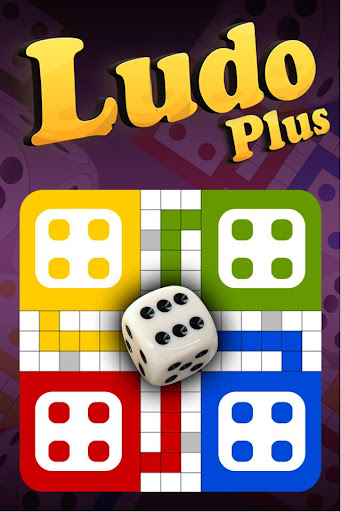

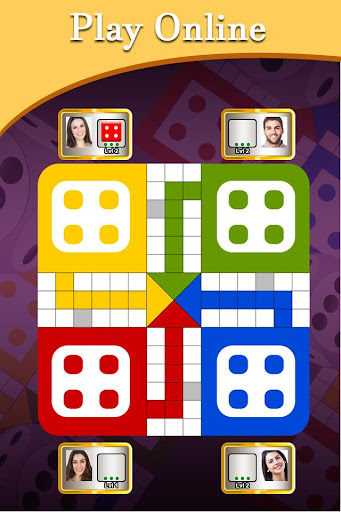

Ludo is board game played with family, friends & kids.
Ludo Game is Download for Free!
Ludo is The Dice Game is depend on Luck
Ludo is a king of board game.
Ludo is a mind game.
Ludo is one type of puzzle game.
Ludo ( लूडो ) is best game of 2022.
Ludo game is played all ages people like kids , young and old man game.
Ludo is also known as Pachisi, and is very similar to a Spanish board game.
Ludo game onther name is Parchís.
Ludo Game plated with :-
- Play against computer
- Play with Friends (Local Multiplayer)
- Play With People around world.
- Play local multiplayer
- Play Online
The game is played between 2 to 4 players and you have the option of playing the game against the computer, against your friends, or even against people from around the world.
With plenty of features, Ludo Game brings you a really unique gaming experience.
The game and its variants are popular in many countries and under various names.
Some rules of Game :-
Each player chooses one of the 4 colors (green, yellow, red or blue) and places the 4 pieces of that colour in the corresponding starting circle. A single die is thrown to determine movement.
The game and its variants are popular in many countries and under various names:
localized name of the game:
Fia med knuff (Sweden)
Non t'arrabbiare (Italy),
Barjis(s) / Bargese (Syria),
Parchís or Parkase (Spain),
Le Jeu de Dada or Petits Chevaux (France),
Pachîs (Persia/Iran).
da' ngu'a ('Vietnam')
Fei Xing Qi' (China)
Mens-erger-je-niet (the Netherlands),
Barjis / Bargis (Palestine)
Griniaris (Greece)
Parqués (Colombia)
مزید دکھائیں

1. MEmu انسٹالر ڈاؤن لوڈ کریں اور سیٹ اپ مکمل کریں

2. MEmu شروع کریں اسکے بعد ڈیسکٹاپ پر Google Play کھولیں

3. Google Play میں Ludo Game تلاش کریں
Install
4. Ludo Game ڈاؤن لوڈ کریں اور انسٹال کریں
5. انسٹال مکمل ہونے کے بعد سٹارٹ کرنے کے لیے آئیکن پر کلک کریں

6. MEmu کے ساتھ پی سی پر Ludo Game کھیلنے کا لطف لیں
MEmu پلے بہترین اینڈرائڈ ایمولیٹر ہے اور 100 ملین لوگ اس کے زبردست اینڈرائڈ گیمنگ تجربہ سے لطف اندوز ہو رہے ہیں۔ MEmu کی ورچولائزیشن ٹیکنالوجی آپ کو اپنے PC پر ہزاروں اینڈرائڈ گیمز یہاں تک کہ انتہائی گرافک والے گیمز باسہولت کھیلنے کی طاقت دیتی ہے۔
بہتر گرافکس کے ساتھ بڑی اسکرین؛ طویل دورانیہ، بیٹری یا لامحدود موبائل ڈیٹا کے بغیر۔
کی بورڈ اور ماؤس یا گیم پیڈ کے عین مطابق کنٹرول کے لیے کی میپنگ کا پورا سپورٹ۔
کثیر مثالی منیجر کے ساتھ بیک وقت ایک پی سی پر متعدد گیم اکاؤنٹس یا ٹاسکس۔
پی سی پر درج ذیل مراحل پر عمل کرتے ہوئے Ludo Game کھیلیں: