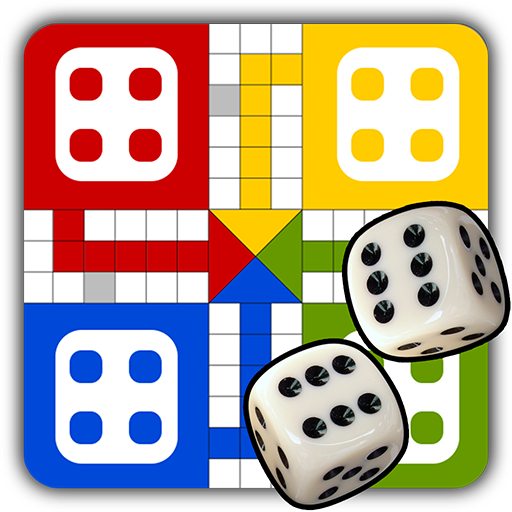
Ludo Game
تم التحديث
الإصدار الحالي
3.8
تقديم

مع كل شغفك للعب Ludo Game ,يديك لايجب ان تكون محدودة بشاشة صغيرة علي تليفونك. العب كمحترف واحصل علي تحكم كامل علي لعبتك عن طريق لوحة المفاتيح والفأره. MEmuيقدم جميع الاشياء التي تتوقعها.حمل والعب Ludo Game علي جهاز الحاسوب الخاص بك العب كماتريد ,لايوجد حدود علي البطارية والباقة ولا يوجد اتصالات مزعجة النسخة الجديدة من MEmu7 هو افضل وسيلة للعب Ludo Game علي جهاز الحاسب معد عن طريق خبراتنا , لوحة المفاتيح المعده مسبقا تجعل Ludo Game العبة لعبة كمبيوتر حقيقة تم برمجتها باقصي استيعابنا .المتحكم في عدة نوافذ يجعل لعب لعبتين او اكثر او استعمال اكثر من حساب اسهل واهم شئ ان المحرك الخاص بنا يمكن ان يخرج كل امكانيات جهازك ويجعل كل شئ اكثر سلاسة نحن لانهتم بكيف تلعب فقط بل ايضا بالسعادة التي تغمرك من اللعب
أظهر المزيد
قم بتنزيل Ludo Game على الكمبيوتر بإستخدام جهاز مقلد أندروز MEmu.استمتع بمتعة اللعب على الشاشة الكبيرة. Ludo is board game played with family, friends & kids.
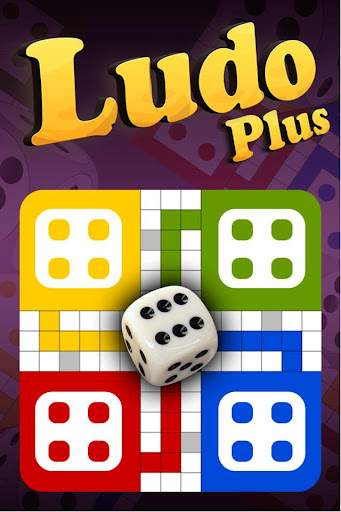

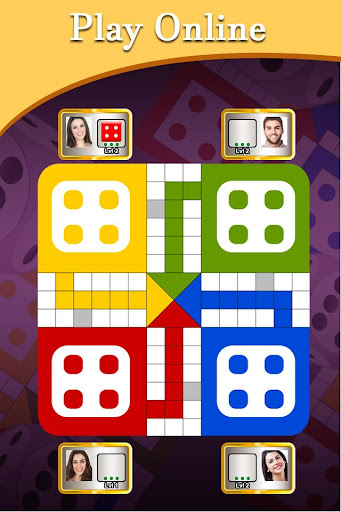

Ludo is board game played with family, friends & kids.
Ludo Game is Download for Free!
Ludo is The Dice Game is depend on Luck
Ludo is a king of board game.
Ludo is a mind game.
Ludo is one type of puzzle game.
Ludo ( लूडो ) is best game of 2022.
Ludo game is played all ages people like kids , young and old man game.
Ludo is also known as Pachisi, and is very similar to a Spanish board game.
Ludo game onther name is Parchís.
Ludo Game plated with :-
- Play against computer
- Play with Friends (Local Multiplayer)
- Play With People around world.
- Play local multiplayer
- Play Online
The game is played between 2 to 4 players and you have the option of playing the game against the computer, against your friends, or even against people from around the world.
With plenty of features, Ludo Game brings you a really unique gaming experience.
The game and its variants are popular in many countries and under various names.
Some rules of Game :-
Each player chooses one of the 4 colors (green, yellow, red or blue) and places the 4 pieces of that colour in the corresponding starting circle. A single die is thrown to determine movement.
The game and its variants are popular in many countries and under various names:
localized name of the game:
Fia med knuff (Sweden)
Non t'arrabbiare (Italy),
Barjis(s) / Bargese (Syria),
Parchís or Parkase (Spain),
Le Jeu de Dada or Petits Chevaux (France),
Pachîs (Persia/Iran).
da' ngu'a ('Vietnam')
Fei Xing Qi' (China)
Mens-erger-je-niet (the Netherlands),
Barjis / Bargis (Palestine)
Griniaris (Greece)
Parqués (Colombia)
أظهر المزيد

1. قم بتنزيل برنامج MEmu واكمال تثبيته

2. قم بتشغيل برنامج MEmu وفتح Google Play على الصفحة الرئيسية

3. ابح Ludo Game في Google Play
Install
4. تنزيل وتثبيت Ludo Game
5. انقر على الرمز للتشغيل بعد اكتمال التثبيت

6. استمتع بلعب *** على الكمبيوتر Ludo Game تخدام برنامج MEmu
تطبيق MEmuهو افضل محاكى اندرويد مجانى وبالفعل 50 مليون شخص يستمتعون حاليا بتجربه اللعب عليه. تمكّنك تقنية MEmu الافتراضية من تشغيل آلاف ألعاب Android بسلاسة على الكمبيوتر الشخصي ، حتى أكثرها استخدامًا للرسومات.
شاشة أكبر وجرافيك افضل ووقت أطول بدون حدود البطارية وباقة التليفون
لوحة مفاتيح كاملة تدعم تحكم كامل عن طريق لوحة المفاتيح و الفأره وجيم باد
عدة العاب وحسابات ومهمات علي جهاز الكمبيوتر في وقت معين عن طريق Memu متعدد النوافذ
Play Ludo Game on PC by following steps: