AI Collage Maker Photo Editor
تازہ کاری
موجودہ ورژن
1.93
پیشکش بذریعہ

اپنے موبائل فون پر AI Collage Maker Photo Editor کا استعمال کرتے وقت زیادہ چارج ہونے کی فکر نہ کریں، خود کو چھوٹی اسکرین سے آزاد کریں اور ایپ کو زیادہ بڑے ڈسپلے پر استعمال کرنے کا لطف اٹھائیں۔ اس کے بعد سے کی بورڈ اور ماؤس کے ساتھ اپنے ایپ کا فل اسکرین کا تجربہ حاصل کریں۔ MEmu آپ کو وہ تمام حیران کن خصوصیات پیش کرتا ہے جن کی آپ کو توقع کرتے ہیں: فوری انسٹال اور آسان سیٹ اپ، وجدانی کنٹرول، مزید بیٹری، موبائل ڈیٹا کی کوئی حد نہیں اور اب مزید پریشان کن کالز نہیں۔ نئے برانڈ کا MEmu 9 آپ کے کمپیوٹر پر AI Collage Maker Photo Editor استعمال کرنے کے لیے بہترین اختیار ہے۔ MEmu کثیر نظیری منیجر بیک وقت 2 یا اس سے زیادہ اکاؤنٹس کھولنا ممکن بناتا ہے۔ اور سب اہم بات، ہمارا خصوصی ایمولیشن انجن آپ کے پی سی کی پوری طاقت ریلیز کرتے ہوئے ہر چیز ہموار اور قابل تفریح بناتا ہے۔
مزید دکھائیں
MEmu Play کے ساتھ PC پر AI Collage Maker Photo Editor استعمال کرنے کے شاندار تجربے سے لطف اٹھائیں۔ یہ ایک طاقتور مفت اینڈرائیڈ ایمولیٹر ہے جو آپ کو ان کے ڈیسک ٹاپ ورژن کے لیے ہزاروں اینڈرائیڈ ایپس فراہم کرتا ہے۔ دوستوں کے ساتھ جڑنے اور اعلی کارکردگی کے ساتھ اپنے کام کو چمکانے کا لطف اٹھائیں! Looking for an easy-to-use and feature-packed collage maker and photo editor?
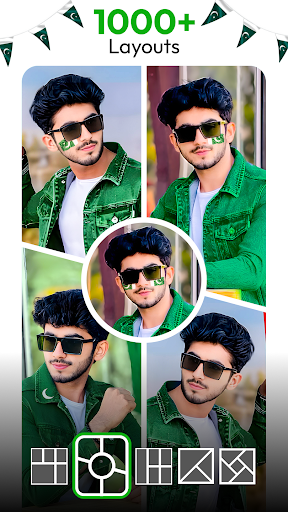
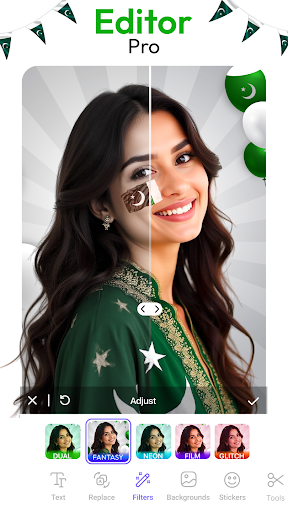
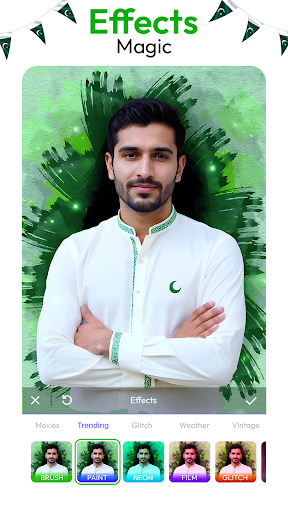
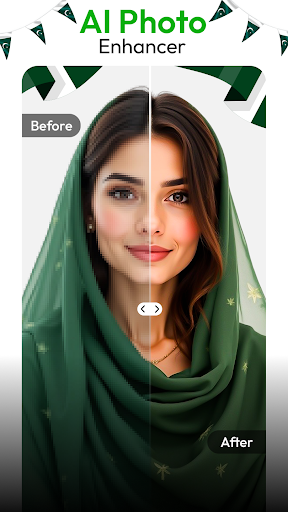
Looking for an easy-to-use and feature-packed collage maker and photo editor? Look no further! Collage Maker Photo Editor is your go-to app for creating beautiful photo collages, adding fun photo effects, filter and customizing your pictures to perfection. Whether you want to create a photo collage, edit your photos with powerful photo filters, or add stunning photo frames, this app has all the tools you need to make your memories even more special.
Key Features of Collage Maker Photo Editor:
• Create beautiful photo collages in minutes with a wide variety of templates and grids.
• Variety of layouts to fit your photo collage perfectly.
• Combine up to 20 photos in a grid-style layout or freeform design.
• Transform your photos with our photo effects.
• Perfect photo blend, Overlays to create uniqueness.
• 300+ Frames, Layouts, Effects and Filters.
• Templates for all occasions.
• Make stunning photo collages and edit photos without any hassle.
• Customize grid styles to suit your collage's needs.
• Drag and drop your photos into your chosen layout with ease.
• Add personality to your photos with hundreds of stickers.
• Family, Birthday, Anniversary, Celebrations and Wedding layouts and templates.
• Save and Share High-Resolution Collages.
Collage Maker
Photo collage is a creative arrangement of multiple photos combined into a single Frame. Allowing you to showcase memories, tell a story, or create visually stunning designs with ease. Variety of frame styles such as Birthday, Celebrations, Weddings and Occasional style frames.
Photo Editor
Crop and Rotates, resizing, color correction, and adding text or effects. Amazing tool in this app is offer all the editing tools which is help to enhance, modify and refine images.
Layouts
Create photo collage with hundreds of layouts and adjust according to you. They offer various grid configurations, shapes, and customizable options, enabling precise and creative photo displays.
Overlay and Blend
Enhance your photo editing experience with powerful overlay and blend features allow you to seamlessly combine images, textures, and graphics for a creative, polished look.
Download Collage maker photo editor today and unlock the full potential of your photos! Let your creativity bloom and share your stories with the world!
مزید دکھائیں

1. MEmu انسٹالر ڈاؤن لوڈ کریں اور سیٹ اپ مکمل کریں

2. MEmu شروع کریں اسکے بعد ڈیسکٹاپ پر Google Play کھولیں

3. Google Play میں AI Collage Maker Photo Editor تلاش کریں
Install
4. AI Collage Maker Photo Editor ڈاؤن لوڈ کریں اور انسٹال کریں
5. انسٹال مکمل ہونے کے بعد سٹارٹ کرنے کے لیے آئیکن پر کلک کریں

6. MEmu کے ساتھ پی سی پر AI Collage Maker Photo Editor کھیلنے کا لطف لیں
MEmu پلے بہترین اینڈرائڈ ایمولیٹر ہے اور 100 ملین لوگ اس کے زبردست اینڈرائڈ گیمنگ تجربہ سے لطف اندوز ہو رہے ہیں۔ MEmu کی ورچولائزیشن ٹیکنالوجی آپ کو اپنے PC پر ہزاروں اینڈرائڈ گیمز یہاں تک کہ انتہائی گرافک والے گیمز باسہولت کھیلنے کی طاقت دیتی ہے۔
بہتر گرافکس کے ساتھ بڑی اسکرین؛ طویل دورانیہ، بیٹری یا لامحدود موبائل ڈیٹا کے بغیر۔
کی بورڈ اور ماؤس یا گیم پیڈ کے عین مطابق کنٹرول کے لیے کی میپنگ کا پورا سپورٹ۔
کثیر مثالی منیجر کے ساتھ بیک وقت ایک پی سی پر متعدد گیم اکاؤنٹس یا ٹاسکس۔
پی سی پر درج ذیل مراحل پر عمل کرتے ہوئے پر AI Collage Maker Photo Editor استعمال کریں: u003c/p>