Bharatiya Janata Party App
تازہ کاری
موجودہ ورژن
1.1.8
پیشکش بذریعہ

اپنے موبائل فون پر Bharatiya Janata Party App کا استعمال کرتے وقت زیادہ چارج ہونے کی فکر نہ کریں، خود کو چھوٹی اسکرین سے آزاد کریں اور ایپ کو زیادہ بڑے ڈسپلے پر استعمال کرنے کا لطف اٹھائیں۔ اس کے بعد سے کی بورڈ اور ماؤس کے ساتھ اپنے ایپ کا فل اسکرین کا تجربہ حاصل کریں۔ MEmu آپ کو وہ تمام حیران کن خصوصیات پیش کرتا ہے جن کی آپ کو توقع کرتے ہیں: فوری انسٹال اور آسان سیٹ اپ، وجدانی کنٹرول، مزید بیٹری، موبائل ڈیٹا کی کوئی حد نہیں اور اب مزید پریشان کن کالز نہیں۔ نئے برانڈ کا MEmu 9 آپ کے کمپیوٹر پر Bharatiya Janata Party App استعمال کرنے کے لیے بہترین اختیار ہے۔ MEmu کثیر نظیری منیجر بیک وقت 2 یا اس سے زیادہ اکاؤنٹس کھولنا ممکن بناتا ہے۔ اور سب اہم بات، ہمارا خصوصی ایمولیشن انجن آپ کے پی سی کی پوری طاقت ریلیز کرتے ہوئے ہر چیز ہموار اور قابل تفریح بناتا ہے۔
مزید دکھائیں
Download Bharatiya Janata Party App on PC with MEmu Android Emulator. Enjoy playing on big screen. BJP - Bharatiya Janata Party Official App.
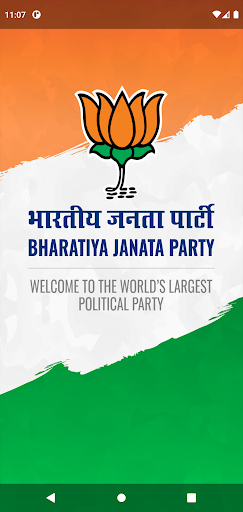
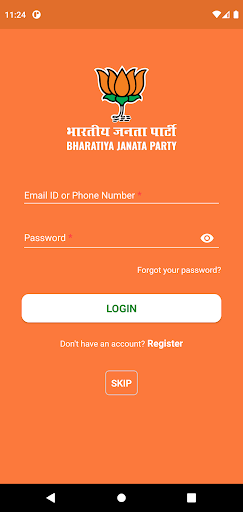
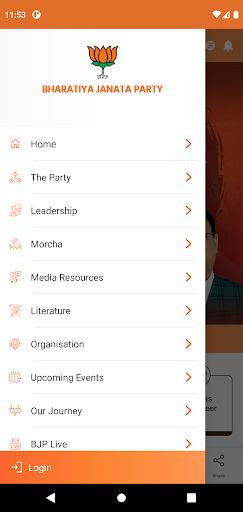
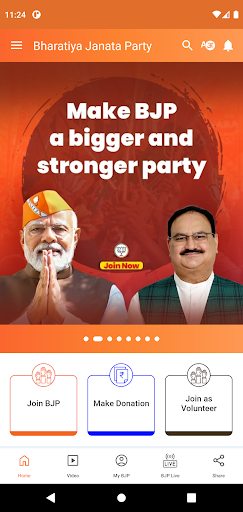
BJP - Bharatiya Janata Party Official App
Stay connected with the Bharatiya Janata Party (BJP), India's leading political force and the largest political party of the world, through the official BJP App. Immerse yourself in the party's ideologies, accomplishments, and vision for a united and strong India!
BJP's Journey: From just three seats to 303 seats, the BJP has truly emerged as a political force to reckon with!
On 21 October, 1951, Bharatiya Jana Sangh is formed in Delhi with Dr. Syama Prasad Mookerjeeas its first President. He was also the founder of Bharatiya Jana Sangh. In the 1951-52 general elections to the parliament of India, Bharatiya Jana Sangh won three seats. In 1967, Jana Sangh clinches 35 seats in the 1967 Lok Sabha elections. In 1977, Bharatiya Jana Sangh merges into Janata Party along with other parties. In 2014, BJP wins 282 seats under the leadership of Shri Narendra Modi, leading the NDA to a tally of 336 seats. He is sworn in as the 15th PM of India on 26th May, 2014. In 2019, BJP scripts history by winning 303 Lok Sabha seats on its own, and Shri Narendra Modi again becomes the PM. On 30th May, 2019 Shri Amit Shah took oath as the Cabinet Minister and took office as Minister of Home Affairs on 1st June 2019.
Key Features of the App:
Nationalist Values: Explore the BJP's commitment to upholding India's rich cultural and historical heritage and its dedication to fostering a sense of national pride and unity.
Latest News: Get real-time updates on the BJP's initiatives, campaigns, and policy decisions shaping the nation's progress.
Election Updates: Stay informed about the party's electoral strategies, candidates, and campaign activities during national and state elections.
Event Highlights: Never miss out on significant party events, rallies, and public addresses. Stay updated with the event calendar and join the momentum.
Policy Insights: Delve into the BJP's comprehensive policy perspectives, covering areas such as economic growth, social development, national security, and cultural preservation.
Media Gallery: Browse through an exclusive collection of images and videos capturing the BJP's historic moments, campaigns, and impactful initiatives.
Spread the Message: Share news articles, policy updates, and event notifications effortlessly across social media platforms, contributing to informed discussions.
Become a member: Be an active participant in the BJP's mission by becoming a party member. Contribute to shaping India's future by joining a community dedicated to progress and positive change.
Make Donations: Contribute to the BJP's initiatives and campaigns by making a donation through the app. Your support is crucial in furthering the party's vision for a stronger and prosperous India.
Embrace the BJP's journey of transformation and progress. Download the BJP Official App now to stay engaged, contribute to the nation's growth, and be a part of the party's unwavering commitment to building a prosperous India.
This application is an attempt to bring the party closer to the people and provides LIVE information on various areas:
- Press Releases
- Current Events
- Videos
- Photo Gallery
- Elections
- Live Videos
- Latest Tweets By BJP Leaders
- Join the party by registering on a simple form
- BJP Membership
- Donation
- Information about BJP Leaders & its history
- Ability to send feedback to the party
- Pictures, Speeches, Others
- Join BJP
مزید دکھائیں

1. MEmu انسٹالر ڈاؤن لوڈ کریں اور سیٹ اپ مکمل کریں

2. MEmu شروع کریں اسکے بعد ڈیسکٹاپ پر Google Play کھولیں

3. Google Play میں Bharatiya Janata Party App تلاش کریں
Install
4. Bharatiya Janata Party App ڈاؤن لوڈ کریں اور انسٹال کریں
5. انسٹال مکمل ہونے کے بعد سٹارٹ کرنے کے لیے آئیکن پر کلک کریں

6. MEmu کے ساتھ پی سی پر Bharatiya Janata Party App کھیلنے کا لطف لیں
MEmu پلے بہترین اینڈرائڈ ایمولیٹر ہے اور 100 ملین لوگ اس کے زبردست اینڈرائڈ گیمنگ تجربہ سے لطف اندوز ہو رہے ہیں۔ MEmu کی ورچولائزیشن ٹیکنالوجی آپ کو اپنے PC پر ہزاروں اینڈرائڈ گیمز یہاں تک کہ انتہائی گرافک والے گیمز باسہولت کھیلنے کی طاقت دیتی ہے۔
بہتر گرافکس کے ساتھ بڑی اسکرین؛ طویل دورانیہ، بیٹری یا لامحدود موبائل ڈیٹا کے بغیر۔
کی بورڈ اور ماؤس یا گیم پیڈ کے عین مطابق کنٹرول کے لیے کی میپنگ کا پورا سپورٹ۔
کثیر مثالی منیجر کے ساتھ بیک وقت ایک پی سی پر متعدد گیم اکاؤنٹس یا ٹاسکس۔
پی سی پر درج ذیل مراحل پر عمل کرتے ہوئے پر Bharatiya Janata Party App استعمال کریں: u003c/p>