Disney Store
تازہ کاری
موجودہ ورژن
12.7.0
پیشکش بذریعہ

اپنے موبائل فون پر Disney Store کا استعمال کرتے وقت زیادہ چارج ہونے کی فکر نہ کریں، خود کو چھوٹی اسکرین سے آزاد کریں اور ایپ کو زیادہ بڑے ڈسپلے پر استعمال کرنے کا لطف اٹھائیں۔ اس کے بعد سے کی بورڈ اور ماؤس کے ساتھ اپنے ایپ کا فل اسکرین کا تجربہ حاصل کریں۔ MEmu آپ کو وہ تمام حیران کن خصوصیات پیش کرتا ہے جن کی آپ کو توقع کرتے ہیں: فوری انسٹال اور آسان سیٹ اپ، وجدانی کنٹرول، مزید بیٹری، موبائل ڈیٹا کی کوئی حد نہیں اور اب مزید پریشان کن کالز نہیں۔ نئے برانڈ کا MEmu 9 آپ کے کمپیوٹر پر Disney Store استعمال کرنے کے لیے بہترین اختیار ہے۔ MEmu کثیر نظیری منیجر بیک وقت 2 یا اس سے زیادہ اکاؤنٹس کھولنا ممکن بناتا ہے۔ اور سب اہم بات، ہمارا خصوصی ایمولیشن انجن آپ کے پی سی کی پوری طاقت ریلیز کرتے ہوئے ہر چیز ہموار اور قابل تفریح بناتا ہے۔
مزید دکھائیں
Download Disney Store on PC with MEmu Android Emulator. Enjoy playing on big screen. Disney Store is your official home for exclusive collections, designer collaborations, and one-of-a-kind Disney merchandise for fans of all ages.
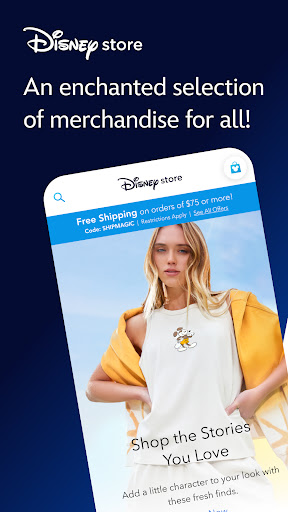
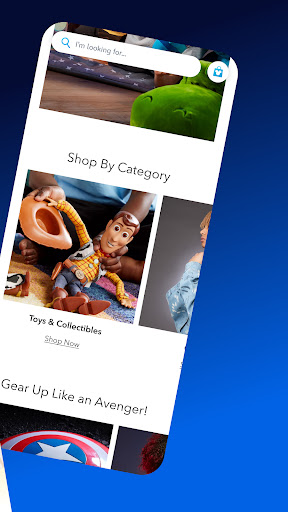
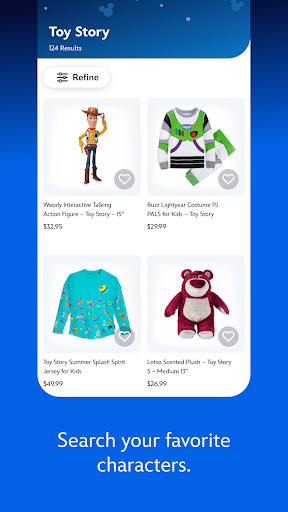
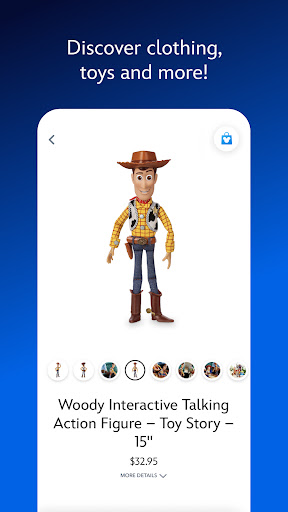
Disney Store is your official home for exclusive collections, designer collaborations, and one-of-a-kind Disney merchandise for fans of all ages.
Shop the stories you love with the largest selection of authentic Disney, Pixar, Marvel, Star Wars, National Geographic, and 20th Century Fox products right at your fingertips.
Whether you are getting ready for an upcoming Disney vacation, looking for that perfect gift, or wishing for a little extra pixie dust Disney Store has what your heart desires!
- Exclusive access to Limited Edition and Limited Release products.
- Checkout quickly with express payment options.
- Be the first to know about our best sales and events with push notifications.
- Discover your new favorites with personalized recommendations.
- Easily track your order and view your order history so you never miss a special delivery.
- Add your favorite items to your Wish List and share with family and friends.
Note: Some features in this app will require your full name, country, birthdate and email address. To facilitate the sign-in process, the app will also require access to the email address stored within your Disney Account.
This app includes the ability to make purchases and will require a Wi-Fi or mobile carrier data connection. Guests must be 18 years or older to make purchases.
This app provides you with the option to receive push notifications, which may include information about products and offers. This app will request access to your camera to scan product barcodes and credit cards for purchases.
Terms of Use: https://disneytermsofuse.com
Privacy Policy: https://privacy.thewaltdisneycompany.com/en/
Your US State Privacy Rights: https://privacy.thewaltdisneycompany.com/en/current-privacy-policy/your-us-privacy-rights/
Do Not Sell or Share My Personal Information: https://privacyportal-de.onetrust.com/webform/64f077b5-2f93-429f-a005-c0206ec0738e/de88148a-87d6-4426-95b1-ed444dd53281
مزید دکھائیں

1. MEmu انسٹالر ڈاؤن لوڈ کریں اور سیٹ اپ مکمل کریں

2. MEmu شروع کریں اسکے بعد ڈیسکٹاپ پر Google Play کھولیں

3. Google Play میں Disney Store تلاش کریں
Install
4. Disney Store ڈاؤن لوڈ کریں اور انسٹال کریں
5. انسٹال مکمل ہونے کے بعد سٹارٹ کرنے کے لیے آئیکن پر کلک کریں

6. MEmu کے ساتھ پی سی پر Disney Store کھیلنے کا لطف لیں
MEmu پلے بہترین اینڈرائڈ ایمولیٹر ہے اور 100 ملین لوگ اس کے زبردست اینڈرائڈ گیمنگ تجربہ سے لطف اندوز ہو رہے ہیں۔ MEmu کی ورچولائزیشن ٹیکنالوجی آپ کو اپنے PC پر ہزاروں اینڈرائڈ گیمز یہاں تک کہ انتہائی گرافک والے گیمز باسہولت کھیلنے کی طاقت دیتی ہے۔
بہتر گرافکس کے ساتھ بڑی اسکرین؛ طویل دورانیہ، بیٹری یا لامحدود موبائل ڈیٹا کے بغیر۔
کی بورڈ اور ماؤس یا گیم پیڈ کے عین مطابق کنٹرول کے لیے کی میپنگ کا پورا سپورٹ۔
کثیر مثالی منیجر کے ساتھ بیک وقت ایک پی سی پر متعدد گیم اکاؤنٹس یا ٹاسکس۔
پی سی پر درج ذیل مراحل پر عمل کرتے ہوئے پر Disney Store استعمال کریں: u003c/p>