Disney Store
अपडेट किया गया
वर्तमान वर्शन
12.7.0
संसाधन

Disney Store पर अपनी मोबाइल डेटा सीमा पार करने को अलविदा कहें और छोटी स्क्रीन की सीमाओं से मुक्त होकर बड़े डिस्प्ले के लाभों का अनुभव करें। अब, आप अपने कीबोर्ड और माउस का उपयोग करके फुल-स्क्रीन मोड में टॉपर्स क्लैन की शक्ति का अनुभव कर सकते हैं। MEmu Play में वे सभी बेहतरीन सुविधाएँ हैं जिनकी आप अपेक्षा करते हैं: त्वरित इंस्टॉलेशन और आसान सेटअप, सहज नियंत्रण, बैटरी की आवश्यकता नहीं, और कोई डेटा या कॉल समय सीमा नहीं। नया MEmu 9 आपके कंप्यूटर पर Disney Store का उपयोग करने के लिए सबसे अच्छा विकल्प है। हमारा मालिकाना मल्टी-इंस्टेंस मैनेजर एक साथ दो या अधिक खातों को चलाने का समर्थन करता है। इससे भी महत्वपूर्ण बात यह है कि हमारा अनूठा इम्यूलेशन इंजन आपके कंप्यूटर के प्रदर्शन का पूरा उपयोग करता है, जिससे एक सहज और निर्बाध अनुभव मिलता है।
और दिखाएं
डाउनलोड करें Disney Store पीसी पर MEmu एंड्रॉयड एमुलेटर के साथ बड़े पर्दे पर खेलने का आनंद लें। Disney Store is your official home for exclusive collections, designer collaborations, and one-of-a-kind Disney merchandise for fans of all ages.
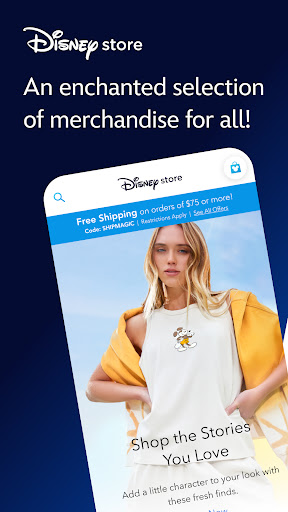
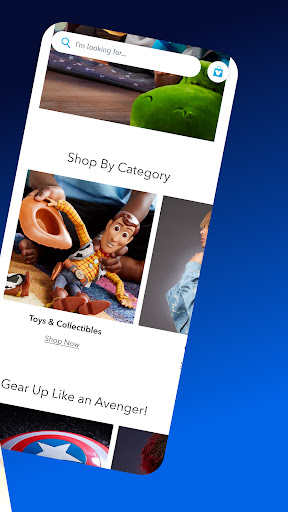
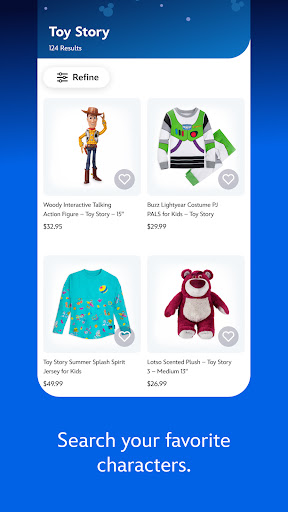
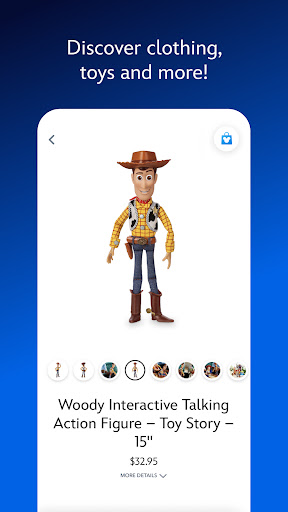
Disney Store is your official home for exclusive collections, designer collaborations, and one-of-a-kind Disney merchandise for fans of all ages.
Shop the stories you love with the largest selection of authentic Disney, Pixar, Marvel, Star Wars, National Geographic, and 20th Century Fox products right at your fingertips.
Whether you are getting ready for an upcoming Disney vacation, looking for that perfect gift, or wishing for a little extra pixie dust Disney Store has what your heart desires!
- Exclusive access to Limited Edition and Limited Release products.
- Checkout quickly with express payment options.
- Be the first to know about our best sales and events with push notifications.
- Discover your new favorites with personalized recommendations.
- Easily track your order and view your order history so you never miss a special delivery.
- Add your favorite items to your Wish List and share with family and friends.
Note: Some features in this app will require your full name, country, birthdate and email address. To facilitate the sign-in process, the app will also require access to the email address stored within your Disney Account.
This app includes the ability to make purchases and will require a Wi-Fi or mobile carrier data connection. Guests must be 18 years or older to make purchases.
This app provides you with the option to receive push notifications, which may include information about products and offers. This app will request access to your camera to scan product barcodes and credit cards for purchases.
Terms of Use: https://disneytermsofuse.com
Privacy Policy: https://privacy.thewaltdisneycompany.com/en/
Your US State Privacy Rights: https://privacy.thewaltdisneycompany.com/en/current-privacy-policy/your-us-privacy-rights/
Do Not Sell or Share My Personal Information: https://privacyportal-de.onetrust.com/webform/64f077b5-2f93-429f-a005-c0206ec0738e/de88148a-87d6-4426-95b1-ed444dd53281
और दिखाएं

1. MEmu इंस्टॉलर को डाउनलोड करें और इंस्टॉलेशन को पूरा करें

2. MEmu शुरू करें फिर होमपेज पर Google Play खोलें

3. Google Play में Disney Store खोजें
Install
4. Disney Store डाउनलोड कर इंस्टॉल करें
5. इंस्टॉल पूरा होने पर आइकन दबाएं

6. MEmu का उपयोग करके अपने कंप्यूटर पर Disney Store का अनुभव करें
MEmu Play सबसे बेहतरीन मुफ़्त Android एमुलेटर है और 5 करोड़ लोग पहले ही इसके शानदार Android ऐप अनुभव का आनंद ले चुके हैं। MEmu 9 वर्चुअलाइज़ेशन तकनीक आपको अपने PC पर हज़ारों Android ऐप्स, यहाँ तक कि सबसे ज़्यादा ग्राफ़िक्स वाले ऐप्स भी, आसानी से चलाने की सुविधा देती है।
असीमित बैटरी या मोबाइल डेटा के साथ बेहतर ग्राफिक्स के साथ बड़ी स्क्रीन; लंबी अवधि।
कीबोर्ड और माउस या गेमपैड के उत्तम नियंत्रण के लिए संपूर्ण कीमैपिंग का समर्थन करता हैं।
एक ही पीसी पर मल्टी-इंस्टेंस मैनेजर के साथ एक समय में कई गेम खाते या कार्य कर सकते हैं।
Use Disney Store on PC by following steps: