Dual Space : Parallel Space
تازہ کاری
موجودہ ورژن
1.3.35
پیشکش بذریعہ

اپنے موبائل فون پر Dual Space : Parallel Space کا استعمال کرتے وقت زیادہ چارج ہونے کی فکر نہ کریں، خود کو چھوٹی اسکرین سے آزاد کریں اور ایپ کو زیادہ بڑے ڈسپلے پر استعمال کرنے کا لطف اٹھائیں۔ اس کے بعد سے کی بورڈ اور ماؤس کے ساتھ اپنے ایپ کا فل اسکرین کا تجربہ حاصل کریں۔ MEmu آپ کو وہ تمام حیران کن خصوصیات پیش کرتا ہے جن کی آپ کو توقع کرتے ہیں: فوری انسٹال اور آسان سیٹ اپ، وجدانی کنٹرول، مزید بیٹری، موبائل ڈیٹا کی کوئی حد نہیں اور اب مزید پریشان کن کالز نہیں۔ نئے برانڈ کا MEmu 9 آپ کے کمپیوٹر پر Dual Space : Parallel Space استعمال کرنے کے لیے بہترین اختیار ہے۔ MEmu کثیر نظیری منیجر بیک وقت 2 یا اس سے زیادہ اکاؤنٹس کھولنا ممکن بناتا ہے۔ اور سب اہم بات، ہمارا خصوصی ایمولیشن انجن آپ کے پی سی کی پوری طاقت ریلیز کرتے ہوئے ہر چیز ہموار اور قابل تفریح بناتا ہے۔
مزید دکھائیں
MEmu Play کے ساتھ PC پر Dual Space : Parallel Space استعمال کرنے کے شاندار تجربے سے لطف اٹھائیں۔ یہ ایک طاقتور مفت اینڈرائیڈ ایمولیٹر ہے جو آپ کو ان کے ڈیسک ٹاپ ورژن کے لیے ہزاروں اینڈرائیڈ ایپس فراہم کرتا ہے۔ دوستوں کے ساتھ جڑنے اور اعلی کارکردگی کے ساتھ اپنے کام کو چمکانے کا لطف اٹھائیں! پہلی ایپلیکیشن جو مکمل طور پر ہم آہنگ ہے۔ duplicate apps.
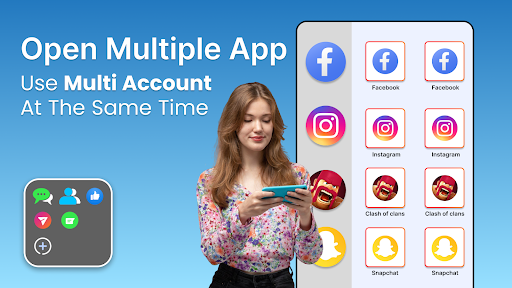
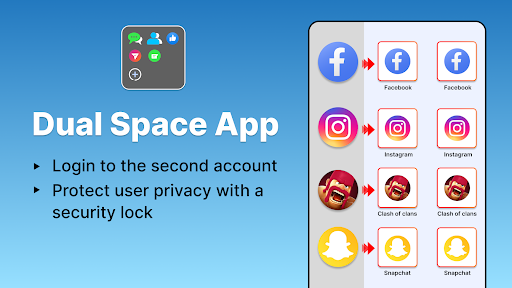
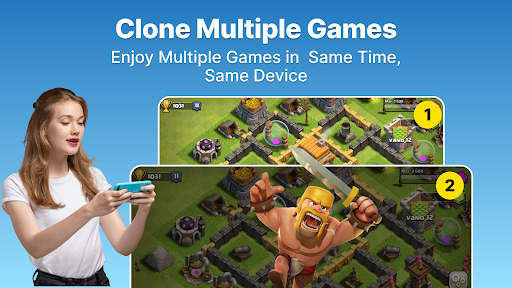
پہلی ایپلیکیشن جو مکمل طور پر ہم آہنگ ہے۔ duplicate apps.براہ مہربانی منتخب کریں Dual Space اگر آپ تجربہ کرنا چاہتے ہیں۔ unlimited app cloning. آپ کر سکتے ہیں۔ clone کوئی بھی social apps, clone gaming apps, یا clone آپ کے موبائل پر کوئی اور ایپ۔.
In order to create a work life balance this dual technology is very awesome. You can make twin apps create multi space there and use them on a single device.
Dual Space Pro Multiple Parallel Space is a faster app cloner for android that allows you to add unlimited apps, clone them and use them. You use duplicated apps with full data, less traffic.
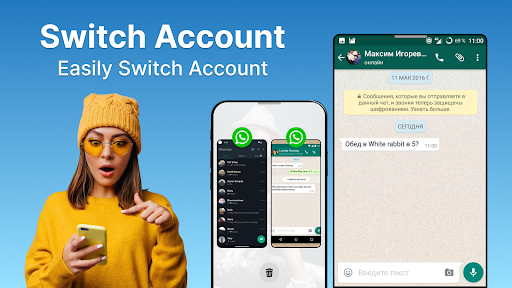
The Multi Account feature allows you to use 2 WhatsApp in one phone without purchasing a second phone.
Dual Space lite is the best cloning app creating dual identity of apps and using them with less storage consumption of apps on your phone.
Dual App identity of an app allows you to add multiple accounts on a single phone. Many users are worried about how to use dual whatsapp on a single phone. Dual technology has solved this problem for many users.
Easy installation and super cloner provides ease to many users. Dual Identity nature of cloner allows you to not only clone social apps but also its a game cloner as well.
Dual Space & Multi Parallel Space Pro multi app cloner allows you to clone unlimited apps. Cloning one app allows you to use multiple accounts on one app. If you want to make your apps more secure, dual space pro provides you an app lock feature that you can enable through fingerprint and passcode.
Dual Space Pro supports 2accounts for almost all social apps. Dual space pro is ad free and allows unlimited app cloning by creating multispace for your cloneapp. Passcode and fingerprint app lock enables your data privacy and maintains personal space. Dual identity allows multi social accounts to log in at the same time.
Features of Dual Space pro: Multi Parallel space & Multiple Accounts app cloner
*Supports WhatsApp multi device format and All social media apps, android apps & games.
*Interface User friendly interface of dual space app cloner.
Privacy Protection Dual space multi parallel app
* Allows you to use passcode to keep privacy on your parallel space multiple accounts.
* Creates an app clone of multiple apps and runs all in multi parallel space.
* Parallel accounts: You can stay logged in simultaneously with parallel accounts of work life & personal life. Quick Switch you can quickly switch between social networking apps & do multi chat at one time.
Dual space free app cloner allows users to maintain & run multiple accounts of social media apps games simultaneously. Dual space lite creates customised space for all cloned apps of social media network and clone games. Dual app contains space plus to maintain and run 2accounts in Parallel.
Dual space Multiple Accounts cloning app has a function of appclone, it takes multi social apps and via free app cloner i.e. a super cloner, clone games & clone app. Dual space free contains extra space storage plus to maintain and run multi accounts in Parallel.
App cloner takes social media applications, app duplicator creates app clone & puts dual account in second space of multiapp. Free game cloner clone games gives double enjoy game experience from different game accounts. Dual space multiapp experience in multiple spaces. Dual app is unique, powerful, stable and easy to use.
Privacy Protection & apps clone function
* Do you want to make your own private account that cannot be found? Dual Space builds a privacy zone for you, leaving no trace in the phone system. It can make your private duplicate whatsapp account hidden and can not be seen by others, so your data security is ensured and your privacy is protected.
* Dual Space is a dual technology that can clone apps. We do not install more applications on your phone, so that your phone will run very smoothly!
مزید دکھائیں

1. MEmu انسٹالر ڈاؤن لوڈ کریں اور سیٹ اپ مکمل کریں

2. MEmu شروع کریں اسکے بعد ڈیسکٹاپ پر Google Play کھولیں

3. Google Play میں Dual Space : Parallel Space تلاش کریں
Install
4. Dual Space : Parallel Space ڈاؤن لوڈ کریں اور انسٹال کریں
5. انسٹال مکمل ہونے کے بعد سٹارٹ کرنے کے لیے آئیکن پر کلک کریں

6. MEmu کے ساتھ پی سی پر Dual Space : Parallel Space کھیلنے کا لطف لیں
MEmu پلے بہترین اینڈرائڈ ایمولیٹر ہے اور 100 ملین لوگ اس کے زبردست اینڈرائڈ گیمنگ تجربہ سے لطف اندوز ہو رہے ہیں۔ MEmu کی ورچولائزیشن ٹیکنالوجی آپ کو اپنے PC پر ہزاروں اینڈرائڈ گیمز یہاں تک کہ انتہائی گرافک والے گیمز باسہولت کھیلنے کی طاقت دیتی ہے۔
بہتر گرافکس کے ساتھ بڑی اسکرین؛ طویل دورانیہ، بیٹری یا لامحدود موبائل ڈیٹا کے بغیر۔
کی بورڈ اور ماؤس یا گیم پیڈ کے عین مطابق کنٹرول کے لیے کی میپنگ کا پورا سپورٹ۔
کثیر مثالی منیجر کے ساتھ بیک وقت ایک پی سی پر متعدد گیم اکاؤنٹس یا ٹاسکس۔
پی سی پر درج ذیل مراحل پر عمل کرتے ہوئے پر Dual Space : Parallel Space استعمال کریں: u003c/p>