EventLive - Live Stream Events
تازہ کاری
موجودہ ورژن
3.7.1
پیشکش بذریعہ

اپنے موبائل فون پر EventLive - Live Stream Events کا استعمال کرتے وقت زیادہ چارج ہونے کی فکر نہ کریں، خود کو چھوٹی اسکرین سے آزاد کریں اور ایپ کو زیادہ بڑے ڈسپلے پر استعمال کرنے کا لطف اٹھائیں۔ اس کے بعد سے کی بورڈ اور ماؤس کے ساتھ اپنے ایپ کا فل اسکرین کا تجربہ حاصل کریں۔ MEmu آپ کو وہ تمام حیران کن خصوصیات پیش کرتا ہے جن کی آپ کو توقع کرتے ہیں: فوری انسٹال اور آسان سیٹ اپ، وجدانی کنٹرول، مزید بیٹری، موبائل ڈیٹا کی کوئی حد نہیں اور اب مزید پریشان کن کالز نہیں۔ نئے برانڈ کا MEmu 9 آپ کے کمپیوٹر پر EventLive - Live Stream Events استعمال کرنے کے لیے بہترین اختیار ہے۔ MEmu کثیر نظیری منیجر بیک وقت 2 یا اس سے زیادہ اکاؤنٹس کھولنا ممکن بناتا ہے۔ اور سب اہم بات، ہمارا خصوصی ایمولیشن انجن آپ کے پی سی کی پوری طاقت ریلیز کرتے ہوئے ہر چیز ہموار اور قابل تفریح بناتا ہے۔
مزید دکھائیں
Download EventLive - Live Stream Events on PC with MEmu Android Emulator. Enjoy playing on big screen. EventLive app lets you broadcast your private event to remote guests who can access it via a private link.
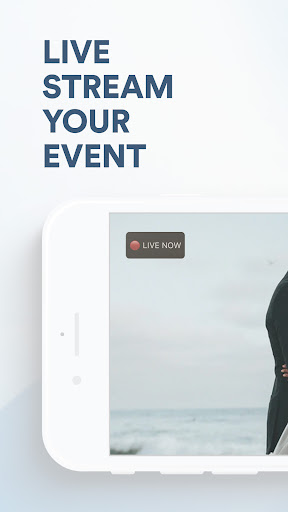
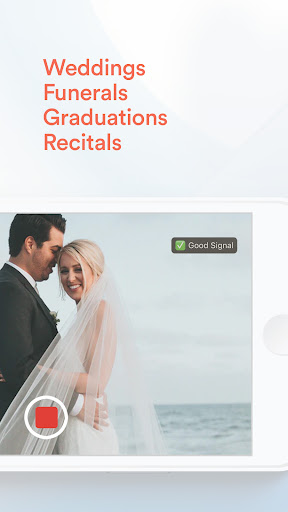
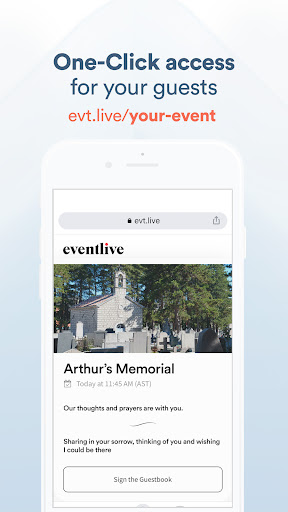
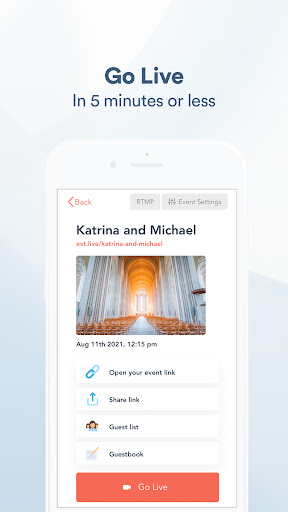
EventLive app lets you broadcast your private event to remote guests who can access it via a private link. You can invite the guests through the app or simply send them a link to attend the event.
Main features:
- Private, customizable event link
- No account or app needed to watch your virtual event
- Automatic reminders for your guests
- Download a copy of your live stream
- Watch a replay, available for 365 days
- Virtual Guestbook included
- 5-minute set up
- Works on every device
Now all your loved ones can enjoy your big day, even if they can’t be there!
Are flights a little too expensive? Do your friends have to work? Are some family members too old to travel? With EventLive, everyone you care about can see your wedding live stream in stunning HD. It also works for other types of events, such as graduations, funerals, and theatre plays.
Choose who you share your big moment with:
Unlike social media platforms, you can choose exactly who sees your private live stream by sending them a simple private link via text, email, or carrier pigeon, the choice is yours!
No account or app needed to watch:
We get it, not everyone is tech-savvy. Your virtual guests don’t need to download our app or create an account, one click on the private link and they have instant access to your live event. Friends and family can watch on their phone, tablet or computer, wherever they are in the world.
Automatic reminders ensure all eyes will be on you:
Spending hours organizing and reminding people to tune in to your webcast on the morning of the most important day of your life is a huge no. Let us do the leg work for you! We will send out automatic email reminders one day, 1 hour and 15 minutes before you say “I do”, so your loved ones won’t miss a single second.
Enjoy your video for years to come:
Bad signal? Different time zones? No wedding videographer? No problem! While you are LIVE, your phone is also filming everything in glorious HD. So, the moment you stop the live stream, a top-quality video will automatically save to your phone and our server, so you can watch it, share it and post it over and over again.
Quick setup so you can get back to wedding planning:
We’ve made creating and sharing your live stream link as easy as 1, 2, 3. Set up everything in advance, so you don’t have to think about anything but your vows on your big day.
Testing how live streaming works is free.
- Private Link
- Share Link before you go LIVE
- Try EventLive at your venue
- 10-minute limit
Special Events Include:
- Unlimited viewers
- Unlimited views
- Unlimited automated reminders
- Guestbook
- Livestream video is saved online for 1 year
- High-resolution streaming
- All-day live streaming
- Setup and share the link in advance
- No advertisements
Perfect for
- weddings,
- elopements,
- vow renewals,
- anniversaries,
- funerals,
- memorial services,
- seminars,
- sports events,
- other special events.
Live stream your event privately, rather than on social networks. Broadcasting your event has never been so easy!
مزید دکھائیں

1. MEmu انسٹالر ڈاؤن لوڈ کریں اور سیٹ اپ مکمل کریں

2. MEmu شروع کریں اسکے بعد ڈیسکٹاپ پر Google Play کھولیں

3. Google Play میں EventLive - Live Stream Events تلاش کریں
Install
4. EventLive - Live Stream Events ڈاؤن لوڈ کریں اور انسٹال کریں
5. انسٹال مکمل ہونے کے بعد سٹارٹ کرنے کے لیے آئیکن پر کلک کریں

6. MEmu کے ساتھ پی سی پر EventLive - Live Stream Events کھیلنے کا لطف لیں
MEmu پلے بہترین اینڈرائڈ ایمولیٹر ہے اور 100 ملین لوگ اس کے زبردست اینڈرائڈ گیمنگ تجربہ سے لطف اندوز ہو رہے ہیں۔ MEmu کی ورچولائزیشن ٹیکنالوجی آپ کو اپنے PC پر ہزاروں اینڈرائڈ گیمز یہاں تک کہ انتہائی گرافک والے گیمز باسہولت کھیلنے کی طاقت دیتی ہے۔
بہتر گرافکس کے ساتھ بڑی اسکرین؛ طویل دورانیہ، بیٹری یا لامحدود موبائل ڈیٹا کے بغیر۔
کی بورڈ اور ماؤس یا گیم پیڈ کے عین مطابق کنٹرول کے لیے کی میپنگ کا پورا سپورٹ۔
کثیر مثالی منیجر کے ساتھ بیک وقت ایک پی سی پر متعدد گیم اکاؤنٹس یا ٹاسکس۔
پی سی پر درج ذیل مراحل پر عمل کرتے ہوئے پر EventLive - Live Stream Events استعمال کریں: u003c/p>