
Ezee Notes Class 11/12 Science
تازہ کاری
موجودہ ورژن
1.10.5
پیشکش بذریعہ

اپنے موبائل فون پر Ezee Notes Class 11/12 Science کا استعمال کرتے وقت زیادہ چارج ہونے کی فکر نہ کریں، خود کو چھوٹی اسکرین سے آزاد کریں اور ایپ کو زیادہ بڑے ڈسپلے پر استعمال کرنے کا لطف اٹھائیں۔ اس کے بعد سے کی بورڈ اور ماؤس کے ساتھ اپنے ایپ کا فل اسکرین کا تجربہ حاصل کریں۔ MEmu آپ کو وہ تمام حیران کن خصوصیات پیش کرتا ہے جن کی آپ کو توقع کرتے ہیں: فوری انسٹال اور آسان سیٹ اپ، وجدانی کنٹرول، مزید بیٹری، موبائل ڈیٹا کی کوئی حد نہیں اور اب مزید پریشان کن کالز نہیں۔ نئے برانڈ کا MEmu 9 آپ کے کمپیوٹر پر Ezee Notes Class 11/12 Science استعمال کرنے کے لیے بہترین اختیار ہے۔ MEmu کثیر نظیری منیجر بیک وقت 2 یا اس سے زیادہ اکاؤنٹس کھولنا ممکن بناتا ہے۔ اور سب اہم بات، ہمارا خصوصی ایمولیشن انجن آپ کے پی سی کی پوری طاقت ریلیز کرتے ہوئے ہر چیز ہموار اور قابل تفریح بناتا ہے۔
مزید دکھائیں
Download Ezee Notes Class 11/12 Science on PC with MEmu Android Emulator. Enjoy playing on big screen. Ezee Notes App is the ultimate educational hub designed exclusively for class 11 and class 12 students.
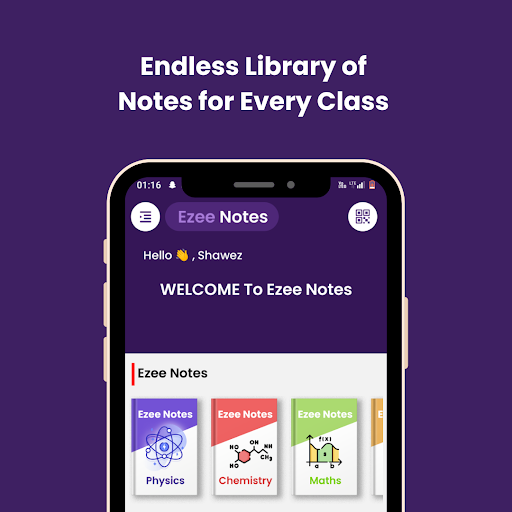
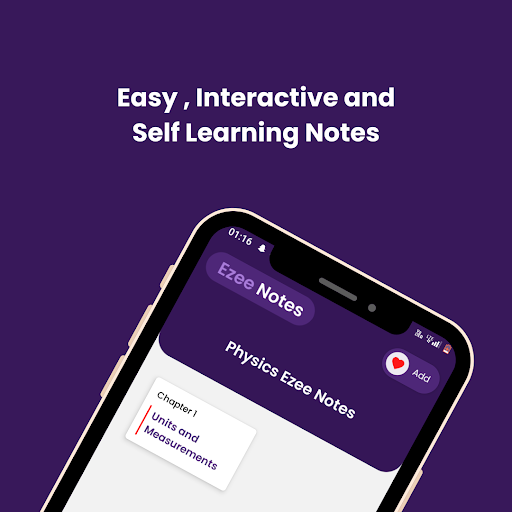
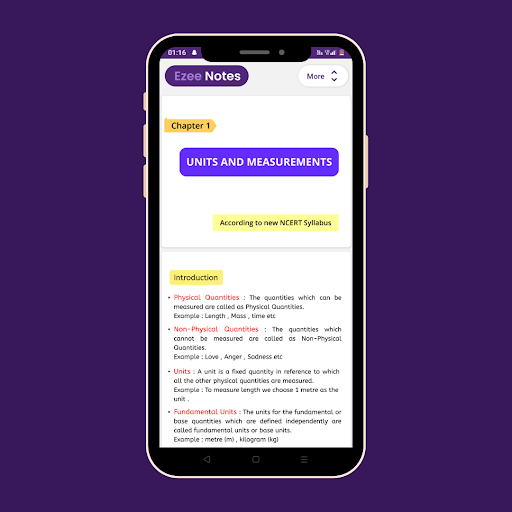
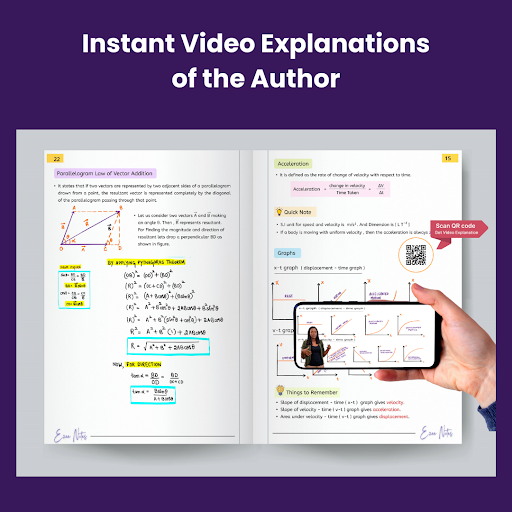
Ezee Notes App is the ultimate educational hub designed exclusively for class 11 and class 12 students. Our app redefines the way you learn and study, providing an immersive and engaging platform filled with interactive, colorful, and meticulously crafted notes.
Key Features:
Interactive Learning: We believe that learning should be an engaging experience. Our interactive notes go beyond static text, offering a dynamic and immersive learning journey. Dive into lessons, animations, and quizzes that make studying enjoyable and effective.
Colorful Visuals: Say goodbye to dull and monotonous notes. At [Your App Name], we infuse color and life into your study materials. Our vibrant visuals and diagrams make complex concepts easier to grasp, ensuring you remember and understand the topics better.
Text and Handwritten Content: We understand that every student has unique preferences. That's why we offer a blend of text and handwritten content. Immerse yourself in beautifully handwritten notes for that personal touch, or opt for clear and concise text-based explanations.
We are committed to revolutionizing the way you learn. Our app is more than just a study aid; it's a companion that makes learning enjoyable and effective. Dive into the world of interactive, colorful, and comprehensive class 11 and class 12 notes today.
مزید دکھائیں

1. MEmu انسٹالر ڈاؤن لوڈ کریں اور سیٹ اپ مکمل کریں

2. MEmu شروع کریں اسکے بعد ڈیسکٹاپ پر Google Play کھولیں

3. Google Play میں Ezee Notes Class 11/12 Science تلاش کریں
Install
4. Ezee Notes Class 11/12 Science ڈاؤن لوڈ کریں اور انسٹال کریں
5. انسٹال مکمل ہونے کے بعد سٹارٹ کرنے کے لیے آئیکن پر کلک کریں

6. MEmu کے ساتھ پی سی پر Ezee Notes Class 11/12 Science کھیلنے کا لطف لیں
MEmu پلے بہترین اینڈرائڈ ایمولیٹر ہے اور 100 ملین لوگ اس کے زبردست اینڈرائڈ گیمنگ تجربہ سے لطف اندوز ہو رہے ہیں۔ MEmu کی ورچولائزیشن ٹیکنالوجی آپ کو اپنے PC پر ہزاروں اینڈرائڈ گیمز یہاں تک کہ انتہائی گرافک والے گیمز باسہولت کھیلنے کی طاقت دیتی ہے۔
بہتر گرافکس کے ساتھ بڑی اسکرین؛ طویل دورانیہ، بیٹری یا لامحدود موبائل ڈیٹا کے بغیر۔
کی بورڈ اور ماؤس یا گیم پیڈ کے عین مطابق کنٹرول کے لیے کی میپنگ کا پورا سپورٹ۔
کثیر مثالی منیجر کے ساتھ بیک وقت ایک پی سی پر متعدد گیم اکاؤنٹس یا ٹاسکس۔
پی سی پر درج ذیل مراحل پر عمل کرتے ہوئے پر Ezee Notes Class 11/12 Science استعمال کریں: u003c/p>