
Ezee Notes Class 11/12 Science
আপডেট করা হয়েছে
বর্তমান সংস্করণ
1.10.5
অফার করেছে

আপনার মোবাইলে Ezee Notes Class 11/12 Science ব্যবহার করার সময় অতিরিক্ত চার্জ নিয়ে চিন্তা করা বন্ধ করুন, নিজেকে ছোট পর্দা থেকে মুক্ত করুন এবং অনেক বড় ডিসপ্লেতে অ্যাপ ব্যবহার করে উপভোগ করুন। এখন থেকে, কীবোর্ড এবং মাউস দিয়ে আপনার অ্যাপের একটি পূর্ণ-স্ক্রীন অভিজ্ঞতা পান। MEmu আপনাকে সমস্ত আশ্চর্যজনক বৈশিষ্ট্যগুলি অফার করে যা আপনি আশা করেছিলেন: দ্রুত ইনস্টল এবং সহজ সেটআপ, স্বজ্ঞাত নিয়ন্ত্রণ, ব্যাটারির আর কোন সীমাবদ্ধতা নেই, মোবাইল ডেটা এবং বিরক্তিকর কল৷ একদম নতুন MEmu 9 হল আপনার কম্পিউটারে Ezee Notes Class 11/12 Science ব্যবহার করার সেরা পছন্দ। MEmu মাল্টি-ইনস্ট্যান্স ম্যানেজার একই সময়ে 2 বা তার বেশি অ্যাকাউন্ট খোলা সম্ভব করে তোলে। এবং সবচেয়ে গুরুত্বপূর্ণ, আমাদের একচেটিয়া ইমুলেশন ইঞ্জিন আপনার পিসির সম্পূর্ণ সম্ভাবনা প্রকাশ করতে পারে, সবকিছুকে মসৃণ এবং উপভোগ্য করে তুলতে পারে।
বেশি দেখান
Download Ezee Notes Class 11/12 Science on PC with MEmu Android Emulator. Enjoy playing on big screen. Ezee Notes App is the ultimate educational hub designed exclusively for class 11 and class 12 students.
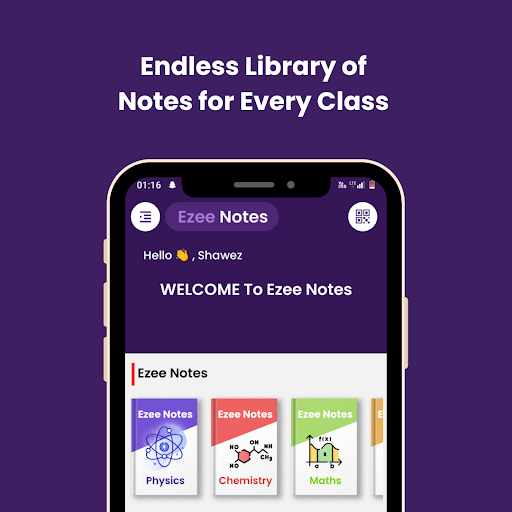
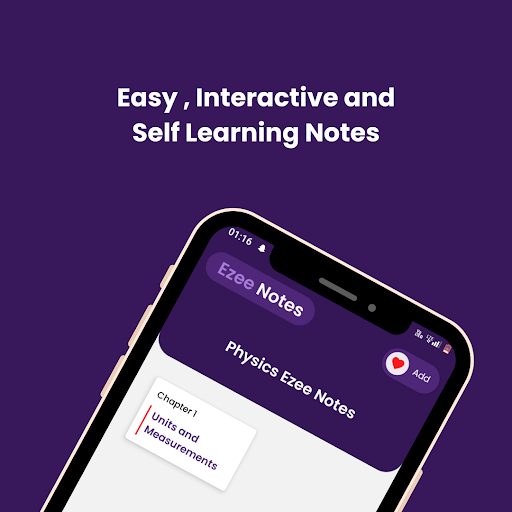
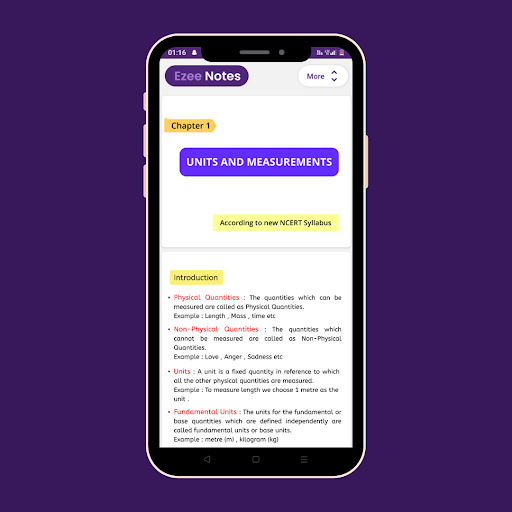
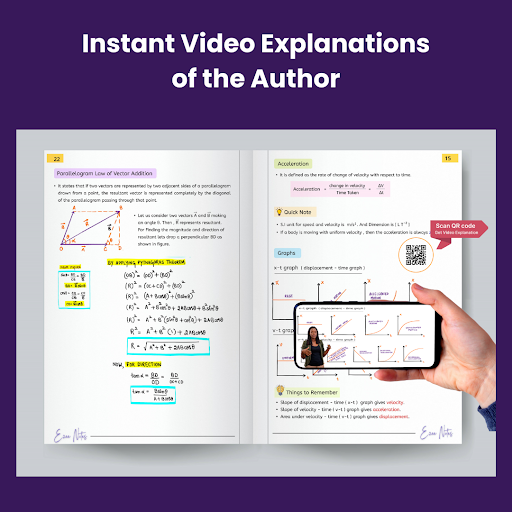
Ezee Notes App is the ultimate educational hub designed exclusively for class 11 and class 12 students. Our app redefines the way you learn and study, providing an immersive and engaging platform filled with interactive, colorful, and meticulously crafted notes.
Key Features:
Interactive Learning: We believe that learning should be an engaging experience. Our interactive notes go beyond static text, offering a dynamic and immersive learning journey. Dive into lessons, animations, and quizzes that make studying enjoyable and effective.
Colorful Visuals: Say goodbye to dull and monotonous notes. At [Your App Name], we infuse color and life into your study materials. Our vibrant visuals and diagrams make complex concepts easier to grasp, ensuring you remember and understand the topics better.
Text and Handwritten Content: We understand that every student has unique preferences. That's why we offer a blend of text and handwritten content. Immerse yourself in beautifully handwritten notes for that personal touch, or opt for clear and concise text-based explanations.
We are committed to revolutionizing the way you learn. Our app is more than just a study aid; it's a companion that makes learning enjoyable and effective. Dive into the world of interactive, colorful, and comprehensive class 11 and class 12 notes today.
বেশি দেখান

1. MEmu ইনস্টলার ডাউনলোড করুন এবং সেটআপ শেষ করুন

2. MEmu শুরু করুন তারপর ডেস্কটপে Google Play খুলুন

3. Google Play এ Ezee Notes Class 11/12 Science খুঁজুন
Install
4. Ezee Notes Class 11/12 Science ডাউনলোড এবং ইনস্টল করুন
5. ইনস্টল সমাপ্তি শুরু করতে আইকনে ক্লিক করুন

6. MEmu ব্যবহার করে আপনার কম্পিউটারে Ezee Notes Class 11/12 Science উপভোগ করুন
MEmu Play হল সেরা অ্যান্ড্রয়েড এমুলেটর, যার ১০ কোটিরও বেশি ব্যবহারকারী এর উন্নত অ্যান্ড্রয়েড অ্যাপ অভিজ্ঞতা উপভোগ করছেন। MEmu 9 এর ভার্চুয়ালাইজেশন প্রযুক্তি আপনাকে আপনার কম্পিউটারে হাজার হাজার অ্যান্ড্রয়েড অ্যাপ মসৃণভাবে চালাতে দেয়, এমনকি সবচেয়ে চাহিদাসম্পন্ন অ্যাপগুলিও।
ভালো গ্রাফিক্সের সাথে বড় স্ক্রীন; লম্বা অবধি, ব্যাটারি বা মোবাইল ডাটা'র কোন সীমা ছাড়া।
কীবোর্ড এবং মাউস বা গেমপ্যাডের সুনির্দিষ্ট নিয়ন্ত্রণের জন্য সম্পূর্ণ কীম্যাপিং সমর্থন।
মাল্টি-ইনস্ট্যান্স ম্যানেজারের সাথে একটি পিসিতে একাধিক গেম অ্যাকাউন্ট বা কাজ।
নিম্নলিখিত ধাপগুলোর মাধ্যমে পিসি এ Ezee Notes Class 11/12 Science ব্যবহার করুন: