Kamla Travels
تازہ کاری
موجودہ ورژن
13
پیشکش بذریعہ

اپنے موبائل فون پر Kamla Travels کا استعمال کرتے وقت زیادہ چارج ہونے کی فکر نہ کریں، خود کو چھوٹی اسکرین سے آزاد کریں اور ایپ کو زیادہ بڑے ڈسپلے پر استعمال کرنے کا لطف اٹھائیں۔ اس کے بعد سے کی بورڈ اور ماؤس کے ساتھ اپنے ایپ کا فل اسکرین کا تجربہ حاصل کریں۔ MEmu آپ کو وہ تمام حیران کن خصوصیات پیش کرتا ہے جن کی آپ کو توقع کرتے ہیں: فوری انسٹال اور آسان سیٹ اپ، وجدانی کنٹرول، مزید بیٹری، موبائل ڈیٹا کی کوئی حد نہیں اور اب مزید پریشان کن کالز نہیں۔ نئے برانڈ کا MEmu 9 آپ کے کمپیوٹر پر Kamla Travels استعمال کرنے کے لیے بہترین اختیار ہے۔ MEmu کثیر نظیری منیجر بیک وقت 2 یا اس سے زیادہ اکاؤنٹس کھولنا ممکن بناتا ہے۔ اور سب اہم بات، ہمارا خصوصی ایمولیشن انجن آپ کے پی سی کی پوری طاقت ریلیز کرتے ہوئے ہر چیز ہموار اور قابل تفریح بناتا ہے۔
مزید دکھائیں
Download Kamla Travels on PC with MEmu Android Emulator. Enjoy playing on big screen. Kamla Bus is a renowned brand in the bus operating industry.

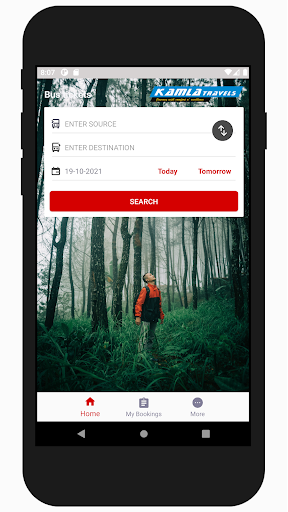
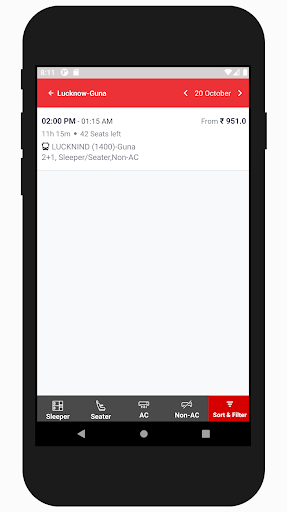
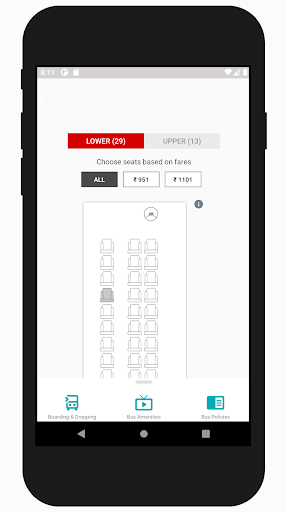
Kamla Bus is a renowned brand in the bus operating industry. Our vision is to give a new face to the bus industry. Since our inception passenger comfort was our top priority. We have frequently added luxury buses to our huge fleet of buses. The only thing we focus on is that the comfort quotient of our passengers should never be compromised. We have always tried our best to push our limits in order to develop our travel experience. Read further to understand what we offer that enhances our reputation in the market.
Live Bus Tracking
We have integrated this great technology of live bus tracking in almost all of our buses. This helps the passengers to be informed about the live position of the bus, thus helping them in planning their commute to the bus stand. It also prevents the unwanted stress of missing or waiting for the bus in case of delays.
Our Customer Support
To render the best service we strive to provide the best customer support. We have an attentive customer support team to which the passengers can report any issues regarding the journey. This team addresses all the issues of the passengers and comes out with a solution in the shortest possible time. This creates a warm feeling in the customers thus pushing them to be our regular customers.
Great Comfort
Now, once a passenger boards the bus he will be surprised by the inner comfort of the bus. The buses have all the latest amenities like WiFi, charging point, water bottle and central TV. The seats are really very comfortable and create a feeling of a cosy bedroom. We have almost all the luxury brand buses in our fleet. Our luxurious fleet includes Mercedes Benz Multi-axle buses, Volvo Multi-axle buses, and Scania Multi-axle comfort buses. These buses help in smoothening the journey. Our motto to change the perception of bus travel makes us enhance our luxury levels regularly.
Safety
Safety is one of the most important criteria we look for while planning a bus route. We have the best drivers who completely understand the importance of safety and follow all the safety rules.
Regular Offers
We at Kamla Bus strive to maintain the most reasonable rates in the market. This also makes our passengers happy and thus we further give them discount offers on a regular basis to enhance their happiness.
مزید دکھائیں

1. MEmu انسٹالر ڈاؤن لوڈ کریں اور سیٹ اپ مکمل کریں

2. MEmu شروع کریں اسکے بعد ڈیسکٹاپ پر Google Play کھولیں

3. Google Play میں Kamla Travels تلاش کریں
Install
4. Kamla Travels ڈاؤن لوڈ کریں اور انسٹال کریں
5. انسٹال مکمل ہونے کے بعد سٹارٹ کرنے کے لیے آئیکن پر کلک کریں

6. MEmu کے ساتھ پی سی پر Kamla Travels کھیلنے کا لطف لیں
MEmu پلے بہترین اینڈرائڈ ایمولیٹر ہے اور 100 ملین لوگ اس کے زبردست اینڈرائڈ گیمنگ تجربہ سے لطف اندوز ہو رہے ہیں۔ MEmu کی ورچولائزیشن ٹیکنالوجی آپ کو اپنے PC پر ہزاروں اینڈرائڈ گیمز یہاں تک کہ انتہائی گرافک والے گیمز باسہولت کھیلنے کی طاقت دیتی ہے۔
بہتر گرافکس کے ساتھ بڑی اسکرین؛ طویل دورانیہ، بیٹری یا لامحدود موبائل ڈیٹا کے بغیر۔
کی بورڈ اور ماؤس یا گیم پیڈ کے عین مطابق کنٹرول کے لیے کی میپنگ کا پورا سپورٹ۔
کثیر مثالی منیجر کے ساتھ بیک وقت ایک پی سی پر متعدد گیم اکاؤنٹس یا ٹاسکس۔
پی سی پر درج ذیل مراحل پر عمل کرتے ہوئے پر Kamla Travels استعمال کریں: u003c/p>