MBit Music Video Status Maker
تازہ کاری
موجودہ ورژن
14.5
پیشکش بذریعہ

اپنے موبائل فون پر MBit Music Video Status Maker کا استعمال کرتے وقت زیادہ چارج ہونے کی فکر نہ کریں، خود کو چھوٹی اسکرین سے آزاد کریں اور ایپ کو زیادہ بڑے ڈسپلے پر استعمال کرنے کا لطف اٹھائیں۔ اس کے بعد سے کی بورڈ اور ماؤس کے ساتھ اپنے ایپ کا فل اسکرین کا تجربہ حاصل کریں۔ MEmu آپ کو وہ تمام حیران کن خصوصیات پیش کرتا ہے جن کی آپ کو توقع کرتے ہیں: فوری انسٹال اور آسان سیٹ اپ، وجدانی کنٹرول، مزید بیٹری، موبائل ڈیٹا کی کوئی حد نہیں اور اب مزید پریشان کن کالز نہیں۔ نئے برانڈ کا MEmu 9 آپ کے کمپیوٹر پر MBit Music Video Status Maker استعمال کرنے کے لیے بہترین اختیار ہے۔ MEmu کثیر نظیری منیجر بیک وقت 2 یا اس سے زیادہ اکاؤنٹس کھولنا ممکن بناتا ہے۔ اور سب اہم بات، ہمارا خصوصی ایمولیشن انجن آپ کے پی سی کی پوری طاقت ریلیز کرتے ہوئے ہر چیز ہموار اور قابل تفریح بناتا ہے۔
مزید دکھائیں
Download MBit Music Video Status Maker on PC with MEmu Android Emulator. Enjoy playing on big screen. Discover the ultimate video creation experience with MBit Music!
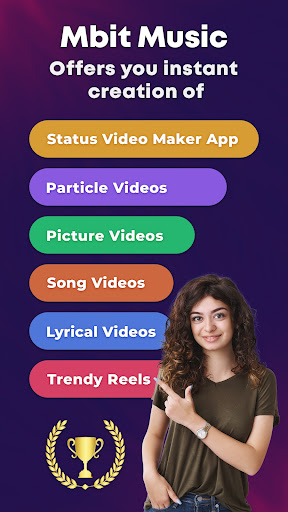
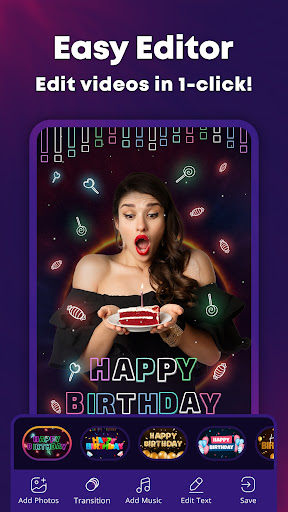
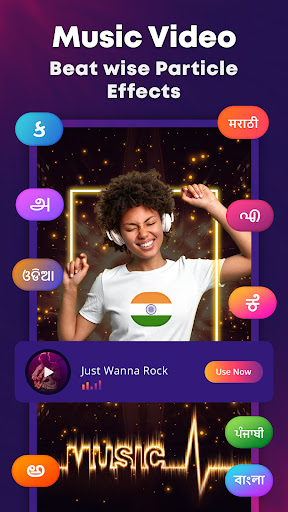
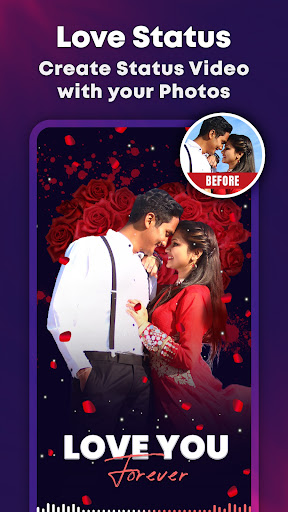
Discover the ultimate video creation experience with MBit Music! This all-in-one video maker app lets you create dazzling video statuses, music videos, photo to video, and reels. Packed with the latest templates, particle effects, music, transitions, and filters, MBit Music makes it easy to express yourself. Whether you’re crafting a birthday video maker or a love story Video, this mast app has everything you need to showcase your creativity and share it with friends and family.
Feel the Music
Hey, Music & YouTube Lovers! Your wait is over as Mbit introduces Musical Beat-wise Particle Effects for videos. Create eye-catching 30-second music videos and photo videos with this powerful and versatile video maker app for free.
Reasons Why You Might Need This Video Maker and Editor
Particle.ly Video Maker:
Get ready to unleash your creativity with the Particle.ly Video Maker! With this amazing tool, you can effortlessly add beat-wise particle effects to your photos and videos, creating mesmerizing videos with equalizer, and animated particle effects in categories like Love, Birthday, Neon, God, Sports, Festival, and more.
Music Video Maker:
Turn your photos into captivating music status videos with mv bit! Choose from a variety of templates, trendy effects, and a huge collection of music tracks to create stunning video statuses that will truly impress.
Short Video Maker:
Turn your ideas into top-quality videos with the Short Video Maker from MBit Music! With an incredible selection of music available in all languages, and categories like love, birthday, God, sad, patriotic, and more, you can create professional-grade videos that will blow everyone away. This app is your go-to for all your video-making needs!
Reel Creator:
Step into the world of short videos and reels with MBit Music! Elevate your creations with AI effects, transitions, and music, and witness your followers increase. This mbit app makes crafting engaging reels easier than ever!
Additionally, it offers:
> User-Friendly Interface: Easy-to-use functionalities at your fingertips
> Wide Range of Video Templates: Explore Birthday Videos, Love Videos, Festival Videos, Attitude Status, God Status, Patriotic Videos, Sad Status, Lyrics Video and soon
> Photo Collage Maker: Make an on-pattern picture collage with your favorite photos
> Status Video Downloader: Download Status and Story Videos in high-quality
> Free Daily Quotes: Quotes that will make you think, smile, and act
> 4K HD Wallpapers: The perfect way to personalize your device
> Trendy Ringtones: Stand out from the crowd with the latest ringtones
> MP3 Cutter: Cut, trim, and edit your MP3s with ease
> Easy saving & Sharing: Save & Share your masterpiece across all social media platforms
Feel the Beat and let your creativity shine with MBit Music! Start creating stunning videos that will make you stand out!
Support:
If you are facing any issues regarding the MBit Music™ app, feel free to contact us at mail to: support@mbitmusic.in
Disclaimer:
All the content (music & images) in this app and all the copyright material credit go to their respective owners. We have just provided a platform for entertainment purposes only. If you have any issues regarding this app or content (music & images), then you can contact us at legal@mbitmusic.in.
Please note MBit Music™ Video Maker is a registered trademark. The use of app content or resources might lead to legal consequences.
مزید دکھائیں

1. MEmu انسٹالر ڈاؤن لوڈ کریں اور سیٹ اپ مکمل کریں

2. MEmu شروع کریں اسکے بعد ڈیسکٹاپ پر Google Play کھولیں

3. Google Play میں MBit Music Video Status Maker تلاش کریں
Install
4. MBit Music Video Status Maker ڈاؤن لوڈ کریں اور انسٹال کریں
5. انسٹال مکمل ہونے کے بعد سٹارٹ کرنے کے لیے آئیکن پر کلک کریں

6. MEmu کے ساتھ پی سی پر MBit Music Video Status Maker کھیلنے کا لطف لیں
MEmu پلے بہترین اینڈرائڈ ایمولیٹر ہے اور 100 ملین لوگ اس کے زبردست اینڈرائڈ گیمنگ تجربہ سے لطف اندوز ہو رہے ہیں۔ MEmu کی ورچولائزیشن ٹیکنالوجی آپ کو اپنے PC پر ہزاروں اینڈرائڈ گیمز یہاں تک کہ انتہائی گرافک والے گیمز باسہولت کھیلنے کی طاقت دیتی ہے۔
بہتر گرافکس کے ساتھ بڑی اسکرین؛ طویل دورانیہ، بیٹری یا لامحدود موبائل ڈیٹا کے بغیر۔
کی بورڈ اور ماؤس یا گیم پیڈ کے عین مطابق کنٹرول کے لیے کی میپنگ کا پورا سپورٹ۔
کثیر مثالی منیجر کے ساتھ بیک وقت ایک پی سی پر متعدد گیم اکاؤنٹس یا ٹاسکس۔
پی سی پر درج ذیل مراحل پر عمل کرتے ہوئے پر MBit Music Video Status Maker استعمال کریں: u003c/p>