Mp4 to 3gp Converter
تازہ کاری
موجودہ ورژن
1.1.9
پیشکش بذریعہ

اپنے موبائل فون پر Mp4 to 3gp Converter کا استعمال کرتے وقت زیادہ چارج ہونے کی فکر نہ کریں، خود کو چھوٹی اسکرین سے آزاد کریں اور ایپ کو زیادہ بڑے ڈسپلے پر استعمال کرنے کا لطف اٹھائیں۔ اس کے بعد سے کی بورڈ اور ماؤس کے ساتھ اپنے ایپ کا فل اسکرین کا تجربہ حاصل کریں۔ MEmu آپ کو وہ تمام حیران کن خصوصیات پیش کرتا ہے جن کی آپ کو توقع کرتے ہیں: فوری انسٹال اور آسان سیٹ اپ، وجدانی کنٹرول، مزید بیٹری، موبائل ڈیٹا کی کوئی حد نہیں اور اب مزید پریشان کن کالز نہیں۔ نئے برانڈ کا MEmu 9 آپ کے کمپیوٹر پر Mp4 to 3gp Converter استعمال کرنے کے لیے بہترین اختیار ہے۔ MEmu کثیر نظیری منیجر بیک وقت 2 یا اس سے زیادہ اکاؤنٹس کھولنا ممکن بناتا ہے۔ اور سب اہم بات، ہمارا خصوصی ایمولیشن انجن آپ کے پی سی کی پوری طاقت ریلیز کرتے ہوئے ہر چیز ہموار اور قابل تفریح بناتا ہے۔
مزید دکھائیں
Download Mp4 to 3gp Converter on PC with MEmu Android Emulator. Enjoy playing on big screen. Mp4 to 3gp Converter is an Android application, Where you can Convert your Mp4 Videos or Mp4 Video Files with only one click.
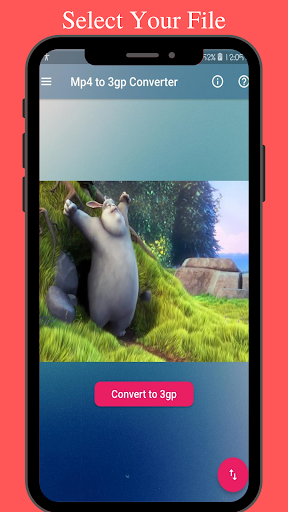
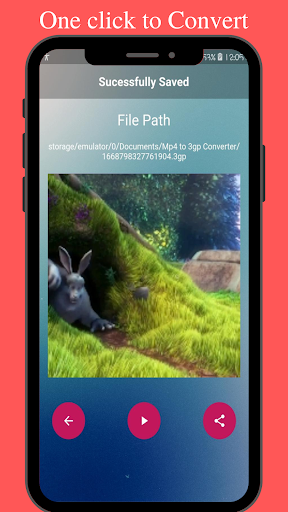
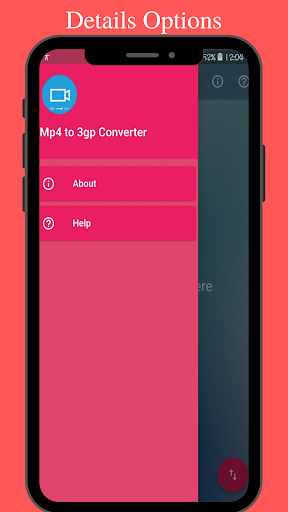
Mp4 to 3gp Converter is an Android application, Where you can Convert your Mp4 Videos or Mp4 Video Files with only one click.
This is a new application in the market, I develop this application because most of the time I saw the people who face these issues:
how to Convert mp4 to 3gp.
Mp4 to 3gp converter.
Mp4 to 3gp converter in one click.
Most people called Mp4 file to 3gp file instead of Mp4 to 3gp converter, so they also asked these questions on different websites:
how to Convert mp4 file to 3gp file in Andriod.
how to Convert mp4 file to 3gp file on Andriod.
how to Convert mp4 file to 3gp file.
Mp4 file to 3gp file converter.
Mp4 file to 3gp file converter in one click.
Most people called Mp4 video to 3gp video instead of Mp4 to 3gp converter, so they also asked these questions on different websites:
how to Convert mp4 video to 3gp video .
Mp4 video to 3gp video converter.
Mp4 video to 3gp video converter in one click.
how to convert an Mp4 video to a 3gp video converter in one click.
how to convert Mp4 video to 3gp video converter in one click.
The answer is simple, use our new application Mp4 to 3gp Converter, it will allow you to Convert your Mp4 file to 3gp in just one click.
Details About WhatsApp Voice Message Saver:
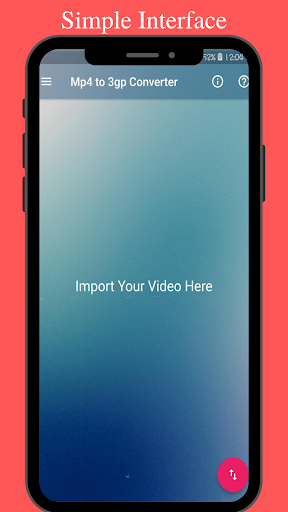
Our Application has a simple and attractive interface. Even it is perfect for a beginner user. It is a fully professional application that contains the following features.
Allow you to convert mp4 file to 3gp file.
You need just a single click to perform this operation.
Allow you to convert your file very fast way.
Show you the loading progress bar with the remaining time.
You can also delete it if you want to remove it.
Steps for Saving Your WhatsApp Voice Message
1. Open Our Application Mp4 to 3gp converter.
2. Click on the Floating Action Button in the rightmost corner.
3. After Clicking over it, you will be forwarded to the gallery and files.
4. Go to the files/gallery and then select the mp4 file that you want to convert.
5. After that your file will automatically import inside Mp4 to 3gp Converter.
6. Select the Converter Button.
7. It will take some time depending on your video length.
8. You can cancel the process by clicking on the cancel button.
9. After conversion it will forward you to the next page where your converter file is placed.
10. Enjoy ;-).
If you still have some problems regarding our application mp4 to 3gp converter so you are free to give us your feedback.
مزید دکھائیں

1. MEmu انسٹالر ڈاؤن لوڈ کریں اور سیٹ اپ مکمل کریں

2. MEmu شروع کریں اسکے بعد ڈیسکٹاپ پر Google Play کھولیں

3. Google Play میں Mp4 to 3gp Converter تلاش کریں
Install
4. Mp4 to 3gp Converter ڈاؤن لوڈ کریں اور انسٹال کریں
5. انسٹال مکمل ہونے کے بعد سٹارٹ کرنے کے لیے آئیکن پر کلک کریں

6. MEmu کے ساتھ پی سی پر Mp4 to 3gp Converter کھیلنے کا لطف لیں
MEmu پلے بہترین اینڈرائڈ ایمولیٹر ہے اور 100 ملین لوگ اس کے زبردست اینڈرائڈ گیمنگ تجربہ سے لطف اندوز ہو رہے ہیں۔ MEmu کی ورچولائزیشن ٹیکنالوجی آپ کو اپنے PC پر ہزاروں اینڈرائڈ گیمز یہاں تک کہ انتہائی گرافک والے گیمز باسہولت کھیلنے کی طاقت دیتی ہے۔
بہتر گرافکس کے ساتھ بڑی اسکرین؛ طویل دورانیہ، بیٹری یا لامحدود موبائل ڈیٹا کے بغیر۔
کی بورڈ اور ماؤس یا گیم پیڈ کے عین مطابق کنٹرول کے لیے کی میپنگ کا پورا سپورٹ۔
کثیر مثالی منیجر کے ساتھ بیک وقت ایک پی سی پر متعدد گیم اکاؤنٹس یا ٹاسکس۔
پی سی پر درج ذیل مراحل پر عمل کرتے ہوئے پر Mp4 to 3gp Converter استعمال کریں: u003c/p>