My Airtel
تازہ کاری
موجودہ ورژن
6.4.7
پیشکش بذریعہ

اپنے موبائل فون پر My Airtel کا استعمال کرتے وقت زیادہ چارج ہونے کی فکر نہ کریں، خود کو چھوٹی اسکرین سے آزاد کریں اور ایپ کو زیادہ بڑے ڈسپلے پر استعمال کرنے کا لطف اٹھائیں۔ اس کے بعد سے کی بورڈ اور ماؤس کے ساتھ اپنے ایپ کا فل اسکرین کا تجربہ حاصل کریں۔ MEmu آپ کو وہ تمام حیران کن خصوصیات پیش کرتا ہے جن کی آپ کو توقع کرتے ہیں: فوری انسٹال اور آسان سیٹ اپ، وجدانی کنٹرول، مزید بیٹری، موبائل ڈیٹا کی کوئی حد نہیں اور اب مزید پریشان کن کالز نہیں۔ نئے برانڈ کا MEmu 9 آپ کے کمپیوٹر پر My Airtel استعمال کرنے کے لیے بہترین اختیار ہے۔ MEmu کثیر نظیری منیجر بیک وقت 2 یا اس سے زیادہ اکاؤنٹس کھولنا ممکن بناتا ہے۔ اور سب اہم بات، ہمارا خصوصی ایمولیشن انجن آپ کے پی سی کی پوری طاقت ریلیز کرتے ہوئے ہر چیز ہموار اور قابل تفریح بناتا ہے۔
مزید دکھائیں
Download My Airtel on PC with MEmu Android Emulator. Enjoy playing on big screen. The My Airtel App is a comprehensive, free platform designed to manage all your Airtel Prepaid and Postpaid connections conveniently from your mobile device.
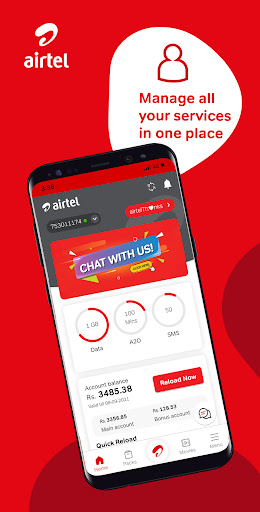
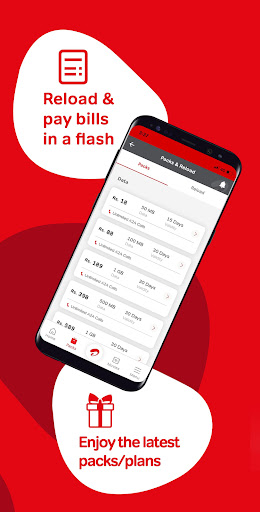
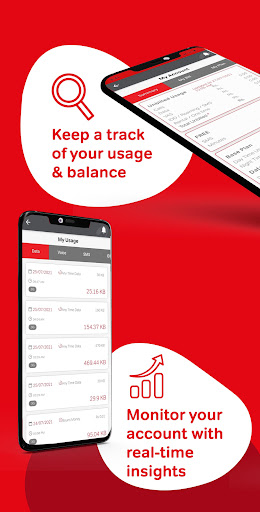

The My Airtel App is a comprehensive, free platform designed to manage all your Airtel Prepaid and Postpaid connections conveniently from your mobile device. Leveraging new technology, the app has been fully revamped to provide an enhanced user experience with a more fluid interface, additional services, and exciting new offers.
With the My Airtel App, you can:
- Manage Accounts: Easily handle your Airtel Prepaid and Postpaid accounts.
- Check Usage: Monitor detailed account activity.
- Manage Packs and Plans: Access and manage active and available packs and plans.
- Personalize Services: Tailor your experience with Value Added Services.
- Set Bill Reminders: Never miss a postpaid bill payment with reminders.
- Use e-Services: Access various electronic services conveniently.
- Activate IDD & Roaming: Enable international direct dialing and roaming services.
- Profile Management: Update your profile for personalized services and offers.
- Locate Service Partners: Find the nearest Airtel Service Partners and Service Points.
- Access FAQs: Get answers to frequently asked questions.
- Live Chat Support: Raise queries via live chat with an Airtel agent.
- WhatsApp Support: Get assistance through WhatsApp chat.
-Select Preferred Language: Choose from English, Sinhala, and Tamil for app navigation.
Experience faster browsing speeds and seamlessly manage your Airtel services. Download the Airtel app now and experience the convenience firsthand. Your feedback is valuable—reach out with questions and suggestions at 555@airtel.com
مزید دکھائیں

1. MEmu انسٹالر ڈاؤن لوڈ کریں اور سیٹ اپ مکمل کریں

2. MEmu شروع کریں اسکے بعد ڈیسکٹاپ پر Google Play کھولیں

3. Google Play میں My Airtel تلاش کریں
Install
4. My Airtel ڈاؤن لوڈ کریں اور انسٹال کریں
5. انسٹال مکمل ہونے کے بعد سٹارٹ کرنے کے لیے آئیکن پر کلک کریں

6. MEmu کے ساتھ پی سی پر My Airtel کھیلنے کا لطف لیں
MEmu پلے بہترین اینڈرائڈ ایمولیٹر ہے اور 100 ملین لوگ اس کے زبردست اینڈرائڈ گیمنگ تجربہ سے لطف اندوز ہو رہے ہیں۔ MEmu کی ورچولائزیشن ٹیکنالوجی آپ کو اپنے PC پر ہزاروں اینڈرائڈ گیمز یہاں تک کہ انتہائی گرافک والے گیمز باسہولت کھیلنے کی طاقت دیتی ہے۔
بہتر گرافکس کے ساتھ بڑی اسکرین؛ طویل دورانیہ، بیٹری یا لامحدود موبائل ڈیٹا کے بغیر۔
کی بورڈ اور ماؤس یا گیم پیڈ کے عین مطابق کنٹرول کے لیے کی میپنگ کا پورا سپورٹ۔
کثیر مثالی منیجر کے ساتھ بیک وقت ایک پی سی پر متعدد گیم اکاؤنٹس یا ٹاسکس۔
پی سی پر درج ذیل مراحل پر عمل کرتے ہوئے پر My Airtel استعمال کریں: u003c/p>