
My Airtel
Updated
Current Version
6.4.7
Offered By

Stop worrying about high battery drain when using My Airtel on your phone. Free yourself from the tiny screen and enjoy the app on a much larger display. From now on, get a full-screen experience of your app with the convenience of a keyboard and mouse. MEmu offers you all the surprising features you’d expect: quick installation and easy setup, intuitive controls, and no more worries about battery life, mobile data, or unexpected calls. The all-new MEmu 9 is the choice for using My Airtel on your computer. With the MEmu multi-instance manager, you can run two or more accounts at the same time. Most importantly, our exclusive emulation engine unlocks your PC’s full potential, delivering smooth and enjoyable performance.
Show more
Enjoy superb experience of using My Airtel on PC with MEMU App Player. It's a powerful free Android emulator which provides you with thousands of android apps for their desktop version. Enjoy connecting with friends and polishing your work with higher efficiency! The My Airtel App is a comprehensive, free platform designed to manage all your Airtel Prepaid and Postpaid connections conveniently from your mobile device.
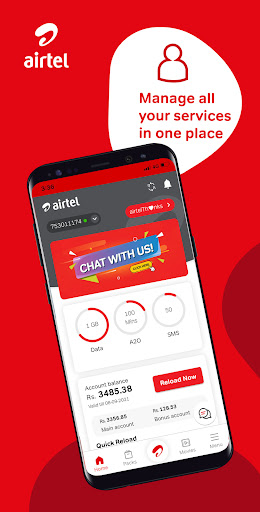
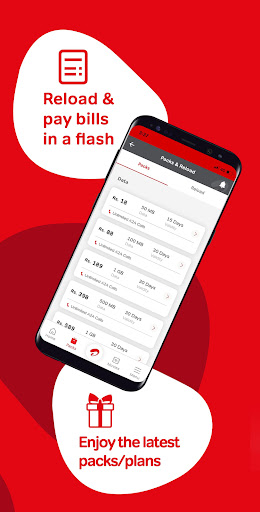
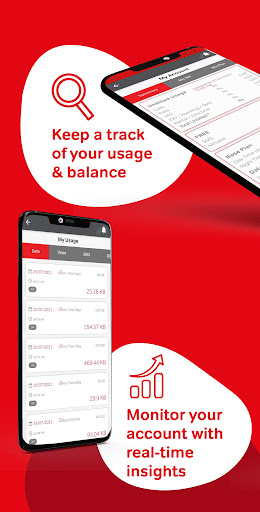

The My Airtel App is a comprehensive, free platform designed to manage all your Airtel Prepaid and Postpaid connections conveniently from your mobile device. Leveraging new technology, the app has been fully revamped to provide an enhanced user experience with a more fluid interface, additional services, and exciting new offers.
With the My Airtel App, you can:
- Manage Accounts: Easily handle your Airtel Prepaid and Postpaid accounts.
- Check Usage: Monitor detailed account activity.
- Manage Packs and Plans: Access and manage active and available packs and plans.
- Personalize Services: Tailor your experience with Value Added Services.
- Set Bill Reminders: Never miss a postpaid bill payment with reminders.
- Use e-Services: Access various electronic services conveniently.
- Activate IDD & Roaming: Enable international direct dialing and roaming services.
- Profile Management: Update your profile for personalized services and offers.
- Locate Service Partners: Find the nearest Airtel Service Partners and Service Points.
- Access FAQs: Get answers to frequently asked questions.
- Live Chat Support: Raise queries via live chat with an Airtel agent.
- WhatsApp Support: Get assistance through WhatsApp chat.
-Select Preferred Language: Choose from English, Sinhala, and Tamil for app navigation.
Experience faster browsing speeds and seamlessly manage your Airtel services. Download the Airtel app now and experience the convenience firsthand. Your feedback is valuable—reach out with questions and suggestions at 555@airtel.com
Show more

1. Download MEmu installer and finish the setup

2. Start MEmu then open Google Play on the desktop

3. Search My Airtel in Google Play
Install
4. Download and Install My Airtel
5. On install completion click the icon to start

6. Enjoy using My Airtel on PC with MEmu
MEmu Play is the best Android emulator, and 100 million users already enjoy its superb Android app experience. Powered by advanced virtualization technology, it lets you enjoy thousands of Android apps smoothly on your PC—including the most graphics-intensive ones.
Bigger screen with better graphics; Long duration, without limitation of battery or mobile data.
Full Keymapping support for precise control of keyboard and mouse or gamepad.
Multiple game accounts or tasks on single PC at one time with Multi-Instance manager.
Use My Airtel on PC by following steps: