Pollog Family Assistant
تازہ کاری
موجودہ ورژن
1.0.2
پیشکش بذریعہ

اپنے موبائل فون پر Pollog Family Assistant کا استعمال کرتے وقت زیادہ چارج ہونے کی فکر نہ کریں، خود کو چھوٹی اسکرین سے آزاد کریں اور ایپ کو زیادہ بڑے ڈسپلے پر استعمال کرنے کا لطف اٹھائیں۔ اس کے بعد سے کی بورڈ اور ماؤس کے ساتھ اپنے ایپ کا فل اسکرین کا تجربہ حاصل کریں۔ MEmu آپ کو وہ تمام حیران کن خصوصیات پیش کرتا ہے جن کی آپ کو توقع کرتے ہیں: فوری انسٹال اور آسان سیٹ اپ، وجدانی کنٹرول، مزید بیٹری، موبائل ڈیٹا کی کوئی حد نہیں اور اب مزید پریشان کن کالز نہیں۔ نئے برانڈ کا MEmu 9 آپ کے کمپیوٹر پر Pollog Family Assistant استعمال کرنے کے لیے بہترین اختیار ہے۔ MEmu کثیر نظیری منیجر بیک وقت 2 یا اس سے زیادہ اکاؤنٹس کھولنا ممکن بناتا ہے۔ اور سب اہم بات، ہمارا خصوصی ایمولیشن انجن آپ کے پی سی کی پوری طاقت ریلیز کرتے ہوئے ہر چیز ہموار اور قابل تفریح بناتا ہے۔
مزید دکھائیں
Download Pollog Family Assistant on PC with MEmu Android Emulator. Enjoy playing on big screen. Do you want to ensure your children’s safety online?
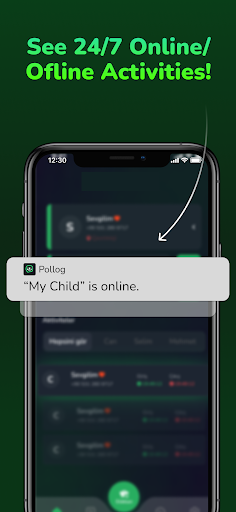
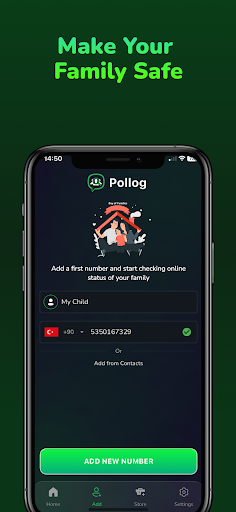
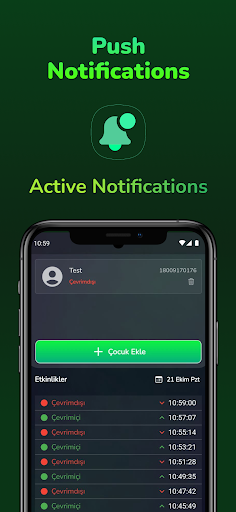
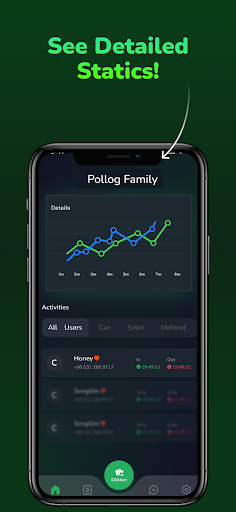
Do you want to ensure your children’s safety online? Pollog Family Assistant provides parents with an easy-to-use tool to monitor the online activities of their children and loved ones in real time. Get instant notifications and detailed reports to better understand their online habits, including last seen activity and usage patterns.
With Pollog Family Assistant, you can monitor the real-time online and offline status of your children and loved ones, including their last seen information, and receive instant updates whenever they go online or offline. You’ll have access to detailed daily and weekly activity reports that help you analyze your child's online behavior and monitor their online presence effectively. The app also provides a detailed analysis of their usage, allowing you to compare online activity between two profiles, making it easier to spot trends and behaviors. Additionally, you can set daily time limits or specific intervals to control their online activity during school hours or bedtime, helping maintain a balanced routine. Your data privacy and security are our top priority, and you can delete all your data anytime with a single tap. Our 24/7 customer support team is always available to assist you with any questions, ensuring you feel confident and secure.
Privacy Policy:
https://polluxstudios.com/PollogPrivacy.txt
Terms of Use:
https://polluxstudios.com/PollogTermofUse.txt
مزید دکھائیں

1. MEmu انسٹالر ڈاؤن لوڈ کریں اور سیٹ اپ مکمل کریں

2. MEmu شروع کریں اسکے بعد ڈیسکٹاپ پر Google Play کھولیں

3. Google Play میں Pollog Family Assistant تلاش کریں
Install
4. Pollog Family Assistant ڈاؤن لوڈ کریں اور انسٹال کریں
5. انسٹال مکمل ہونے کے بعد سٹارٹ کرنے کے لیے آئیکن پر کلک کریں

6. MEmu کے ساتھ پی سی پر Pollog Family Assistant کھیلنے کا لطف لیں
MEmu پلے بہترین اینڈرائڈ ایمولیٹر ہے اور 100 ملین لوگ اس کے زبردست اینڈرائڈ گیمنگ تجربہ سے لطف اندوز ہو رہے ہیں۔ MEmu کی ورچولائزیشن ٹیکنالوجی آپ کو اپنے PC پر ہزاروں اینڈرائڈ گیمز یہاں تک کہ انتہائی گرافک والے گیمز باسہولت کھیلنے کی طاقت دیتی ہے۔
بہتر گرافکس کے ساتھ بڑی اسکرین؛ طویل دورانیہ، بیٹری یا لامحدود موبائل ڈیٹا کے بغیر۔
کی بورڈ اور ماؤس یا گیم پیڈ کے عین مطابق کنٹرول کے لیے کی میپنگ کا پورا سپورٹ۔
کثیر مثالی منیجر کے ساتھ بیک وقت ایک پی سی پر متعدد گیم اکاؤنٹس یا ٹاسکس۔
پی سی پر درج ذیل مراحل پر عمل کرتے ہوئے پر Pollog Family Assistant استعمال کریں: u003c/p>