Screen Mirroring MirrorMeister
تازہ کاری
موجودہ ورژن
1.51
پیشکش بذریعہ

اپنے موبائل فون پر Screen Mirroring MirrorMeister کا استعمال کرتے وقت زیادہ چارج ہونے کی فکر نہ کریں، خود کو چھوٹی اسکرین سے آزاد کریں اور ایپ کو زیادہ بڑے ڈسپلے پر استعمال کرنے کا لطف اٹھائیں۔ اس کے بعد سے کی بورڈ اور ماؤس کے ساتھ اپنے ایپ کا فل اسکرین کا تجربہ حاصل کریں۔ MEmu آپ کو وہ تمام حیران کن خصوصیات پیش کرتا ہے جن کی آپ کو توقع کرتے ہیں: فوری انسٹال اور آسان سیٹ اپ، وجدانی کنٹرول، مزید بیٹری، موبائل ڈیٹا کی کوئی حد نہیں اور اب مزید پریشان کن کالز نہیں۔ نئے برانڈ کا MEmu 9 آپ کے کمپیوٹر پر Screen Mirroring MirrorMeister استعمال کرنے کے لیے بہترین اختیار ہے۔ MEmu کثیر نظیری منیجر بیک وقت 2 یا اس سے زیادہ اکاؤنٹس کھولنا ممکن بناتا ہے۔ اور سب اہم بات، ہمارا خصوصی ایمولیشن انجن آپ کے پی سی کی پوری طاقت ریلیز کرتے ہوئے ہر چیز ہموار اور قابل تفریح بناتا ہے۔
مزید دکھائیں
Download Screen Mirroring MirrorMeister on PC with MEmu Android Emulator. Enjoy playing on big screen. Easily cast content to your TV.
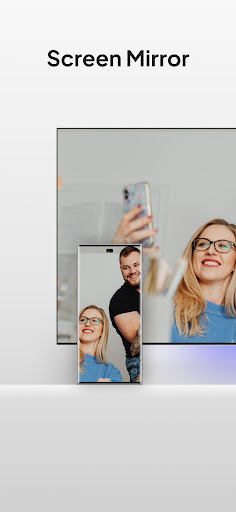
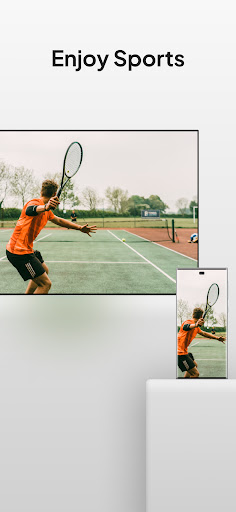
Easily cast content to your TV. Wirelessly enjoy anything on the big screen in record time.
Discover the most user-friendly and seamless way to mirror your smartphone or tablet onto any smart TV or device! Whether it’s videos, movies, shows, presentations, livestreams, photos, or apps – MirrorMeister ensures high-quality screen mirroring.
MirrorMeister: Ultimate Screen Mirroring
Features:
- Ultra-Fast Connection: Instantly connect your device to your TV with our optimized technology. No wires needed!
- HD Quality Streaming: Enjoy crisp and clear visuals with our premium screen mirroring technology.
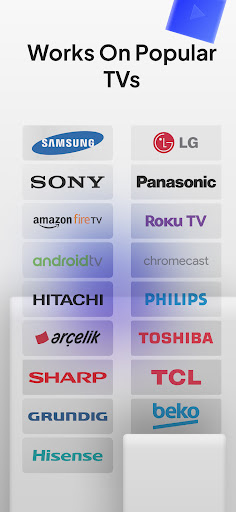
- Universal Compatibility: Supports all major TV brands & streaming devices. Including: Samsung, LG, Sony, Firestick, Philips, Roku, Chromecast, and more!
- Synchronized Audio: Perfect audio-video sync for an immersive experience.
- Easy Setup: No technical expertise required. Dive into the screen sharing magic in seconds!
Why Choose MirrorMeister?
- Works on any tv: It supports all popular TV brands worldwide.
- User Centric Design: Built with users in mind, MirrorMeister offers an intuitive and easy-to-navigate UI, making screen mirroring a breeze.
- Dedicated Support: Face an issue? Our 24/7 customer support is always at your service.
Perfect For:
- Tech-lovers: This application is the quintessential tool, offering boundless integration between devices, seamless HD streaming, and the future of interconnected digital experiences in a single tap.
- Travellers: Turn your hotel room into a movie theater or presentation room.
- Business Professionals: Showcase your presentations, spreadsheets, and more on the big screen.
- Families: Relive memories by sharing photos and videos on the TV for everyone to see.
- Smart Home Lovers: Improve your home-entertainment experience in record time. Wirelessly of course.
How It Works:
1. Install the MirrorMeister app.
2. Ensure your mobile device and TV are connected to the same Wi-Fi network.
3. Open MirrorMeister and select your TV.
4. Voila! Your screen is mirrored.
Harness the power of the latest screen mirroring technology and elevate your screen-sharing experience. Dive into a world where your content comes alive on bigger screens, with unparalleled ease and finesse.
---
Privacy Policy: https://www.mirrormeister.com/android-privacy-policy-meisterapps/
Terms of Use: https://www.mirrormeister.com/terms-of-use-android/
مزید دکھائیں

1. MEmu انسٹالر ڈاؤن لوڈ کریں اور سیٹ اپ مکمل کریں

2. MEmu شروع کریں اسکے بعد ڈیسکٹاپ پر Google Play کھولیں

3. Google Play میں Screen Mirroring MirrorMeister تلاش کریں
Install
4. Screen Mirroring MirrorMeister ڈاؤن لوڈ کریں اور انسٹال کریں
5. انسٹال مکمل ہونے کے بعد سٹارٹ کرنے کے لیے آئیکن پر کلک کریں

6. MEmu کے ساتھ پی سی پر Screen Mirroring MirrorMeister کھیلنے کا لطف لیں
MEmu پلے بہترین اینڈرائڈ ایمولیٹر ہے اور 100 ملین لوگ اس کے زبردست اینڈرائڈ گیمنگ تجربہ سے لطف اندوز ہو رہے ہیں۔ MEmu کی ورچولائزیشن ٹیکنالوجی آپ کو اپنے PC پر ہزاروں اینڈرائڈ گیمز یہاں تک کہ انتہائی گرافک والے گیمز باسہولت کھیلنے کی طاقت دیتی ہے۔
بہتر گرافکس کے ساتھ بڑی اسکرین؛ طویل دورانیہ، بیٹری یا لامحدود موبائل ڈیٹا کے بغیر۔
کی بورڈ اور ماؤس یا گیم پیڈ کے عین مطابق کنٹرول کے لیے کی میپنگ کا پورا سپورٹ۔
کثیر مثالی منیجر کے ساتھ بیک وقت ایک پی سی پر متعدد گیم اکاؤنٹس یا ٹاسکس۔
پی سی پر درج ذیل مراحل پر عمل کرتے ہوئے پر Screen Mirroring MirrorMeister استعمال کریں: u003c/p>