TuBee: Video player for Tube
تازہ کاری
موجودہ ورژن
پیشکش بذریعہ

اپنے موبائل فون پر TuBee: Video player for Tube کا استعمال کرتے وقت زیادہ چارج ہونے کی فکر نہ کریں، خود کو چھوٹی اسکرین سے آزاد کریں اور ایپ کو زیادہ بڑے ڈسپلے پر استعمال کرنے کا لطف اٹھائیں۔ اس کے بعد سے کی بورڈ اور ماؤس کے ساتھ اپنے ایپ کا فل اسکرین کا تجربہ حاصل کریں۔ MEmu آپ کو وہ تمام حیران کن خصوصیات پیش کرتا ہے جن کی آپ کو توقع کرتے ہیں: فوری انسٹال اور آسان سیٹ اپ، وجدانی کنٹرول، مزید بیٹری، موبائل ڈیٹا کی کوئی حد نہیں اور اب مزید پریشان کن کالز نہیں۔ نئے برانڈ کا MEmu 9 آپ کے کمپیوٹر پر TuBee: Video player for Tube استعمال کرنے کے لیے بہترین اختیار ہے۔ MEmu کثیر نظیری منیجر بیک وقت 2 یا اس سے زیادہ اکاؤنٹس کھولنا ممکن بناتا ہے۔ اور سب اہم بات، ہمارا خصوصی ایمولیشن انجن آپ کے پی سی کی پوری طاقت ریلیز کرتے ہوئے ہر چیز ہموار اور قابل تفریح بناتا ہے۔
مزید دکھائیں
MEmu Play کے ساتھ PC پر TuBee: Video player for Tube استعمال کرنے کے شاندار تجربے سے لطف اٹھائیں۔ یہ ایک طاقتور مفت اینڈرائیڈ ایمولیٹر ہے جو آپ کو ان کے ڈیسک ٹاپ ورژن کے لیے ہزاروں اینڈرائیڈ ایپس فراہم کرتا ہے۔ دوستوں کے ساتھ جڑنے اور اعلی کارکردگی کے ساتھ اپنے کام کو چمکانے کا لطف اٹھائیں! TuBee is your ultimate video player, offering a seamless way to play without signing in.
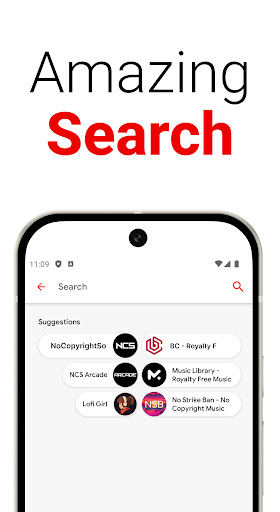
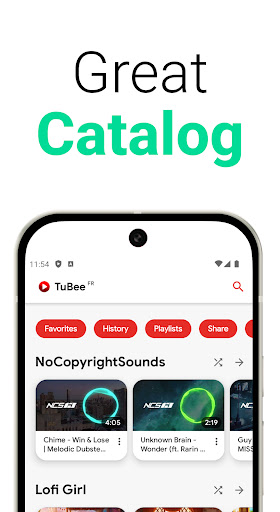
TuBee is your ultimate video player, offering a seamless way to play without signing in. No need account connection to watch. Easily erase your history. Create and import playlists.
Discover and watch millions of free videos in high-quality! Keep video playing while using other apps, making TuBee the perfect tool for media enthusiasts.
Highlights:
• Fast and Stable: Enjoy smooth performance with a user-friendly and intuitive interface.
• Content Search: Quickly find and play your favorite videos.
• History Management: Easily browse and delete your viewing history.
• Playlist Features: Effortlessly import and create custom playlists.
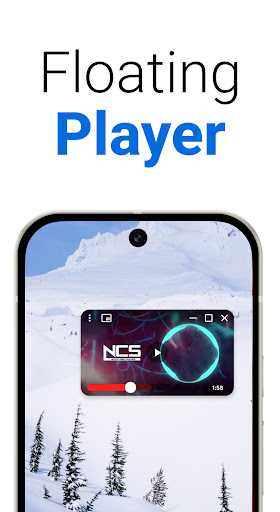
• Picture-in-Picture Mode: Keep videos playing in a floating window over other apps on Android Nougat (7.0) and above.
• Experimental alarm: Set up an alarm, chose the video and the time
• Multiple Themes: Choose between dark and light themes to suit your preferences.
• Old devices: support very old devices on Android 4.4 (api 19)
Playlists Management:
• Import and Create: Manage your playlists with ease.
• Shortcuts: Easily play your favorite songs
• Favorites: Mark and save videos you love to watch them anytime.
Technical Details:
• The floating popup is using the Android OS feature called "picture in picture" available since Android 7.0
• The player is the native player provided by 3rd party player
• To save favorite and historic, simple JSON file texts are used (shared preferences and persistence across installation with a copy on the external storage /Tube)
• Video metadata persistence with database arch provided by android.arch.persistence.room
• Respect "material design" guidelines with a light and dark theme
• Developed with Java and Kotlin on the latest API 35
Device Compatibility:
• Smartphones: Supports all device types for universal accessibility.
• Tablets and form factor: Features a responsive UI tailored for various screen resolutions.
Third-parties Integration:
• Explore and Discover: Find top charts, featured playlists, and hot new music through "No Copyright Sounds". Get personalized recommendations and explore music charts specific to your country.
• Floating Player: Use the popup player to stream videos while browsing other apps or chatting with friends, without overlapping your screen. Expand the floating player to full screen with a single click, allowing you to enjoy videos without needing to save them.
Important Notes:
• Ad-Free Experience: Enjoy an uninterrupted, ad-free viewing experience.
• Compliance: This player respects 3rd parties API Terms of Services by using the native player provided in the documentation.
• Content Sources: All content is provided by third-party sources. For any content removal requests, feel free to contact us directly.
Experience a new level of video playback with TuBee, where convenience meets functionality. Enjoy your seamless video experience with TuBee! =)
Love TuBee?
Follow us on YouTube or other social media. Our YouTube channel is named: "Team Mercan".
مزید دکھائیں

1. MEmu انسٹالر ڈاؤن لوڈ کریں اور سیٹ اپ مکمل کریں

2. MEmu شروع کریں اسکے بعد ڈیسکٹاپ پر Google Play کھولیں

3. Google Play میں TuBee: Video player for Tube تلاش کریں
Install
4. TuBee: Video player for Tube ڈاؤن لوڈ کریں اور انسٹال کریں
5. انسٹال مکمل ہونے کے بعد سٹارٹ کرنے کے لیے آئیکن پر کلک کریں

6. MEmu کے ساتھ پی سی پر TuBee: Video player for Tube کھیلنے کا لطف لیں
MEmu پلے بہترین اینڈرائڈ ایمولیٹر ہے اور 100 ملین لوگ اس کے زبردست اینڈرائڈ گیمنگ تجربہ سے لطف اندوز ہو رہے ہیں۔ MEmu کی ورچولائزیشن ٹیکنالوجی آپ کو اپنے PC پر ہزاروں اینڈرائڈ گیمز یہاں تک کہ انتہائی گرافک والے گیمز باسہولت کھیلنے کی طاقت دیتی ہے۔
بہتر گرافکس کے ساتھ بڑی اسکرین؛ طویل دورانیہ، بیٹری یا لامحدود موبائل ڈیٹا کے بغیر۔
کی بورڈ اور ماؤس یا گیم پیڈ کے عین مطابق کنٹرول کے لیے کی میپنگ کا پورا سپورٹ۔
کثیر مثالی منیجر کے ساتھ بیک وقت ایک پی سی پر متعدد گیم اکاؤنٹس یا ٹاسکس۔
پی سی پر درج ذیل مراحل پر عمل کرتے ہوئے پر TuBee: Video player for Tube استعمال کریں: u003c/p>