Woebot: The Mental Health Ally
تازہ کاری
موجودہ ورژن
6.6.0
پیشکش بذریعہ

اپنے موبائل فون پر Woebot: The Mental Health Ally کا استعمال کرتے وقت زیادہ چارج ہونے کی فکر نہ کریں، خود کو چھوٹی اسکرین سے آزاد کریں اور ایپ کو زیادہ بڑے ڈسپلے پر استعمال کرنے کا لطف اٹھائیں۔ اس کے بعد سے کی بورڈ اور ماؤس کے ساتھ اپنے ایپ کا فل اسکرین کا تجربہ حاصل کریں۔ MEmu آپ کو وہ تمام حیران کن خصوصیات پیش کرتا ہے جن کی آپ کو توقع کرتے ہیں: فوری انسٹال اور آسان سیٹ اپ، وجدانی کنٹرول، مزید بیٹری، موبائل ڈیٹا کی کوئی حد نہیں اور اب مزید پریشان کن کالز نہیں۔ نئے برانڈ کا MEmu 9 آپ کے کمپیوٹر پر Woebot: The Mental Health Ally استعمال کرنے کے لیے بہترین اختیار ہے۔ MEmu کثیر نظیری منیجر بیک وقت 2 یا اس سے زیادہ اکاؤنٹس کھولنا ممکن بناتا ہے۔ اور سب اہم بات، ہمارا خصوصی ایمولیشن انجن آپ کے پی سی کی پوری طاقت ریلیز کرتے ہوئے ہر چیز ہموار اور قابل تفریح بناتا ہے۔
مزید دکھائیں
Download Woebot: The Mental Health Ally on PC with MEmu Android Emulator. Enjoy playing on big screen. Please note to download you’ll need an access code from your provider, employer or other Woebot Health partner.
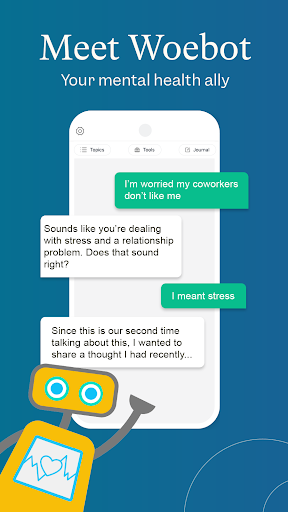
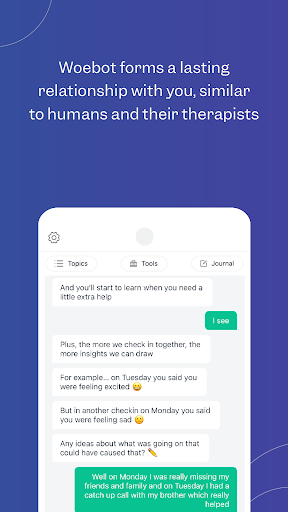
Please note to download you’ll need an access code from your provider, employer or other Woebot Health partner. If you do not have an access code, you will not be able to use the app.
****
Meet Woebot, your answer to 24/7 in-the-moment mental health support. By using your access code, you can download Woebot for Adults, Woebot for Adolescents, or Woebot for Maternal Health.
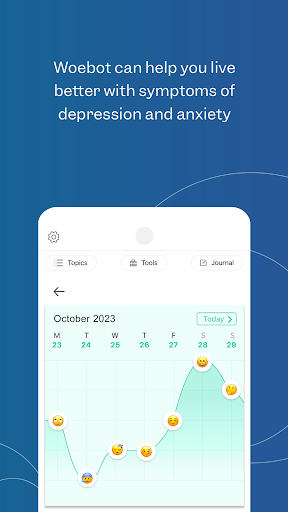
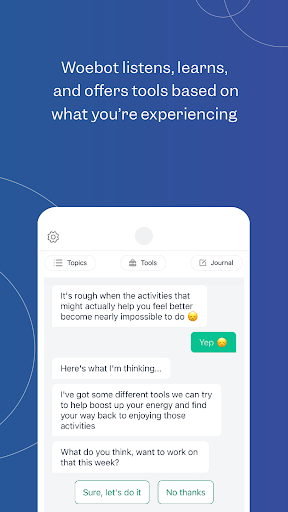
What can you expect from Woebot? A chat-based mental health tool that’s available on your schedule, when you need it day or night, between doctor visits or when the office is closed. Woebot offers a private, supportive space with tools like mood tracking, progress reflection, gratitude journaling, and mindfulness practice.
Woebot will check in with you every day and guide you through practical techniques informed by concepts of Cognitive Behavioral Therapy (CBT), with some elements of Interpersonal Psychotherapy (IPT) and Dialectical Behavior Therapy (DBT) concepts.
More than 1.5 million people have talked to Woebot about lots of things, including:
- Anxious mood/stress
- Loneliness
- Worry about finances
- Relationships
- Sleep problems
- Guilt/regret
- Sadness/low mood
- Grief about a loved one
- Feelings and behaviors related to substance use
- Anger/irritability
- Procrastination
- Coping with sickness, physical or chronic pain
What makes Woebot so different from other digital mental health tools? Science! We've conducted 18 trials to date, ranging from rapid learning pilots to full blown clinical RCTs, and are constantly researching ways to make Woebot better than ever.
** As seen on 60 Minutes and the Today Show
** Covered in The New York Times, The New Yorker, Washington Post
** Named Best Overall Mental Health Solution 2023 and Mental Innovation Award 2024 by MedTech Breakthrough Awards
** App Store App of the Day
Need app support? Contact us at https://woebot.zendesk.com/hc/en-us/requests/new
Terms of Service: https://woebothealth.com/terms-webview/
Privacy Policy: https://woebothealth.com/privacy-webview/ If you don’t read everything there, know this: What you write to Woebot is private. We never sell or share your personal data with advertisers. We never have. We never will.
مزید دکھائیں

1. MEmu انسٹالر ڈاؤن لوڈ کریں اور سیٹ اپ مکمل کریں

2. MEmu شروع کریں اسکے بعد ڈیسکٹاپ پر Google Play کھولیں

3. Google Play میں Woebot: The Mental Health Ally تلاش کریں
Install
4. Woebot: The Mental Health Ally ڈاؤن لوڈ کریں اور انسٹال کریں
5. انسٹال مکمل ہونے کے بعد سٹارٹ کرنے کے لیے آئیکن پر کلک کریں

6. MEmu کے ساتھ پی سی پر Woebot: The Mental Health Ally کھیلنے کا لطف لیں
MEmu پلے بہترین اینڈرائڈ ایمولیٹر ہے اور 100 ملین لوگ اس کے زبردست اینڈرائڈ گیمنگ تجربہ سے لطف اندوز ہو رہے ہیں۔ MEmu کی ورچولائزیشن ٹیکنالوجی آپ کو اپنے PC پر ہزاروں اینڈرائڈ گیمز یہاں تک کہ انتہائی گرافک والے گیمز باسہولت کھیلنے کی طاقت دیتی ہے۔
بہتر گرافکس کے ساتھ بڑی اسکرین؛ طویل دورانیہ، بیٹری یا لامحدود موبائل ڈیٹا کے بغیر۔
کی بورڈ اور ماؤس یا گیم پیڈ کے عین مطابق کنٹرول کے لیے کی میپنگ کا پورا سپورٹ۔
کثیر مثالی منیجر کے ساتھ بیک وقت ایک پی سی پر متعدد گیم اکاؤنٹس یا ٹاسکس۔
پی سی پر درج ذیل مراحل پر عمل کرتے ہوئے پر Woebot: The Mental Health Ally استعمال کریں: u003c/p>