Woebot: The Mental Health Ally
تم التحديث
الإصدار الحالي
6.6.0
تقديم

لا داعي للقلق بشأن الشحن الزائد عند استخدام Woebot: The Mental Health Ally على هاتفك. تحرر من قيود الشاشة الصغيرة واستمتع به على شاشة أكبر باستخدام لوحة المفاتيح والفأرة. يوفر MEmu جميع الميزات الرائعة التي تتوقعها: تثبيت سريع، إعداد سهل، أدوات تحكم بديهية، ودون قيود على عمر البطارية، أو استخدام البيانات، أو المكالمات الواردة. يُعد MEmu 9 الجديد الخيار الأمثل لتجربة Woebot: The Mental Health Ally على جهاز الكمبيوتر. بفضل تقنية التشفير الفريدة، يتيح لك مدير الحسابات المتعددة تشغيل حسابين أو أكثر في وقت واحد. والأهم من ذلك، أن محرك المحاكاة الفريد يستغل أداء جهاز الكمبيوتر بالكامل، مما يُحسّن تجربة التطبيق ويجعل كل شيء سلسًا للغاية.
أظهر المزيد
قم بتنزيل Woebot: The Mental Health Ally على الكمبيوتر بإستخدام جهاز مقلد أندروز MEmu.استمتع بمتعة اللعب على الشاشة الكبيرة. Please note to download you’ll need an access code from your provider, employer or other Woebot Health partner.
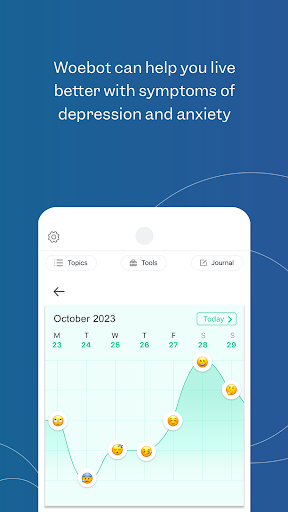
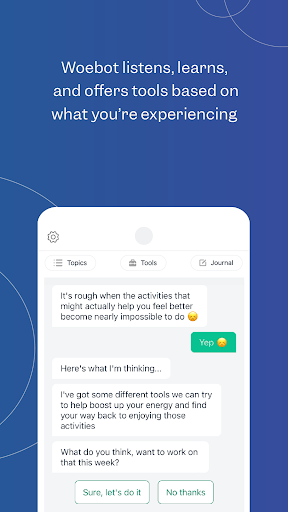
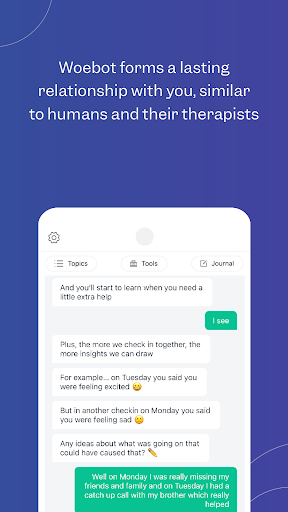
Please note to download you’ll need an access code from your provider, employer or other Woebot Health partner. If you do not have an access code, you will not be able to use the app.
****
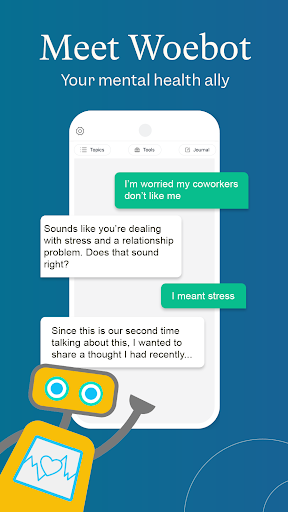
Meet Woebot, your answer to 24/7 in-the-moment mental health support. By using your access code, you can download Woebot for Adults, Woebot for Adolescents, or Woebot for Maternal Health.
What can you expect from Woebot? A chat-based mental health tool that’s available on your schedule, when you need it day or night, between doctor visits or when the office is closed. Woebot offers a private, supportive space with tools like mood tracking, progress reflection, gratitude journaling, and mindfulness practice.
Woebot will check in with you every day and guide you through practical techniques informed by concepts of Cognitive Behavioral Therapy (CBT), with some elements of Interpersonal Psychotherapy (IPT) and Dialectical Behavior Therapy (DBT) concepts.
More than 1.5 million people have talked to Woebot about lots of things, including:
- Anxious mood/stress
- Loneliness
- Worry about finances
- Relationships
- Sleep problems
- Guilt/regret
- Sadness/low mood
- Grief about a loved one
- Feelings and behaviors related to substance use
- Anger/irritability
- Procrastination
- Coping with sickness, physical or chronic pain
What makes Woebot so different from other digital mental health tools? Science! We've conducted 18 trials to date, ranging from rapid learning pilots to full blown clinical RCTs, and are constantly researching ways to make Woebot better than ever.
** As seen on 60 Minutes and the Today Show
** Covered in The New York Times, The New Yorker, Washington Post
** Named Best Overall Mental Health Solution 2023 and Mental Innovation Award 2024 by MedTech Breakthrough Awards
** App Store App of the Day
Need app support? Contact us at https://woebot.zendesk.com/hc/en-us/requests/new
Terms of Service: https://woebothealth.com/terms-webview/
Privacy Policy: https://woebothealth.com/privacy-webview/ If you don’t read everything there, know this: What you write to Woebot is private. We never sell or share your personal data with advertisers. We never have. We never will.
أظهر المزيد

1. قم بتنزيل برنامج MEmu واكمال تثبيته

2. قم بتشغيل برنامج MEmu وفتح Google Play على الصفحة الرئيسية

3. ابح Woebot: The Mental Health Ally في Google Play
Install
4. تنزيل وتثبيت Woebot: The Mental Health Ally
5. انقر على الرمز للتشغيل بعد اكتمال التثبيت

6. استخدم MEmu لتجربة Woebot: The Mental Health Ally على جهاز الكمبيوتر الخاص بك.
تطبيق MEmuهو افضل محاكى اندرويد مجانى وبالفعل 50 مليون شخص يستمتعون حاليا بتجربه اللعب عليه. تمكّنك تقنية MEmu الافتراضية من تشغيل آلاف ألعاب Android بسلاسة على الكمبيوتر الشخصي ، حتى أكثرها استخدامًا للرسومات.
شاشة أكبر وجرافيك افضل ووقت أطول بدون حدود البطارية وباقة التليفون
لوحة مفاتيح كاملة تدعم تحكم كامل عن طريق لوحة المفاتيح و الفأره وجيم باد
عدة العاب وحسابات ومهمات علي جهاز الكمبيوتر في وقت معين عن طريق Memu متعدد النوافذ
Use Woebot: The Mental Health Ally on PC by following steps: