
xBrowser - Video Downloader
تازہ کاری
موجودہ ورژن
1.1.8
پیشکش بذریعہ

اپنے موبائل فون پر xBrowser - Video Downloader کا استعمال کرتے وقت زیادہ چارج ہونے کی فکر نہ کریں، خود کو چھوٹی اسکرین سے آزاد کریں اور ایپ کو زیادہ بڑے ڈسپلے پر استعمال کرنے کا لطف اٹھائیں۔ اس کے بعد سے کی بورڈ اور ماؤس کے ساتھ اپنے ایپ کا فل اسکرین کا تجربہ حاصل کریں۔ MEmu آپ کو وہ تمام حیران کن خصوصیات پیش کرتا ہے جن کی آپ کو توقع کرتے ہیں: فوری انسٹال اور آسان سیٹ اپ، وجدانی کنٹرول، مزید بیٹری، موبائل ڈیٹا کی کوئی حد نہیں اور اب مزید پریشان کن کالز نہیں۔ نئے برانڈ کا MEmu 9 آپ کے کمپیوٹر پر xBrowser - Video Downloader استعمال کرنے کے لیے بہترین اختیار ہے۔ MEmu کثیر نظیری منیجر بیک وقت 2 یا اس سے زیادہ اکاؤنٹس کھولنا ممکن بناتا ہے۔ اور سب اہم بات، ہمارا خصوصی ایمولیشن انجن آپ کے پی سی کی پوری طاقت ریلیز کرتے ہوئے ہر چیز ہموار اور قابل تفریح بناتا ہے۔
مزید دکھائیں
Download xBrowser - Video Downloader on PC with MEmu Android Emulator. Enjoy playing on big screen. تلاش کریں، براؤز کریں، کھیلیں اور ڈاؤن لوڈ کریں!
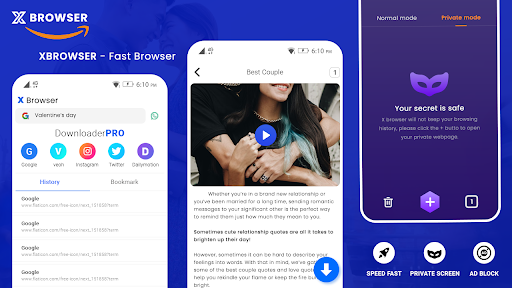
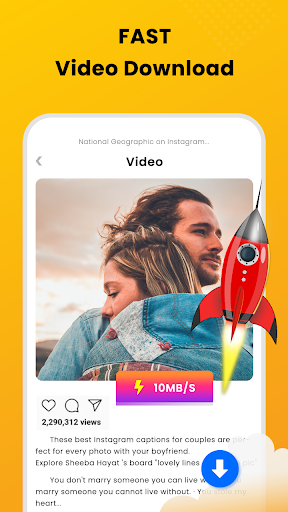
تلاش کریں، براؤز کریں، کھیلیں اور ڈاؤن لوڈ کریں! اب ہماری آل ان ون ایپ آزمائیں!
ویڈیو ڈاؤنلوڈر کے ساتھ X براؤزر خود بخود ویڈیوز کا پتہ لگاتا ہے، لہذا آپ انہیں صرف ایک کلک سے ڈاؤن لوڈ کر سکتے ہیں۔ طاقتور ڈاؤن لوڈ مینیجر آپ کو ڈاؤن لوڈز کو روکنے اور دوبارہ شروع کرنے، پس منظر میں ڈاؤن لوڈ کرنے اور ایک ہی وقت میں متعدد فائلوں کو ڈاؤن لوڈ کرنے کی اجازت دیتا ہے۔ تیز ڈاؤن لوڈ کریں اور اسے آف لائن چلائیں۔
خصوصیات:
* بلٹ ان براؤزر کے ساتھ ویڈیوز براؤز کریں۔
* ایک کلک کے ساتھ ایچ ڈی ویڈیوز ڈاؤن لوڈ کریں۔
* اپنی ویب سائٹ کا نظم کرنے کے لیے متعدد ٹیبز بنائیں۔
* کسی بھی ویب پیج کو بُک مارک میں شامل کریں تاکہ آپ ان تک آسانی سے رسائی حاصل کر سکیں۔
* ڈاؤن لوڈ بار میں پیشرفت کو چیک کریں۔
* سادہ اور خوبصورت ڈیزائن
* بلٹ ان پلیئر کے ساتھ آف لائن ویڈیوز چلائیں، انٹرنیٹ بفرنگ کی ضرورت نہیں ہے۔
* تمام ویڈیوز آن لائن ویب سائٹس سے ڈاؤن لوڈ کریں۔
* آسانی سے UI تک رسائی کے ساتھ ڈاؤن لوڈ میڈیا تک رسائی حاصل کرنا آسان ہے۔
* اپنے پسندیدہ سرچ انجن میں تبدیلی اور تخصیص کریں۔
* Wi-Fi، 2G، 3G اور 4G سیلولر نیٹ ورکس پر ویڈیوز ڈاؤن لوڈ کریں۔
* ویڈیو، موسیقی اور تصاویر ڈاؤن لوڈ کریں۔
* ویڈیو ایکسٹینشن لنکس کے ذریعہ ڈاؤن لوڈ کرنے میں مدد کریں۔
* ناکام ڈاؤن لوڈز کو دوبارہ شروع کریں۔
* ڈاؤن لوڈز کو روکنے، دوبارہ شروع کرنے اور ہٹانے کے لیے مکمل خصوصیات والا ڈاؤن لوڈ مینیجر
* پس منظر میں ویڈیوز ڈاؤن لوڈ کریں۔
* اپنی پسندیدہ ویب سائٹس کے لیے بُک مارکس شامل کریں۔
* تیز ڈاؤن لوڈ کی رفتار
* بڑی فائل ڈاؤن لوڈ سپورٹ
* ایک ہی وقت میں متعدد فائلیں ڈاؤن لوڈ کریں۔
اہم
- اس کی پالیسی کی وجہ سے، یوٹیوب کی اجازت نہیں ہے۔
- اس ایپ کا تعلق کسی بھی سوشل میڈیا سائٹ سے نہیں ہے اور نہ ہی اس کی اجازت ہے۔
- کوئی بھی غیر مجاز کارروائیاں جیسے مواد کو دوبارہ اپ لوڈ کرنا یا ڈاؤن لوڈ کرنا اور/یا املاک دانش کے حقوق کی خلاف ورزیاں صارف کی واحد ذمہ داری ہیں۔
- سمجھداری سے استعمال کریں۔
دستبرداری:
- اس کے استعمال کی شرائط کی وجہ سے، یہ ایپ یوٹیوب کو سپورٹ نہیں کرتی ہے۔
- کاپی رائٹ شدہ ویڈیو متعلقہ مالک کے ذریعہ ممنوع اور ریگولیٹ ہے۔
- "X" ایپ کے عنوان، ایپ آئیکن اور مختصر اور لمبی تفصیل میں "کوئی بھی" کا حوالہ دے رہا ہے۔ "xBrowser" "anyBrowser" کی طرف رجوع کر رہا ہے
مزید دکھائیں

1. MEmu انسٹالر ڈاؤن لوڈ کریں اور سیٹ اپ مکمل کریں

2. MEmu شروع کریں اسکے بعد ڈیسکٹاپ پر Google Play کھولیں

3. Google Play میں xBrowser - Video Downloader تلاش کریں
Install
4. xBrowser - Video Downloader ڈاؤن لوڈ کریں اور انسٹال کریں
5. انسٹال مکمل ہونے کے بعد سٹارٹ کرنے کے لیے آئیکن پر کلک کریں

6. MEmu کے ساتھ پی سی پر xBrowser - Video Downloader کھیلنے کا لطف لیں
MEmu پلے بہترین اینڈرائڈ ایمولیٹر ہے اور 100 ملین لوگ اس کے زبردست اینڈرائڈ گیمنگ تجربہ سے لطف اندوز ہو رہے ہیں۔ MEmu کی ورچولائزیشن ٹیکنالوجی آپ کو اپنے PC پر ہزاروں اینڈرائڈ گیمز یہاں تک کہ انتہائی گرافک والے گیمز باسہولت کھیلنے کی طاقت دیتی ہے۔
بہتر گرافکس کے ساتھ بڑی اسکرین؛ طویل دورانیہ، بیٹری یا لامحدود موبائل ڈیٹا کے بغیر۔
کی بورڈ اور ماؤس یا گیم پیڈ کے عین مطابق کنٹرول کے لیے کی میپنگ کا پورا سپورٹ۔
کثیر مثالی منیجر کے ساتھ بیک وقت ایک پی سی پر متعدد گیم اکاؤنٹس یا ٹاسکس۔
پی سی پر درج ذیل مراحل پر عمل کرتے ہوئے پر xBrowser - Video Downloader استعمال کریں: u003c/p>