xBrowser - Video Downloader
अपडेट किया गया
वर्तमान वर्शन
1.1.5
संसाधन

xBrowser - Video Downloader पर अपनी मोबाइल डेटा सीमा पार करने को अलविदा कहें और छोटी स्क्रीन की सीमाओं से मुक्त होकर बड़े डिस्प्ले के लाभों का अनुभव करें। अब, आप अपने कीबोर्ड और माउस का उपयोग करके फुल-स्क्रीन मोड में टॉपर्स क्लैन की शक्ति का अनुभव कर सकते हैं। MEmu Play में वे सभी बेहतरीन सुविधाएँ हैं जिनकी आप अपेक्षा करते हैं: त्वरित इंस्टॉलेशन और आसान सेटअप, सहज नियंत्रण, बैटरी की आवश्यकता नहीं, और कोई डेटा या कॉल समय सीमा नहीं। नया MEmu 9 आपके कंप्यूटर पर xBrowser - Video Downloader का उपयोग करने के लिए सबसे अच्छा विकल्प है। हमारा मालिकाना मल्टी-इंस्टेंस मैनेजर एक साथ दो या अधिक खातों को चलाने का समर्थन करता है। इससे भी महत्वपूर्ण बात यह है कि हमारा अनूठा इम्यूलेशन इंजन आपके कंप्यूटर के प्रदर्शन का पूरा उपयोग करता है, जिससे एक सहज और निर्बाध अनुभव मिलता है।
और दिखाएं
डाउनलोड करें xBrowser - Video Downloader पीसी पर MEmu एंड्रॉयड एमुलेटर के साथ बड़े पर्दे पर खेलने का आनंद लें। Search, browse, play and download!
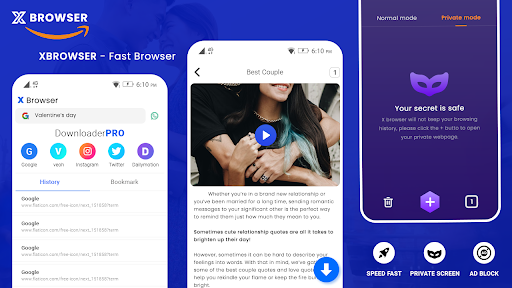
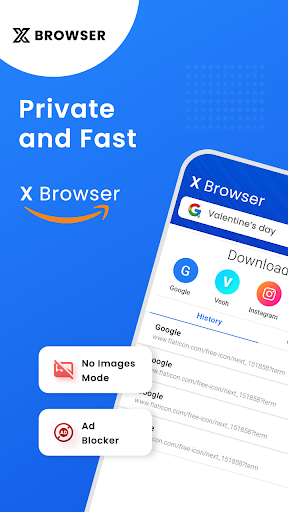
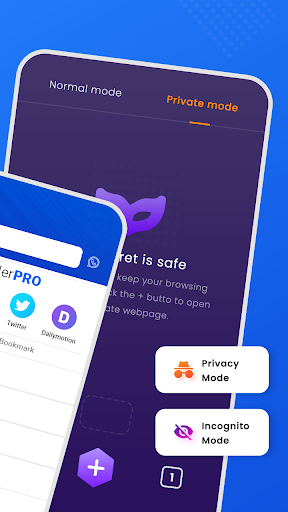
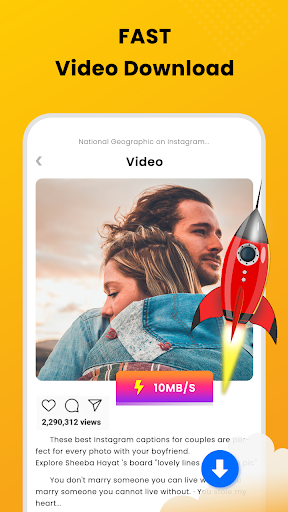
Search, browse, play and download! Try now our all-in-one app!
The xBrowser with video downloader to auto detects videos, so you can download them with just one click. The powerful download manager allows you to pause and resume downloads, download in the background and download multiple files at the same time. Fast download and play it offline.
Features:
* Browse videos with the built-in browser
* Download HD videos with one click
* Create multiple tabs to manage your website.
* Add any webpage to bookmark so you can access them easily.
* Check the progress in the download bar
* Simple and elegant design
* Play videos offline with the built-in player, no internet buffering required
* Download all videos from websites online
* Easy to access downloaded media with easy to access UI.
* Change and Customize to your favorite search engine.
* Download videos over Wi-Fi, 2G, 3G and 4G cellular networks
* Download video, music and pictures
* Support downloading by video extension links
* Resume failed downloads
* Full-featured download manager to pause, resume and remove downloads
* Download videos in the background
* Add bookmarks for your favorite websites
* Fast download speed
* Large file download supported
* Download multiple files at the same time
IMPORTANT
- Due to its policy, Youtube is not allowed.
- This app does not belong to nor is authorized by any social media site
- Any unauthorized actions like re-uploading or downloading contents and/or violations of intellectual property rights are the sole responsibility of the user
- Use wisely.
DISCLAIMER:
- Due to its terms of use, this app doesn't support YouTube.
- Copyrighted video is prohibited and regulated by the respective owner.
- The "X" is refering to "Any" in the app title, app icon and short and long description. "xBrowser" is rerering to "anyBrowser"
और दिखाएं

1. MEmu इंस्टॉलर को डाउनलोड करें और इंस्टॉलेशन को पूरा करें

2. MEmu शुरू करें फिर होमपेज पर Google Play खोलें

3. Google Play में xBrowser - Video Downloader खोजें
Install
4. xBrowser - Video Downloader डाउनलोड कर इंस्टॉल करें
5. इंस्टॉल पूरा होने पर आइकन दबाएं

6. MEmu का उपयोग करके अपने कंप्यूटर पर xBrowser - Video Downloader का अनुभव करें
MEmu Play सबसे बेहतरीन मुफ़्त Android एमुलेटर है और 5 करोड़ लोग पहले ही इसके शानदार Android ऐप अनुभव का आनंद ले चुके हैं। MEmu 9 वर्चुअलाइज़ेशन तकनीक आपको अपने PC पर हज़ारों Android ऐप्स, यहाँ तक कि सबसे ज़्यादा ग्राफ़िक्स वाले ऐप्स भी, आसानी से चलाने की सुविधा देती है।
असीमित बैटरी या मोबाइल डेटा के साथ बेहतर ग्राफिक्स के साथ बड़ी स्क्रीन; लंबी अवधि।
कीबोर्ड और माउस या गेमपैड के उत्तम नियंत्रण के लिए संपूर्ण कीमैपिंग का समर्थन करता हैं।
एक ही पीसी पर मल्टी-इंस्टेंस मैनेजर के साथ एक समय में कई गेम खाते या कार्य कर सकते हैं।
Use xBrowser - Video Downloader on PC by following steps: