Royal Smash! : Physics Puzzle
更新日期
当前版本
1.17.527
提供者

爱玩Royal Smash! : Physics Puzzle的你,双手不应该被束缚在手机的小屏幕上。像职业选手一样用键盘和滑鼠来全面控制你的游戏吧。在电脑上下载、安装Royal Smash! : Physics Puzzle并尽情游玩。再也不用担心剩余电量、流量消耗和烦人的来电。全新的逍遥模拟器8是你在电脑上游玩Royal Smash! : Physics Puzzle的好选择!我们用心准备,完美的按键映射系统让Royal Smash! : Physics Puzzle宛如电脑游戏;
更多
透过逍遥模拟器,在电脑上下载Royal Smash! : Physics Puzzle,享受大荧屏的畅快体验。 欢迎来到皇家粉碎,终极物理益智游戏!
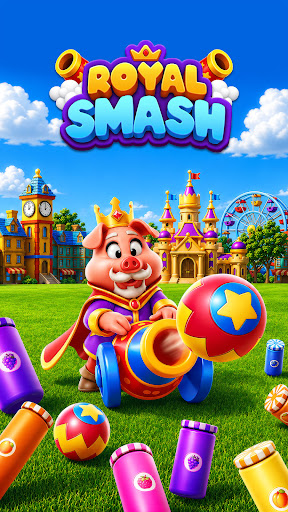
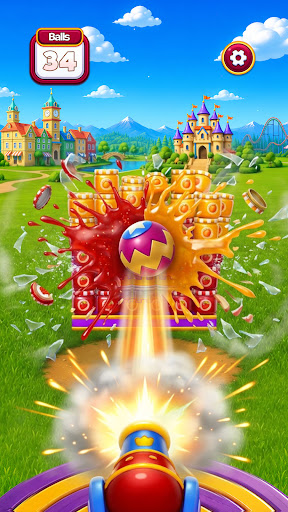
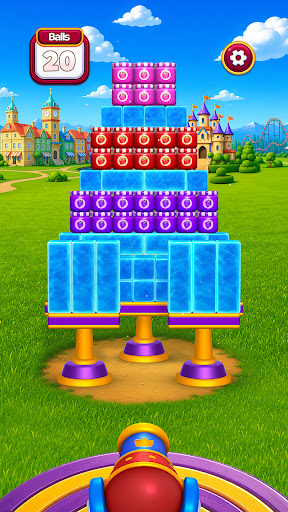
欢迎来到皇家粉碎,终极物理益智游戏!上手只需几秒钟,但要精通每个皇家关卡,则需要精准的操作和完美的时机把握。
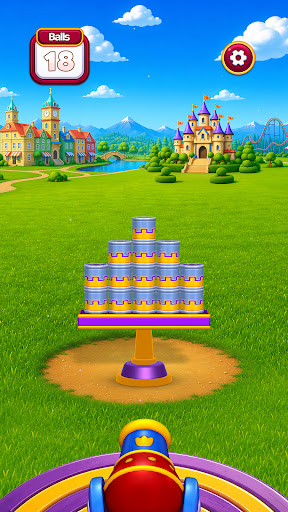
装填皇家大炮,调整角度和威力,将整个皇家竞技场炸成碎片。炮火横扫王国,击碎易碎的罐子,粉碎沉重的巨石,让皇家塔楼在绚丽的 3D 世界中轰然倒塌。一次精准的粉碎就能引发势不可挡的连锁反应,瞬间摧毁整个场景。
游戏上手简单,只需一分钟即可轻松通关,但每个皇家关卡都奖励精准的操作、时机把握和一点破坏的灵感。
玩法介绍
• 瞄准皇家大炮——设置完美的角度和威力
• 发射并击碎易碎的罐子和沉重的石头
• 触发连锁反应,一击摧毁一切
• 通关每个关卡即可解锁下一个皇家竞技场
游戏特色
• 令人满意的物理效果——每一次皇家大炮的破坏都感觉真实
• 惊艳的高品质 3D 画面和动画节日场景
• 数百个充满全新物品和挑战的皇家关卡
• 简单的单指操作,任何人都能立即上手
• 技巧性瞄准,完美破坏将获得奖励
• 色彩缤纷的皇家王国等你来摧毁,一次又一次地引爆
你会爱上它的理由
如果你喜欢粉碎游戏、爆炸游戏和皇家破坏挑战,《皇家粉碎!》将成为你的下一个挚爱。享受令人愉悦的粉碎快感,或者追求完美的皇家大炮连锁,征服每个竞技场。
拿起皇家大炮,瞄准目标,在《皇家粉碎》中摧毁整个王国!这是一场酣畅淋漓的破坏盛宴!
立即下载《皇家粉碎》!开始你的粉碎之旅吧!
更多

1. 下载逍遥安装器并完成设置

2. 启动逍遥后打开位于桌面上的谷歌商店

3. 在谷歌商店中搜索Royal Smash! : Physics Puzzle
Install
4. 下载并安装Royal Smash! : Physics Puzzle
5. 下载完成后点击图标来启动

6. 通过逍遥在电脑上享受Royal Smash! : Physics Puzzle
逍遥安卓是优秀的安卓模拟器,全球超过5000万用户的优先选择。逍遥安卓以虚拟化技术为核心,为用户打造突破手机配置局限的游戏平台!
大屏精细展示;无限待机,超越电池和流量限制
键鼠、手把操作全面支持,操作更精准
用逍遥多开同时运行多个游戏、应用。
Play Royal Smash! : Physics Puzzle on PC by following steps: