The Grinch 2: Saving Christmas
更新日期
当前版本
提供者

爱玩The Grinch 2: Saving Christmas的你,双手不应该被束缚在手机的小屏幕上。像职业选手一样用键盘和滑鼠来全面控制你的游戏吧。在电脑上下载、安装The Grinch 2: Saving Christmas并尽情游玩。再也不用担心剩余电量、流量消耗和烦人的来电。全新的逍遥模拟器8是你在电脑上游玩The Grinch 2: Saving Christmas的好选择!我们用心准备,完美的按键映射系统让The Grinch 2: Saving Christmas宛如电脑游戏;
更多
透过逍遥模拟器,在电脑上下载The Grinch 2: Saving Christmas,享受大荧屏的畅快体验。 Every Who down in Who-ville is jingling, singing and celebrating.
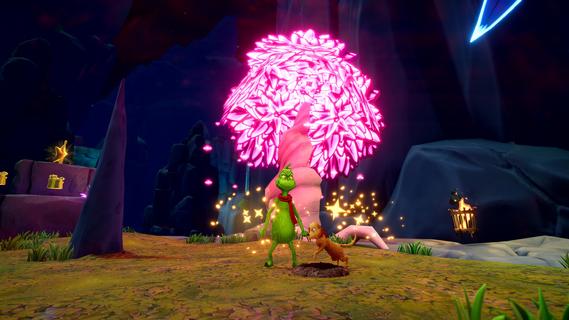
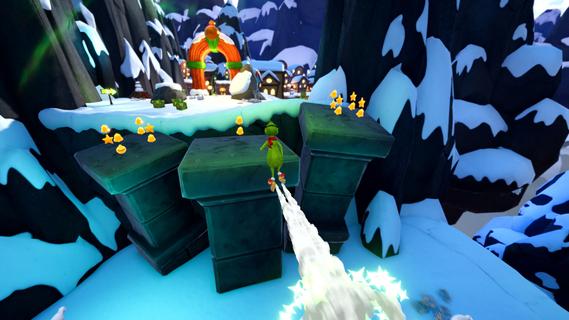
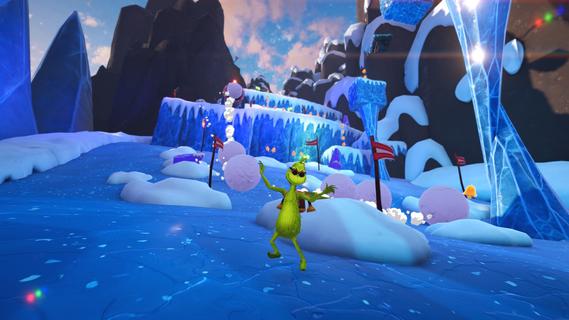
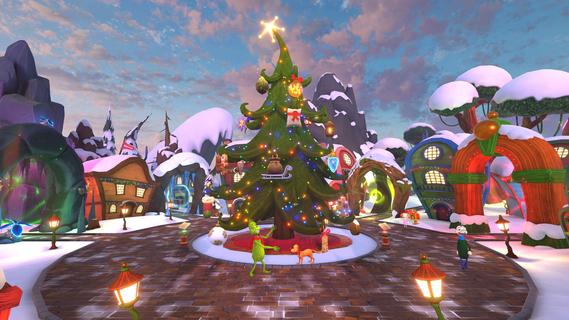
Every Who down in Who-ville is jingling, singing and celebrating. And guess who canât wait to join them⦠the Grinch! Now, with a heart three sizes bigger, and a wish to show the Whos heâs changed, could the Grinchâs prize-winning tree be the perfect way to prove it?Play as the Grinch and Jumbo-Jump through snowy 3D worlds, collecting ornaments to make your tree sparkle brighter with every step. Overcome platforming challenges, explore every nook and cranny, and use the clever gadgets you find to get through each level. Unleash the Snowball Maker to freeze mischievous adversaries, launch into action with the Rocket Skates, and reach new heights with the Jetpack.Each level is filled with festive adventures. Hop through the Grinchâs Cave, dodging falling stalactites and zipping down watery chutes. Conquer Mt. Crumpitâs slippery ice and giant rolling snowballs. Find your way through Who-woodâs towering trees and springy mushrooms. Then explore Who-ville, leaping across hovering platforms and sneaking into the Whosâ cozy homes. Use your candy canes to break objects and release dazzling ornaments to decorate the Grinchâs Christmas tree and Who-ville Square.Adventure solo or team up in local co-op mode. Together with Max, youâll have fun outsmarting pesky mice, wild forest bats and other curious creatures. Uncover hidden paths and collect every sparkly decoration you can find to make your tree shine.Make it a merry day in Who-ville, spread Christmas cheer, and create the most spectacular tree the Whos have ever seen!BRING CHEER TO THE WHOS: Embark on a festive journey to craft the most spectacular Christmas tree and decorate Who-ville Square.EXPLORE VIBRANT WORLDS: Swing, smash and Jumbo-Jump your way through the Grinchâs Cave, Mt. Crumpit, Who-wood and merry Who-ville.UNLEASH GRINCHY GADGETS: Take on every challenge with the help of the Rocket Skates, the Jetpack, the Snowball Maker, and moreâ¦CO-OP TO SAVE CHRISTMAS: Play solo as the Grinch, or team up with a friend as Max to help you.AN ADVENTURE FOR EVERYONE: Embark on a whimsical journey inspired by the original books, offering intuitive mechanics and challenges accessible to all.
更多

1. 下载逍遥安装器并完成设置

2. 启动逍遥后打开位于桌面上的谷歌商店

3. 在谷歌商店中搜索The Grinch 2: Saving Christmas
Install
4. 下载并安装The Grinch 2: Saving Christmas
5. 下载完成后点击图标来启动

6. 通过逍遥在电脑上享受The Grinch 2: Saving Christmas
逍遥安卓是优秀的安卓模拟器,全球超过5000万用户的优先选择。逍遥安卓以虚拟化技术为核心,为用户打造突破手机配置局限的游戏平台!
大屏精细展示;无限待机,超越电池和流量限制
键鼠、手把操作全面支持,操作更精准
用逍遥多开同时运行多个游戏、应用。
Play The Grinch 2: Saving Christmas on PC by following steps: