
4shared
更新日期
当前版本
3.95.0
提供者

想体验4shared,可是手机屏幕太小,用一会就变烫,怎么办?使用逍遥模拟器,在电脑的大屏幕上畅快体验!在电脑上下载安装4shared,不用担心电量问题,想体验多久就多久,顺畅用一天~全新的逍遥模拟器9,绝对是您体验4shared电脑版的好选择。完美的按键映射系统让4shared如PC端般运行;强大的多开功能可同时使用多个应用;独家虚拟化技术更能彻底发挥电脑效能,保障长时间稳定运作。我们致力于不让设备限制您的体验,用起来轻松高效,畅快无比!
更多
透过逍遥模拟器,在电脑上下载4shared,享受大荧屏的畅快体验。 在4shared上與其他人訪問、管理和分享您的文件。
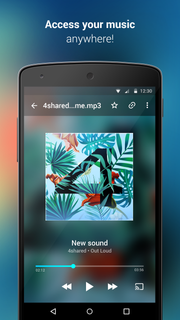
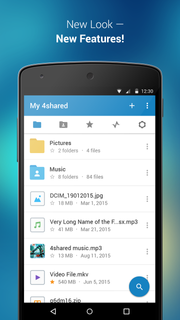
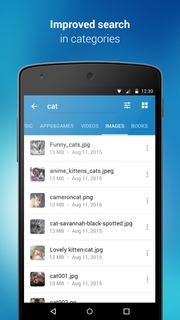
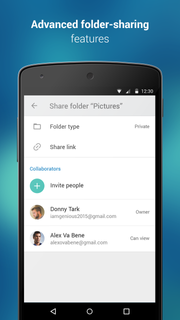
在4shared上與其他人訪問、管理和分享您的文件。4shared的安卓手機免費應用程序是隨時從您的安卓設備上直接訪問您4shared.com帳戶的便利快捷方法,包括所有文件、照片、音樂等。便利的公共搜索選擇可以讓您在浩大的4shared文件數據庫中搜索和找到您需要的文件。還可以輕鬆地定義不同的搜索過濾器(上傳時間、大小、文件類別等)以獲得最佳結果,并將必要的文件添加到您自己在 4shared.com上的帳戶中。有了用於安卓的4shared,您可以在您的智能手機或平板電腦上輕鬆地從您在 4shared.com的帳戶中複製、移動、重命名、刪除、上傳和下載任何文件,并與您的同事、親戚和朋友分享。4shared安卓能夠:• 快速和輕鬆地訪問30,000,000多個文件。• 浩大的4shared數據庫中進行搜索的人性化功能,並且可以選擇立即將找到的文件添加到您的帳戶中。 • 可以直接在您的安卓設備上管理您在4shared.com的帳戶,聽音樂,甚至觀看視頻。• 通過該應用程序從您的4shared 帳戶上即時分享文件。Required app permissions: • Contacts - only used for reading contact list. This enables sharing your files to emails from your contacts.We do not enable any 3rd-party access to your contact list info.• Device ID & Call information - only used for reading the status of any ongoing calls. This enables pausing streamed music in the app, when someone’s calling you. • Photos/Media/Files - enables file upload from Android device (including Camera upload) to your 4shared account and the download of files from your account to the phone storage or SD card.• Identity - used for the correct sign-in to your 4shared account via the app. We do not sell or otherwise transfer your personal data to 3rd-party vendors. • Wi-Fi connection info - only used for reading the state of Wi-Fi connection. This improves file upload and download app features.Facebook Network Audience:https://m.facebook.com/ads/ad_choices
更多

1. 下载逍遥安装器并完成设置

2. 启动逍遥后打开位于桌面上的谷歌商店

3. 在谷歌商店中搜索4shared
Install
4. 下载并安装4shared
5. 下载完成后点击图标来启动

6. 通过逍遥在电脑上享受4shared
逍遥安卓是优秀的安卓模拟器,全球超过5000万用户的优先选择。逍遥安卓以虚拟化技术为核心,为用户打造突破手机配置局限的游戏平台!
大屏精细展示;无限待机,超越电池和流量限制
键鼠、手把操作全面支持,操作更精准
用逍遥多开同时运行多个游戏、应用。
Use 4shared on PC by following steps: