Sculpt+
更新日期
当前版本
7.0
提供者

想体验Sculpt+,可是手机屏幕太小,用一会就变烫,怎么办?使用逍遥模拟器,在电脑的大屏幕上畅快体验!在电脑上下载安装Sculpt+,不用担心电量问题,想体验多久就多久,顺畅用一天~全新的逍遥模拟器9,绝对是您体验Sculpt+电脑版的好选择。完美的按键映射系统让Sculpt+如PC端般运行;强大的多开功能可同时使用多个应用;独家虚拟化技术更能彻底发挥电脑效能,保障长时间稳定运作。我们致力于不让设备限制您的体验,用起来轻松高效,畅快无比!
更多
透过逍遥模拟器,在电脑上下载Sculpt+,享受大荧屏的畅快体验。 Sculpt+ is a digital sculpting and painting app, designed to bring the sculpting experience to your smartphone or tablet.
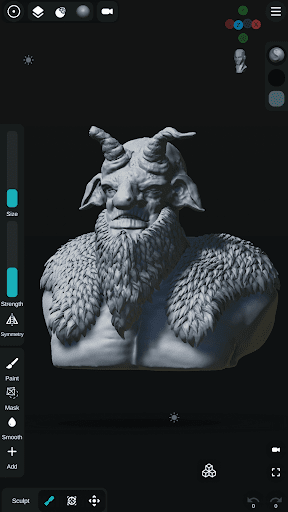
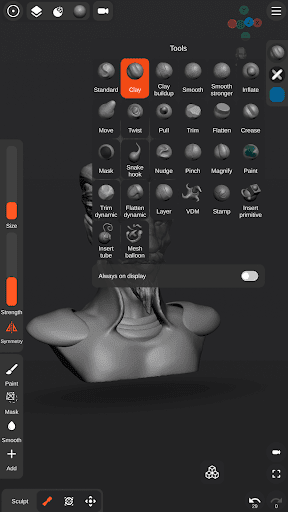
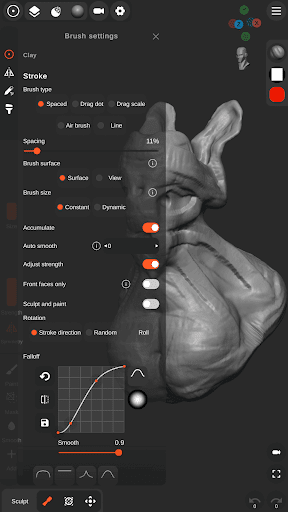
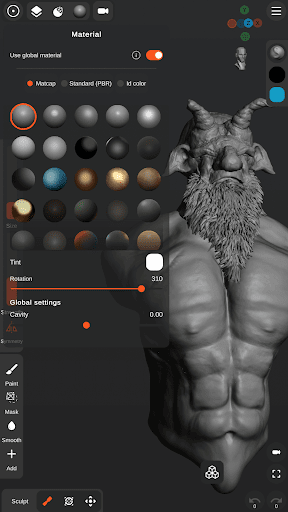
Sculpt+ is a digital sculpting and painting app, designed to bring the sculpting experience to your smartphone or tablet.
FEATURES
- Sculpting brushes: Standard, Clay, Clay buildup, Smooth, Mask, Inflate, Move, Trim, Flatten, Pull, Pinch, Crease, Trim dynamic, Flatten dynamic, Stamp and more.
- VDM brushes - Create custom VDM brushes.
- Stroke customization - Falloff, Alpha and more.
- Vertex Painting - Color, Glossiness, Metalness.
- Multiple primitives - Sphere, Cube, Plane, Cone, Cylinder, Torus, ...
- Ready to sculpt meshes - Base head.
- Base mesh builder inspired by ZSpheres- Quickly and easily sketch out 3D models then transform it into meshes for sculpting.
- Mesh Subdivision and Remeshing.
- Voxel Boolean - Union, Subtraction, Intersection.
- Voxel remeshing.
- PBR rendering.
- Lights - Directional, Spot and Point lights.
- Import OBJ files.
- Import custom Matcap and Alpha textures.
- Import custom HDRI textures for PBR rendering.
- User friendly interface designed for smartphones and tablets - Customizable theme colors and layout.
- UI reference images - Import multiple image references.
- Stylus support - pressure sensitivity and more settings.
- Continuous AutoSave - never lose work again.
Share your creations:
- Export as OBJ, STL or as GLB.
- Export rendered images as .PNG with transparency.
- Export turntable gifs - 360 render.
更多

1. 下载逍遥安装器并完成设置

2. 启动逍遥后打开位于桌面上的谷歌商店

3. 在谷歌商店中搜索Sculpt+
Install
4. 下载并安装Sculpt+
5. 下载完成后点击图标来启动

6. 通过逍遥在电脑上享受Sculpt+
逍遥安卓是优秀的安卓模拟器,全球超过5000万用户的优先选择。逍遥安卓以虚拟化技术为核心,为用户打造突破手机配置局限的游戏平台!
大屏精细展示;无限待机,超越电池和流量限制
键鼠、手把操作全面支持,操作更精准
用逍遥多开同时运行多个游戏、应用。
Use Sculpt+ on PC by following steps: