HoneyDrip – AI Video Magic
更新日期
当前版本
1.0.4
提供者

想体验HoneyDrip – AI Video Magic,可是手机屏幕太小,用一会就变烫,怎么办?使用逍遥模拟器,在电脑的大屏幕上畅快体验!在电脑上下载安装HoneyDrip – AI Video Magic,不用担心电量问题,想体验多久就多久,顺畅用一天~全新的逍遥模拟器9,绝对是您体验HoneyDrip – AI Video Magic电脑版的好选择。完美的按键映射系统让HoneyDrip – AI Video Magic如PC端般运行;强大的多开功能可同时使用多个应用;独家虚拟化技术更能彻底发挥电脑效能,保障长时间稳定运作。我们致力于不让设备限制您的体验,用起来轻松高效,畅快无比!
更多
使用逍遙模擬器在電腦上享受HoneyDrip – AI Video Magic的卓越體驗。這是一款功能強大的免費安卓模擬器,為您提供數千款安卓應用程式的桌面版本。與好友互動,有效率完成工作,盡情享受! Create AI-powered videos and explore creative visual effects with just a few taps.
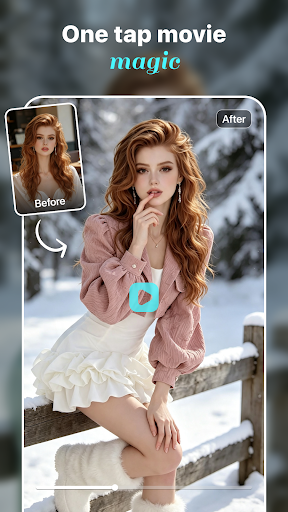
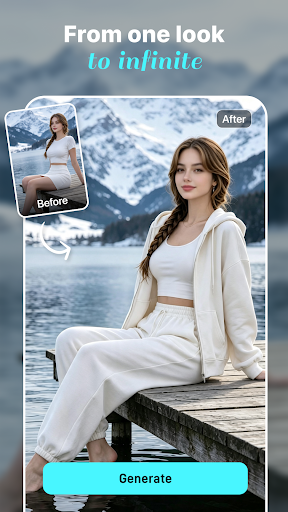
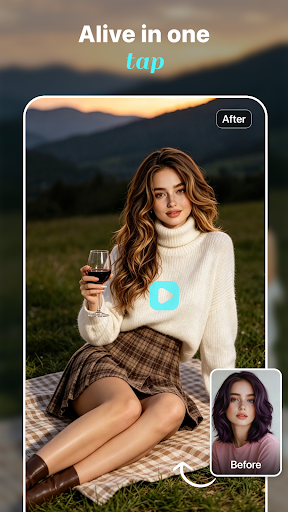
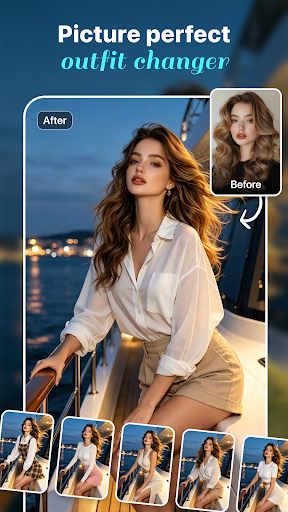
Create AI-powered videos and explore creative visual effects with just a few taps. HoneyDrip combines AI video effects, photo animation, and outfit transformation tools to help you create unique visual content from your photos.
AI Video Effects
Transform your photos into dynamic videos with AI-powered motion and creative visual effects. Choose from a variety of video styles and templates to add movement, atmosphere, and artistic elements to your images.
Upload a photo, select an effect, and let AI generate a dynamic video based on your selected style.
AI Outfit Transformation
Explore different fashion styles with AI-powered outfit changes. Upload a photo and try a variety of outfits, looks, and creative styles without the need for manual photo editing.
Experiment with casual, formal, artistic, and themed looks to create different visual styles.
Bring Photos to Life
Turn still images into engaging animated videos. AI-generated motion effects can add movement and visual expression to your photos, helping you create more dynamic content from your favorite images.
Easy AI Creation
Creating with HoneyDrip is simple:
Upload a photo
Choose a video effect, animation, or outfit style
Tap to generate your creation
No professional editing experience is required. HoneyDrip handles the complex processing so you can focus on exploring your creativity.
Explore More Creative Possibilities
Whether you're creating content for social media, experimenting with new visual styles, or transforming everyday photos, HoneyDrip provides a growing collection of AI-powered effects and creative tools.
Discover new ways to animate, transform, and reimagine your photos with AI.
Privacy & Security
Your privacy matters. Uploaded photos are processed securely and used only to provide the features you select. Your content is not shared without your permission.
Download HoneyDrip and explore AI-powered video effects, photo animation, and creative visual transformations.
更多

1. 下载逍遥安装器并完成设置

2. 启动逍遥后打开位于桌面上的谷歌商店

3. 在谷歌商店中搜索HoneyDrip – AI Video Magic
Install
4. 下载并安装HoneyDrip – AI Video Magic
5. 下载完成后点击图标来启动

6. 通过逍遥在电脑上享受HoneyDrip – AI Video Magic
逍遥安卓是优秀的安卓模拟器,全球超过5000万用户的优先选择。逍遥安卓以虚拟化技术为核心,为用户打造突破手机配置局限的游戏平台!
大屏精细展示;无限待机,超越电池和流量限制
键鼠、手把操作全面支持,操作更精准
用逍遥多开同时运行多个游戏、应用。
Use HoneyDrip – AI Video Magic on PC by following steps: