HoneyDrip – AI Video Magic
更新日
現在のバージョン
1.0.4
提供元

スマートフォンは不要!パソコンと同じようにキーボードとマウスで操作できます。MEmu Playは、あなたが待ち望んでいたすべての楽しみをお届けします。バッテリー残量や小さな画面を気にすることなく、HoneyDrip – AI Video Magicをご利用ください。最新のMEmu 9は、HoneyDrip – AI Video MagicをPCで体験するのに最適です!完璧なキーマッピングシステムにより、PCのようなスムーズな操作性を実現します。マルチインスタンス機能により、複数のアプリケーションを同時に実行できます。独自の仮想化エンジンがPCのパフォーマンスを最大限に引き出します。アプリを使用するだけでなく、高品質な体験を得ることができます。
もっと見る
MEmu Playを使えば、PCでHoneyDrip – AI Video Magicを快適に楽しめます。何千ものAndroidアプリをデスクトップ版で利用できる、パワフルな無料Androidエミュレーターです。友達とつながり、より効率的に作品を磨き上げましょう! Create AI-powered videos and explore creative visual effects with just a few taps.
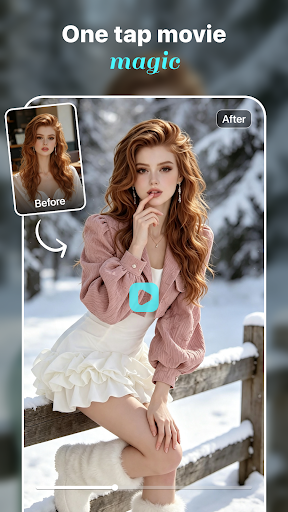
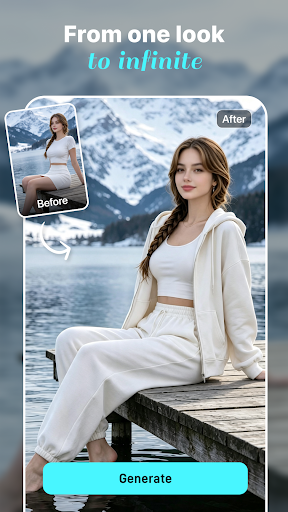
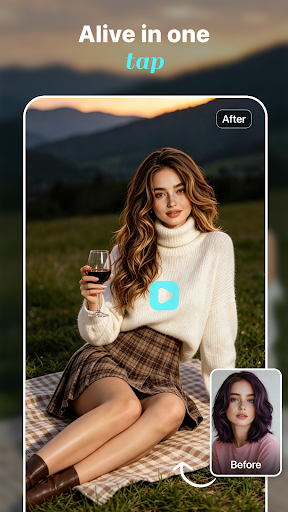
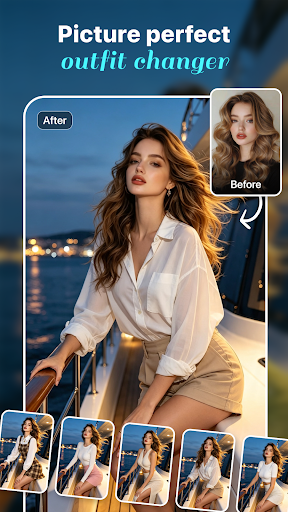
Create AI-powered videos and explore creative visual effects with just a few taps. HoneyDrip combines AI video effects, photo animation, and outfit transformation tools to help you create unique visual content from your photos.
AI Video Effects
Transform your photos into dynamic videos with AI-powered motion and creative visual effects. Choose from a variety of video styles and templates to add movement, atmosphere, and artistic elements to your images.
Upload a photo, select an effect, and let AI generate a dynamic video based on your selected style.
AI Outfit Transformation
Explore different fashion styles with AI-powered outfit changes. Upload a photo and try a variety of outfits, looks, and creative styles without the need for manual photo editing.
Experiment with casual, formal, artistic, and themed looks to create different visual styles.
Bring Photos to Life
Turn still images into engaging animated videos. AI-generated motion effects can add movement and visual expression to your photos, helping you create more dynamic content from your favorite images.
Easy AI Creation
Creating with HoneyDrip is simple:
Upload a photo
Choose a video effect, animation, or outfit style
Tap to generate your creation
No professional editing experience is required. HoneyDrip handles the complex processing so you can focus on exploring your creativity.
Explore More Creative Possibilities
Whether you're creating content for social media, experimenting with new visual styles, or transforming everyday photos, HoneyDrip provides a growing collection of AI-powered effects and creative tools.
Discover new ways to animate, transform, and reimagine your photos with AI.
Privacy & Security
Your privacy matters. Uploaded photos are processed securely and used only to provide the features you select. Your content is not shared without your permission.
Download HoneyDrip and explore AI-powered video effects, photo animation, and creative visual transformations.
もっと見る

1. MEmuインストーラーをダウンロードしてセットアップを完了する

2. MEmuを起動し、デスクトップでのPlayストアを開く

3. PlayストアでHoneyDrip – AI Video Magicを検索する
Install
4. HoneyDrip – AI Video Magicをダウンロードしてインストールする
5. インストールが完了したら、アイコンをクリックしてスタート

6. MEmuを使ってパソコンでHoneyDrip – AI Video Magicを体験する
MEmu Playは現在、最高の無料Androidエミュレーターであり、5,000万人のユーザーが優れたAndroidアプリ体験を楽しんでいます。MEmuの仮想化テクノロジーにより、数千ものAndroidアプリをコンピューターでスムーズに実行できます。
大画面でより精細;無限の待機、電池とドラフィックの極限を超え
キーボード・マウス・コントローラーを全力でサポート、より快適
マルチインスタンスで複数のゲームを同時に実行
Use HoneyDrip – AI Video Magic on PC by following steps: