PDF Reader: Viewer 2020
更新日期
当前版本
1.4.3
提供者

想体验PDF Reader: Viewer 2020,可是手机屏幕太小,用一会就变烫,怎么办?使用逍遥模拟器,在电脑的大屏幕上畅快体验!在电脑上下载安装PDF Reader: Viewer 2020,不用担心电量问题,想体验多久就多久,顺畅用一天~全新的逍遥模拟器9,绝对是您体验PDF Reader: Viewer 2020电脑版的好选择。完美的按键映射系统让PDF Reader: Viewer 2020如PC端般运行;强大的多开功能可同时使用多个应用;独家虚拟化技术更能彻底发挥电脑效能,保障长时间稳定运作。我们致力于不让设备限制您的体验,用起来轻松高效,畅快无比!
更多
透过逍遥模拟器,在电脑上下载PDF Reader: Viewer 2020,享受大荧屏的畅快体验。 Are you looking for a fast and reliable PDF Viewer app for your android phone?
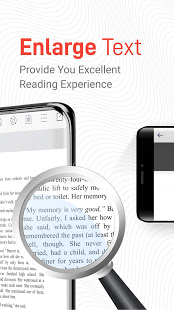
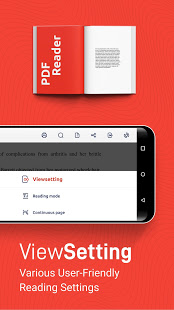
Are you looking for a fast and reliable PDF Viewer app for your android phone?
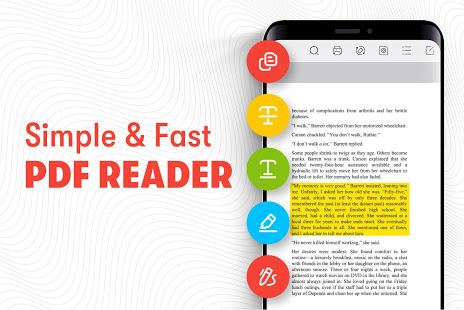
PDF Reader: Viewer 2020 is a modern, light-weight and fast PDF Reader app to help you read and manage PDF files on your phone.
This PDF Reader app is a really simple app to manage PDF Documents on your phone and lets you read PDF files without the internet. The offline PDF Viewer app has a simple interface that is ideal for PDF documents, whether you are looking for an e-book reader or a regular PDF file reader, this is the only PDF Reader app you’ll ever need.
Free PDF Reader app also allows you to highlight, underline, strikethrough and digitally ink texts in the PDF Files. The annotations on the PDF Reader app are really easy to use and help you read e-books better. Using the Digital Ink feature, you can fill and sign PDF Forms easily. You will love the reading experience with rich annotations on this PDF Reader app.
App Features
更多

1. 下载逍遥安装器并完成设置

2. 启动逍遥后打开位于桌面上的谷歌商店

3. 在谷歌商店中搜索PDF Reader: Viewer 2020
Install
4. 下载并安装PDF Reader: Viewer 2020
5. 下载完成后点击图标来启动

6. 通过逍遥在电脑上享受PDF Reader: Viewer 2020
逍遥安卓是优秀的安卓模拟器,全球超过5000万用户的优先选择。逍遥安卓以虚拟化技术为核心,为用户打造突破手机配置局限的游戏平台!
大屏精细展示;无限待机,超越电池和流量限制
键鼠、手把操作全面支持,操作更精准
用逍遥多开同时运行多个游戏、应用。
Use PDF Reader: Viewer 2020 on PC by following steps: