Create 30s Video - AI Video
更新日期
当前版本
5.0
提供者

想体验Create 30s Video - AI Video,可是手机屏幕太小,用一会就变烫,怎么办?使用逍遥模拟器,在电脑的大屏幕上畅快体验!在电脑上下载安装Create 30s Video - AI Video,不用担心电量问题,想体验多久就多久,顺畅用一天~全新的逍遥模拟器9,绝对是您体验Create 30s Video - AI Video电脑版的好选择。完美的按键映射系统让Create 30s Video - AI Video如PC端般运行;强大的多开功能可同时使用多个应用;独家虚拟化技术更能彻底发挥电脑效能,保障长时间稳定运作。我们致力于不让设备限制您的体验,用起来轻松高效,畅快无比!
更多
使用逍遙模擬器在電腦上享受Create 30s Video - AI Video的卓越體驗。這是一款功能強大的免費安卓模擬器,為您提供數千款安卓應用程式的桌面版本。與好友互動,有效率完成工作,盡情享受! AI Video turns your imagination into video.
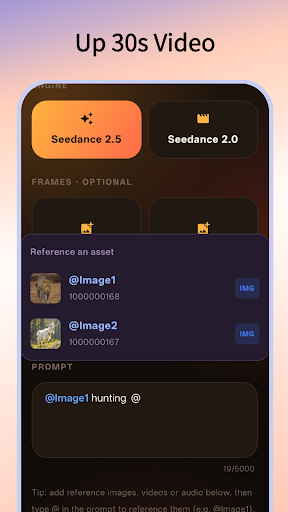
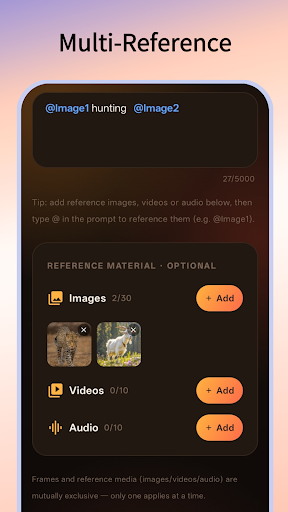
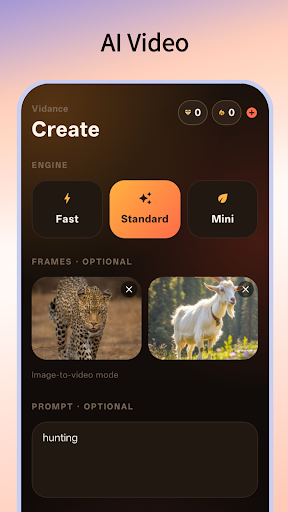
AI Video turns your imagination into video.
Just describe what you want to see — or start from a photo — and Vidance generates a polished, cinematic clip in seconds. No editing skills, no timelines, no gear. Your idea in, a finished video out.
CREATE ANY WAY YOU LIKE
• Text to video — type a prompt and watch it come alive
• Image to video — animate a still photo into motion
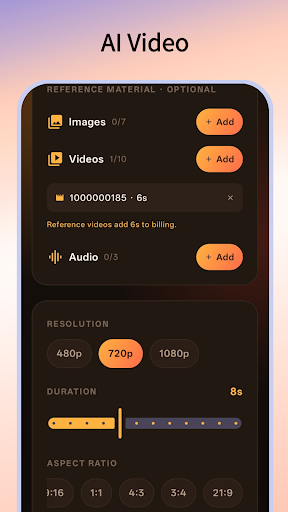
• Guide the result with reference images, video, and audio for the look, motion, and sound you want
MADE FOR THE RESULT YOU WANT
• Choose your quality tier for the perfect balance of speed and detail
• Resolutions up to 1080p
• Pick your length, from quick loops to longer scenes
• Aspect ratios for every platform — vertical for Reels, Shorts & TikTok, square for feeds, widescreen for everything else
• Generate a synchronized soundtrack to match the motion
BUILT TO BE EFFORTLESS
• Clean, fast, and beautifully simple
• Your own creation library — track clips as they render and revisit them anytime
• Save finished videos straight to your Photos
• Available in 20+ languages
PERFECT FOR
Creators, marketers, and storytellers making content for social media, ads, and personal projects — or anyone who just wants to see their ideas move.
Start creating today. Your next video is one prompt away.
更多

1. 下载逍遥安装器并完成设置

2. 启动逍遥后打开位于桌面上的谷歌商店

3. 在谷歌商店中搜索Create 30s Video - AI Video
Install
4. 下载并安装Create 30s Video - AI Video
5. 下载完成后点击图标来启动

6. 通过逍遥在电脑上享受Create 30s Video - AI Video
逍遥安卓是优秀的安卓模拟器,全球超过5000万用户的优先选择。逍遥安卓以虚拟化技术为核心,为用户打造突破手机配置局限的游戏平台!
大屏精细展示;无限待机,超越电池和流量限制
键鼠、手把操作全面支持,操作更精准
用逍遥多开同时运行多个游戏、应用。
Use Create 30s Video - AI Video on PC by following steps: