Eat Healthy Hypnosis
更新日期
当前版本
2.58
提供者

想体验Eat Healthy Hypnosis,可是手机屏幕太小,用一会就变烫,怎么办?使用逍遥模拟器,在电脑的大屏幕上畅快体验!在电脑上下载安装Eat Healthy Hypnosis,不用担心电量问题,想体验多久就多久,顺畅用一天~全新的逍遥模拟器9,绝对是您体验Eat Healthy Hypnosis电脑版的好选择。完美的按键映射系统让Eat Healthy Hypnosis如PC端般运行;强大的多开功能可同时使用多个应用;独家虚拟化技术更能彻底发挥电脑效能,保障长时间稳定运作。我们致力于不让设备限制您的体验,用起来轻松高效,畅快无比!
更多
透过逍遥模拟器,在电脑上下载Eat Healthy Hypnosis,享受大荧屏的畅快体验。 ◎ A single audio session of 25 minutes a day that is effective* in just 1–3 weeks.
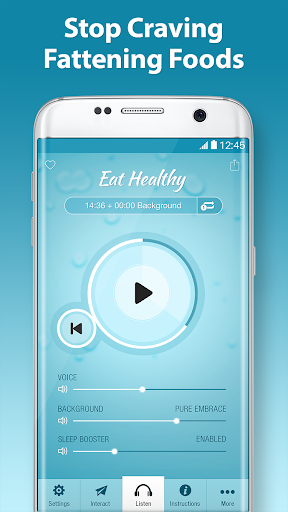
◎ A single audio session of 25 minutes a day that is effective* in just 1–3 weeks
◎ Hypnosis audio carefully read by the soothing voice of a certified hypnotherapist
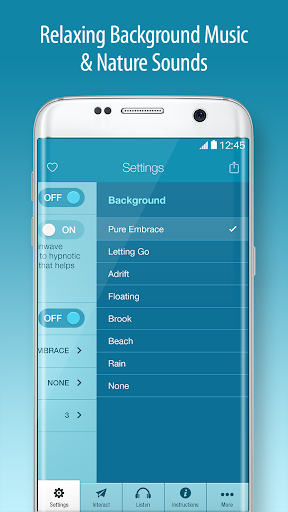
◎ Peaceful background music and nature sounds to help you relax
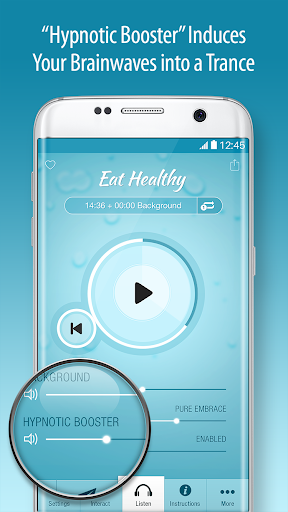
◎ Hypnotic Booster with binaural beats to induce your brainwave frequency into an optimal state for receiving hypnotic suggestions
◎ Separate volume controls for Voice, Background, and Hypnotic Booster
◎ Awaken at End feature can be disabled at bedtime for a relaxing, restful sleep
◎ Repeat sessions or loop while you sleep
◎ Continue listening to background sounds after the session ends
THE BEST HEALTHY EATING HYPNOSIS APP AVAILABLE ON THE MARKET
Eat Healthy Hypnosis is free to try and effective* with the default settings. A one-time in-app purchase is required only if you wish to change the default settings. (Each of our free hypnosis apps includes its own in-app purchase; in-app purchases cannot be shared among separate apps.)
INTERACT WITH US
Surf City Apps offers a range of hypnosis apps to help you enjoy a healthier, happier, and more abundant life. Tell us how you use our apps to improve your life:
Facebook.com/surfcityapps
Twitter.com/SurfCityApps
http://surfcityapps.com
CONTACT SUPPORT
http://support.surfcityapps.com
TERMS & CONDITIONS
http://surfcityapps.com/terms
REFERENCES
https://en.wikipedia.org/wiki/Hypnosis
https://en.wikipedia.org/wiki/Binaural_beats
*DISCLAIMER
Results not clinically proven. The content and services provided by this Application are for educational purposes only and are not intended to be a substitute for professional medical advice, diagnosis, or treatment. Never rely on information on this Application in place of seeking professional medical advice. Consult your doctor before using this Application if you suffer from a heart condition, mood disorder, epilepsy, or a psychiatric or neurological condition.
更多

1. 下载逍遥安装器并完成设置

2. 启动逍遥后打开位于桌面上的谷歌商店

3. 在谷歌商店中搜索Eat Healthy Hypnosis
Install
4. 下载并安装Eat Healthy Hypnosis
5. 下载完成后点击图标来启动

6. 通过逍遥在电脑上享受Eat Healthy Hypnosis
逍遥安卓是优秀的安卓模拟器,全球超过5000万用户的优先选择。逍遥安卓以虚拟化技术为核心,为用户打造突破手机配置局限的游戏平台!
大屏精细展示;无限待机,超越电池和流量限制
键鼠、手把操作全面支持,操作更精准
用逍遥多开同时运行多个游戏、应用。
Use Eat Healthy Hypnosis on PC by following steps: