
Peakbagger
更新日期
当前版本
1727195776
提供者

想体验Peakbagger,可是手机屏幕太小,用一会就变烫,怎么办?使用逍遥模拟器,在电脑的大屏幕上畅快体验!在电脑上下载安装Peakbagger,不用担心电量问题,想体验多久就多久,顺畅用一天~全新的逍遥模拟器9,绝对是您体验Peakbagger电脑版的好选择。完美的按键映射系统让Peakbagger如PC端般运行;强大的多开功能可同时使用多个应用;独家虚拟化技术更能彻底发挥电脑效能,保障长时间稳定运作。我们致力于不让设备限制您的体验,用起来轻松高效,畅快无比!
更多
透过逍遥模拟器,在电脑上下载Peakbagger,享受大荧屏的畅快体验。 Bring the mountains with you wherever you go!
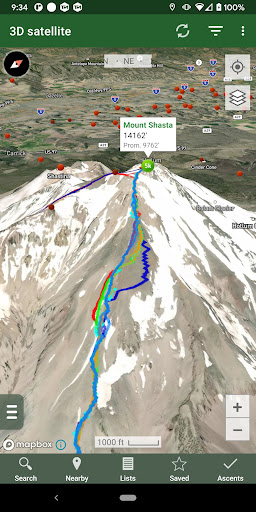
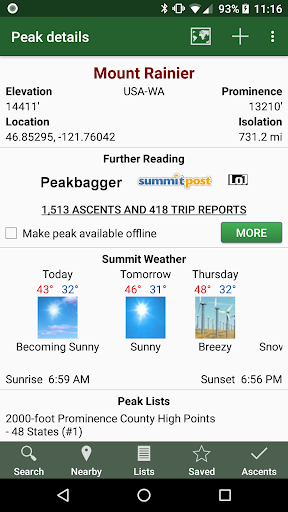
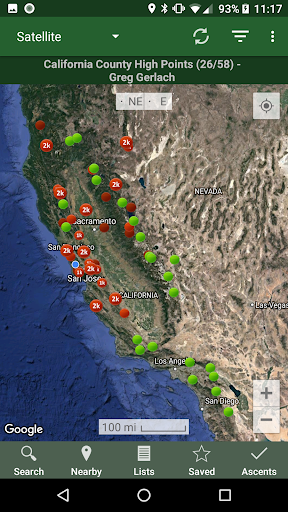
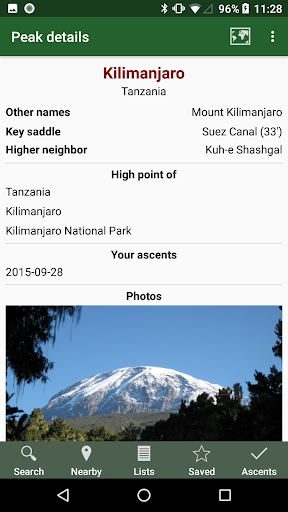
Bring the mountains with you wherever you go!
* Search the huge database of mountains and trip reports from Peakbagger.com and ListsOfJohn.com
* Keep track of your climbs, even when offline
* Measure your progress against hundreds of peak lists
* Get route information and directions from SummitPost and ListsofJohn.com
* Find peaks near your current location, or near other peaks
* Filter peaks by prominence, or climbed vs. unclimbed, or inclusion on a peak list
* See what other peaks are often climbed together with your target peak
* See weather forecasts for all U.S. peaks from the National Weather Service, and for 11,000+ major peaks worldwide from mountain-forecast.com
* See topographic maps for anywhere in the world (+/- 60 degrees latitude)
* See protected land area coverage in North America, Europe, Japan, and Australia and New Zealand.
* Save a peak to your device for offline use, including topographic maps
* Download topographic maps along a route for offline use
* Import and display GPS tracks and waypoints instantly
* On-screen compass keeps you oriented along your track
* Long click on the map to get Street View, elevation, and driving directions
* Record your starting elevation, and information about the gear and route you used
* Leaderboards show the top climbers for each peak list
* See peaks your Peakbagger buddies have climbed recently
* Automatically upload your ascents to ListsOfJohn (U.S. peaks)
* Show daily satellite imagery for any location on any day since 2011
* Display elevation profile for a GPS track, and show your current location along the profile
* See sunrise and sunset times at a peak, even when offline
* Record GPS tracks, including timestamps, and add them to your ascents
* Create and edit tracks right in the app
* Automatically find survey benchmarks near peaks (U.S.)
* Hunt benchmarks and get your finds recorded in the official government benchmark data sheets
HOW TO IMPORT GPS TRACKS - 4 OPTIONS
1) Click on the "Load GPS track" link on the ascent details page for an ascent that has a GPS track.
2) Click on a GPX, KML or KMZ file on your phone, for example, in an email attachment or on Google Drive
3) Open a GPX file in your Web browser, then click "Share" in the browser's menu, then select "Peakbagger"
4) Download or copy a GPX, KML, or KMZ file to your phone manually, then open it with a file browsing app (such as Discoverer)
更多

1. 下载逍遥安装器并完成设置

2. 启动逍遥后打开位于桌面上的谷歌商店

3. 在谷歌商店中搜索Peakbagger
Install
4. 下载并安装Peakbagger
5. 下载完成后点击图标来启动

6. 通过逍遥在电脑上享受Peakbagger
逍遥安卓是优秀的安卓模拟器,全球超过5000万用户的优先选择。逍遥安卓以虚拟化技术为核心,为用户打造突破手机配置局限的游戏平台!
大屏精细展示;无限待机,超越电池和流量限制
键鼠、手把操作全面支持,操作更精准
用逍遥多开同时运行多个游戏、应用。
Use Peakbagger on PC by following steps: