Quickpic Gallery Photo & Video
更新日期
当前版本
0.0.42
提供者

想体验Quickpic Gallery Photo & Video,可是手机屏幕太小,用一会就变烫,怎么办?使用逍遥模拟器,在电脑的大屏幕上畅快体验!在电脑上下载安装Quickpic Gallery Photo & Video,不用担心电量问题,想体验多久就多久,顺畅用一天~全新的逍遥模拟器9,绝对是您体验Quickpic Gallery Photo & Video电脑版的好选择。完美的按键映射系统让Quickpic Gallery Photo & Video如PC端般运行;强大的多开功能可同时使用多个应用;独家虚拟化技术更能彻底发挥电脑效能,保障长时间稳定运作。我们致力于不让设备限制您的体验,用起来轻松高效,畅快无比!
更多
透过逍遥模拟器,在电脑上下载Quickpic Gallery Photo & Video,享受大荧屏的畅快体验。 Quickpic Gallery Gallery app is the best gallery app to keep and manage your photos and videos.
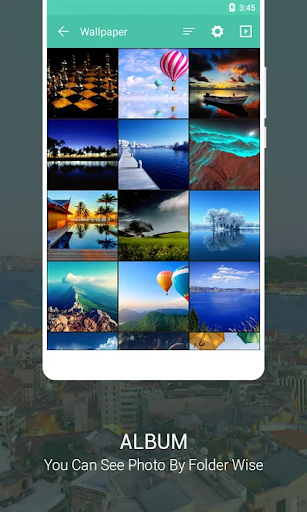
Quickpic Gallery Gallery app is the best gallery app to keep and manage your photos and videos.
If you are looking for a Gallery App or Photo Gallery app when you are need of a gallery manager app, you can try this Quickpic Gallery Gallery app
Quickpic Gallery for free and enjoy managing all your images and videos like a piece of cake! It’s a gallery app for android that will allow you to easily go through and arrange all your media files with ease and comfort and you will have no trouble figuring out its ways.
MAKE IT YOURS
Quickpic Gallery's highly customizable design allows you make the photo app look, feel and work just the way you want it to. From the UI to the function buttons on the bottom toolbar, Quickpic Gallery gives you the creative freedom you need in a gallery app.
ALL THE FILES YOU NEED
Quickpic Gallery supports a huge variety of different file types including JPEG, PNG, MP4, MKV, RAW, SVG, GIF, Panoramic photos, videos and many more, so you enjoy full flexibility in your choice of format. Ever wonder "Can I use this format on my Android"? Now the answer is yes.
ADVANCED PHOTO EDITOR
Turn photo editing into child's play with Quickpic Gallery's improved file organizer and photo album. Intuitive gestures make it super easy to edit your images on the fly. Crop, flip, rotate and resize pictures or apply stylish filters to make them pop in an instant.
PROTECT YOUR PRIVATE PHOTOS, VIDEOS & FILES
Rest assured your photo album is safe. With Quickpic Gallery's superior security features you can use a pin, pattern or your device’s fingerprint scanner to limit who can view or edit selected photos and videos or access important files. You can even protect the app itself or place locks on specific functions of the file organizer.
RECOVER DELETED PHOTOS & VIDEOS
Never worry about accidentally deleting that one precious photo or video you just can't replace. Quickpic Gallery allows you to quickly recover any deleted photo and videos, meaning on top of being the best media gallery for Android, Quickpic Gallery doubles as an amazing photo vault app.
Core Functionality:
- Show All File like Images and Videos as gallery.
- Copy, Move, Rename, Hide Images and Videos files.
- User can create a new Files and Folders.
- Easily Deletes File and Folder by Users.
- Photo editing.
- Photo or Video movement in another folders.
KEY FEATURES OF GALLERY APP:
- Quickly search your multimedia files such as images, videos, GIFs, and folders in Gallery apps.
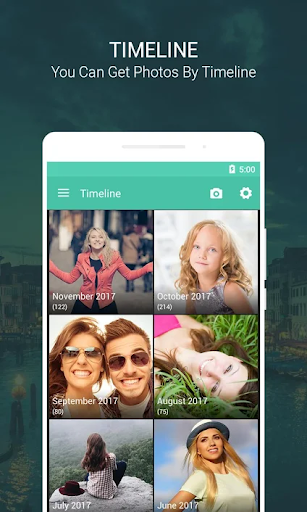
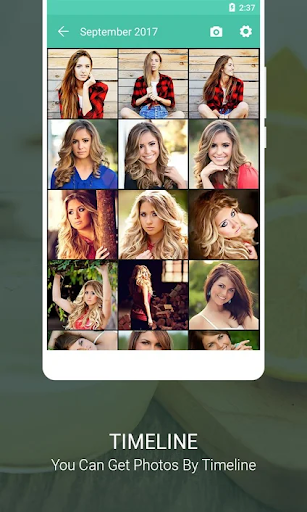
- View all your pictures and videos as timeline in gallery app.
- Dark Mode that give great viewing experience.
- An easy-to-view and sleek gallery app.
- Keep your pictures as favorites.
- Photo editing with Text, Stickers, Filters, Cropping and more.
- Dedicated video player in this gallery app.
- Recycle bin that saves your unexpected deleted photos.
- Privacy with App lock with Pin, Password and Fingerprint so the gallery app is secured.
- Gallery app provides a panoramic view of images and videos.
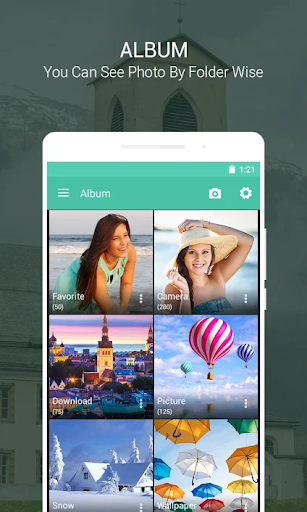
- Sort files to organize and manage your folders in this gallery app.
- Quickly share files on various social media accounts.
- Gallery app provides easy way to share files on Emails and other official platforms seamlessly.
- Zoom pictures with gestures.
- Gallery app allows you to modify files by editing them, renaming them or even delete them altogether.
- Get a modern and full-view of your images with a slideshow in this gallery app.
Quickpic Gallery app for free and use it offline with any trouble. We have no doubt you will enjoy using this gallery app big time. Have a colorful day.
Download this amazing gallery app and enjoy your Memories!
Note: We Can not collect any personal information and any files or photos and videos.
更多

1. 下载逍遥安装器并完成设置

2. 启动逍遥后打开位于桌面上的谷歌商店

3. 在谷歌商店中搜索Quickpic Gallery Photo & Video
Install
4. 下载并安装Quickpic Gallery Photo & Video
5. 下载完成后点击图标来启动

6. 通过逍遥在电脑上享受Quickpic Gallery Photo & Video
逍遥安卓是优秀的安卓模拟器,全球超过5000万用户的优先选择。逍遥安卓以虚拟化技术为核心,为用户打造突破手机配置局限的游戏平台!
大屏精细展示;无限待机,超越电池和流量限制
键鼠、手把操作全面支持,操作更精准
用逍遥多开同时运行多个游戏、应用。
Use Quickpic Gallery Photo & Video on PC by following steps: