توليد رقم المسابقات
تم التحديث
الإصدار الحالي
1.1.6
تقديم

لا داعي للقلق بشأن الشحن الزائد عند استخدام توليد رقم المسابقات على هاتفك. تحرر من قيود الشاشة الصغيرة واستمتع به على شاشة أكبر باستخدام لوحة المفاتيح والفأرة. يوفر MEmu جميع الميزات الرائعة التي تتوقعها: تثبيت سريع، إعداد سهل، أدوات تحكم بديهية، ودون قيود على عمر البطارية، أو استخدام البيانات، أو المكالمات الواردة. يُعد MEmu 9 الجديد الخيار الأمثل لتجربة توليد رقم المسابقات على جهاز الكمبيوتر. بفضل تقنية التشفير الفريدة، يتيح لك مدير الحسابات المتعددة تشغيل حسابين أو أكثر في وقت واحد. والأهم من ذلك، أن محرك المحاكاة الفريد يستغل أداء جهاز الكمبيوتر بالكامل، مما يُحسّن تجربة التطبيق ويجعل كل شيء سلسًا للغاية.
أظهر المزيد
استمتع بتجربة رائعة لاستخدام توليد رقم المسابقات على جهاز الكمبيوتر مع MEmu Play. إنه محاكي أندرويد قوي ومجاني يوفر لك آلاف تطبيقات أندرويد لإصدار سطح المكتب. استمتع بالتواصل مع أصدقائك وحسّن عملك بكفاءة أعلى! Creative Rewards brings images, points, and giveaways together in one easy-to-use app.
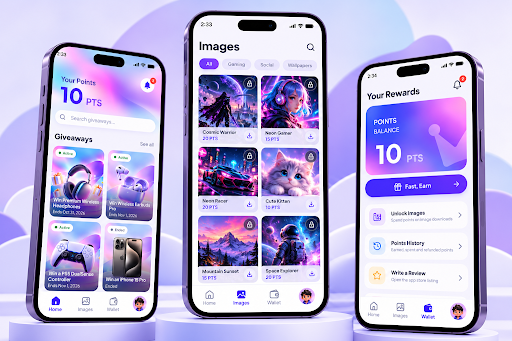
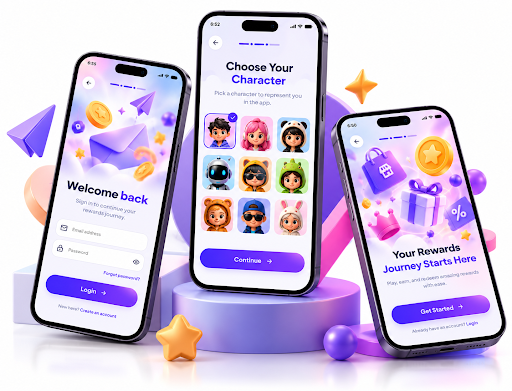
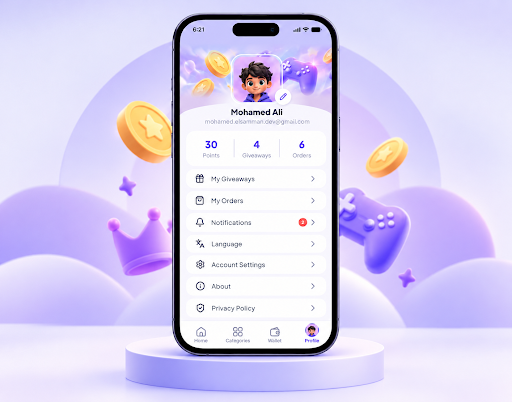
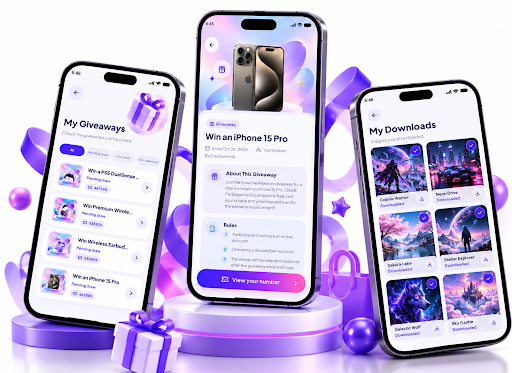
Creative Rewards brings images, points, and giveaways together in one easy-to-use app.
Explore a collection of digital images, earn points through optional rewarded videos, and use your points to unlock and download images to your device.
**Explore Images**
Browse images across different categories, discover new designs, and find content that matches your interests.
**Earn and Use Points**
Watch optional rewarded videos to collect points. Your wallet displays your current balance and transaction history, helping you keep track of how your points are used.
**Download Images**
Choose an image, review its points cost, and confirm your download. Images are saved directly to your device. Each paid download uses the displayed number of points.
**Join Giveaways**
Browse available giveaways, view participation requirements, and join eligible giveaways. Track your participation number and check the status of giveaways, including those that have ended.
**Track Your Activity**
Access your download history, view your requests and their current status, and manage saved platform account information in your profile.
**Stay Updated**
Receive notifications about relevant account activity, giveaway updates, and participation results.
**Arabic and English**
Use Creative Rewards in Arabic or English with an interface designed for both languages.
Creative Rewards is designed to make browsing images, managing points, and participating in giveaways simple and convenient.
Giveaway participation is subject to eligibility, availability, and the applicable terms and conditions. Rewards and outcomes are not guaranteed.
أظهر المزيد

1. قم بتنزيل برنامج MEmu واكمال تثبيته

2. قم بتشغيل برنامج MEmu وفتح Google Play على الصفحة الرئيسية

3. ابح توليد رقم المسابقات في Google Play
Install
4. تنزيل وتثبيت توليد رقم المسابقات
5. انقر على الرمز للتشغيل بعد اكتمال التثبيت

6. استخدم MEmu لتجربة توليد رقم المسابقات على جهاز الكمبيوتر الخاص بك.
تطبيق MEmuهو افضل محاكى اندرويد مجانى وبالفعل 50 مليون شخص يستمتعون حاليا بتجربه اللعب عليه. تمكّنك تقنية MEmu الافتراضية من تشغيل آلاف ألعاب Android بسلاسة على الكمبيوتر الشخصي ، حتى أكثرها استخدامًا للرسومات.
شاشة أكبر وجرافيك افضل ووقت أطول بدون حدود البطارية وباقة التليفون
لوحة مفاتيح كاملة تدعم تحكم كامل عن طريق لوحة المفاتيح و الفأره وجيم باد
عدة العاب وحسابات ومهمات علي جهاز الكمبيوتر في وقت معين عن طريق Memu متعدد النوافذ
Use توليد رقم المسابقات on PC by following steps: