Voter Helpline
تم التحديث
الإصدار الحالي
v3.0.81
تقديم

لا داعي للقلق بشأن الشحن الزائد عند استخدام Voter Helpline على هاتفك. تحرر من قيود الشاشة الصغيرة واستمتع به على شاشة أكبر باستخدام لوحة المفاتيح والفأرة. يوفر MEmu جميع الميزات الرائعة التي تتوقعها: تثبيت سريع، إعداد سهل، أدوات تحكم بديهية، ودون قيود على عمر البطارية، أو استخدام البيانات، أو المكالمات الواردة. يُعد MEmu 9 الجديد الخيار الأمثل لتجربة Voter Helpline على جهاز الكمبيوتر. بفضل تقنية التشفير الفريدة، يتيح لك مدير الحسابات المتعددة تشغيل حسابين أو أكثر في وقت واحد. والأهم من ذلك، أن محرك المحاكاة الفريد يستغل أداء جهاز الكمبيوتر بالكامل، مما يُحسّن تجربة التطبيق ويجعل كل شيء سلسًا للغاية.
أظهر المزيد
قم بتنزيل Voter Helpline على الكمبيوتر بإستخدام جهاز مقلد أندروز MEmu.استمتع بمتعة اللعب على الشاشة الكبيرة. About Voter Helpline App.
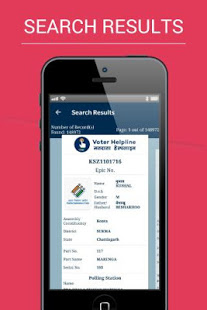
About Voter Helpline App
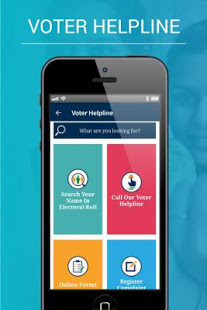
Taking forward its continuous efforts of building an active democratic citizenry in the country, Election Commission of India has undertaken a new initiative by designing a Mobile Application for developing a culture of avid electoral engagement and making informed and ethical ballot decisions among citizens of the country. The app aims to provide a single point of service and information delivery to voters across the country. The app provides following facilities to Indian voters:
A. Electoral Search (#GoVerify your name in the electoral roll)
B. Submission of online forms for New Voter Registration, shifting to a different
the constituency, for Overseas Voters, Deletion or Objection in the electoral roll, correction of entries & Transposition within Assembly.
C. Register Complaints related to Electoral Services and track its disposal status
D. The FAQ on Voter, Elections, EVM, & Results
E. Service & Resources for Voters & Electoral Officers
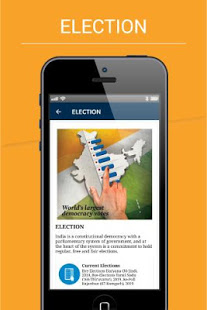
F: Find the Election Schedule in your area
G: Find all the candidates, their profile, Income Statement, assets, criminal cases
H: Find the Polling Officials and call them: BLO, ERO, DEO and CEO
I: Click a selfie after Voting and get a chance to be featured in the Official Voter Helpline App Gallery.
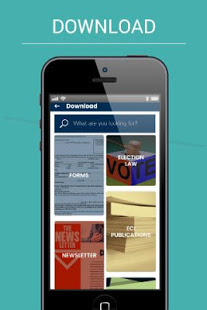
J: Download the list of Contesting candidates in PDF format and take the print out.
أظهر المزيد

1. قم بتنزيل برنامج MEmu واكمال تثبيته

2. قم بتشغيل برنامج MEmu وفتح Google Play على الصفحة الرئيسية

3. ابح Voter Helpline في Google Play
Install
4. تنزيل وتثبيت Voter Helpline
5. انقر على الرمز للتشغيل بعد اكتمال التثبيت

6. استخدم MEmu لتجربة Voter Helpline على جهاز الكمبيوتر الخاص بك.
تطبيق MEmuهو افضل محاكى اندرويد مجانى وبالفعل 50 مليون شخص يستمتعون حاليا بتجربه اللعب عليه. تمكّنك تقنية MEmu الافتراضية من تشغيل آلاف ألعاب Android بسلاسة على الكمبيوتر الشخصي ، حتى أكثرها استخدامًا للرسومات.
شاشة أكبر وجرافيك افضل ووقت أطول بدون حدود البطارية وباقة التليفون
لوحة مفاتيح كاملة تدعم تحكم كامل عن طريق لوحة المفاتيح و الفأره وجيم باد
عدة العاب وحسابات ومهمات علي جهاز الكمبيوتر في وقت معين عن طريق Memu متعدد النوافذ
Use Voter Helpline on PC by following steps: