Voter Helpline
अपडेट किया गया
वर्तमान वर्शन
v9.10.1
संसाधन

Voter Helpline पर अपनी मोबाइल डेटा सीमा पार करने को अलविदा कहें और छोटी स्क्रीन की सीमाओं से मुक्त होकर बड़े डिस्प्ले के लाभों का अनुभव करें। अब, आप अपने कीबोर्ड और माउस का उपयोग करके फुल-स्क्रीन मोड में टॉपर्स क्लैन की शक्ति का अनुभव कर सकते हैं। MEmu Play में वे सभी बेहतरीन सुविधाएँ हैं जिनकी आप अपेक्षा करते हैं: त्वरित इंस्टॉलेशन और आसान सेटअप, सहज नियंत्रण, बैटरी की आवश्यकता नहीं, और कोई डेटा या कॉल समय सीमा नहीं। नया MEmu 9 आपके कंप्यूटर पर Voter Helpline का उपयोग करने के लिए सबसे अच्छा विकल्प है। हमारा मालिकाना मल्टी-इंस्टेंस मैनेजर एक साथ दो या अधिक खातों को चलाने का समर्थन करता है। इससे भी महत्वपूर्ण बात यह है कि हमारा अनूठा इम्यूलेशन इंजन आपके कंप्यूटर के प्रदर्शन का पूरा उपयोग करता है, जिससे एक सहज और निर्बाध अनुभव मिलता है।
और दिखाएं
डाउनलोड करें Voter Helpline पीसी पर MEmu एंड्रॉयड एमुलेटर के साथ बड़े पर्दे पर खेलने का आनंद लें। About Voter Helpline App.
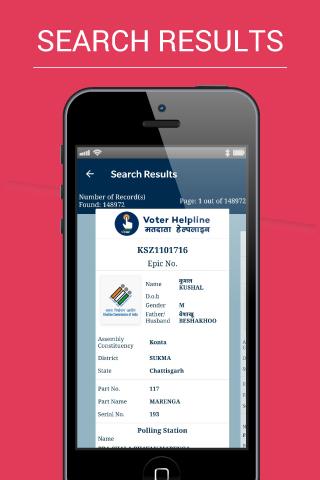
About Voter Helpline App
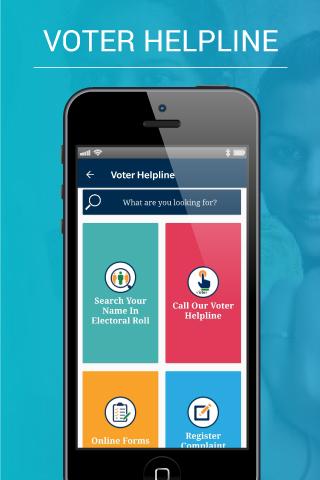
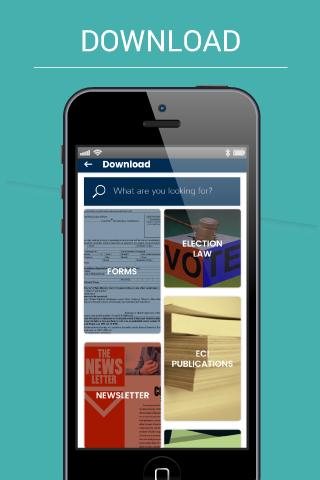
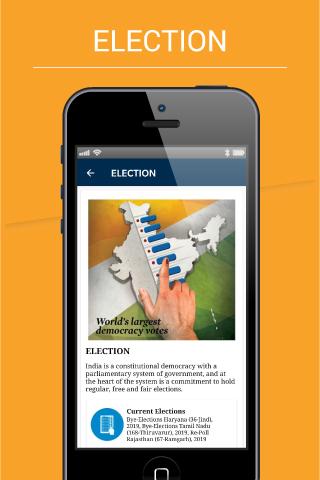
Taking forward its continuous efforts of building an active democratic citizenry in the country, Election Commission of India has undertaken a new initiative by designing a Mobile Application for developing a culture of avid electoral engagement and making informed and ethical ballot decisions among citizens of the country. The app aims to provide a single point of service and information delivery to voters across the country. The app provides following facilities to Indian voters:
A. Electoral Search (#GoVerify your name in the electoral roll)
B. Submission of online forms for New Voter Registration, shifting to a different
the constituency, for Overseas Voters, Deletion or Objection in the electoral roll, correction of entries & Transposition within Assembly.
C. Register Complaints related to Electoral Services and track its disposal status
D. The FAQ on Voter, Elections, EVM, & Results
E. Service & Resources for Voters & Electoral Officers
F: Find the Election Schedule in your area
G: Find all the candidates, their profile, Income Statement, assets, criminal cases
H: Find the Polling Officials and call them: BLO, ERO, DEO and CEO
I: Click a selfie after Voting and get a chance to be featured in the Official Voter Helpline App Gallery.
J: Download the list of Contesting candidates in PDF format and take the print out.
और दिखाएं

1. MEmu इंस्टॉलर को डाउनलोड करें और इंस्टॉलेशन को पूरा करें

2. MEmu शुरू करें फिर होमपेज पर Google Play खोलें

3. Google Play में Voter Helpline खोजें
Install
4. Voter Helpline डाउनलोड कर इंस्टॉल करें
5. इंस्टॉल पूरा होने पर आइकन दबाएं

6. MEmu का उपयोग करके अपने कंप्यूटर पर Voter Helpline का अनुभव करें
MEmu Play सबसे बेहतरीन मुफ़्त Android एमुलेटर है और 5 करोड़ लोग पहले ही इसके शानदार Android ऐप अनुभव का आनंद ले चुके हैं। MEmu 9 वर्चुअलाइज़ेशन तकनीक आपको अपने PC पर हज़ारों Android ऐप्स, यहाँ तक कि सबसे ज़्यादा ग्राफ़िक्स वाले ऐप्स भी, आसानी से चलाने की सुविधा देती है।
असीमित बैटरी या मोबाइल डेटा के साथ बेहतर ग्राफिक्स के साथ बड़ी स्क्रीन; लंबी अवधि।
कीबोर्ड और माउस या गेमपैड के उत्तम नियंत्रण के लिए संपूर्ण कीमैपिंग का समर्थन करता हैं।
एक ही पीसी पर मल्टी-इंस्टेंस मैनेजर के साथ एक समय में कई गेम खाते या कार्य कर सकते हैं।
Use Voter Helpline on PC by following steps: