
eFHUB™ 25
تم التحديث
الإصدار الحالي
1.8.442
تقديم

لا داعي للقلق بشأن الشحن الزائد عند استخدام eFHUB™ 25 على هاتفك. تحرر من قيود الشاشة الصغيرة واستمتع به على شاشة أكبر باستخدام لوحة المفاتيح والفأرة. يوفر MEmu جميع الميزات الرائعة التي تتوقعها: تثبيت سريع، إعداد سهل، أدوات تحكم بديهية، ودون قيود على عمر البطارية، أو استخدام البيانات، أو المكالمات الواردة. يُعد MEmu 9 الجديد الخيار الأمثل لتجربة eFHUB™ 25 على جهاز الكمبيوتر. بفضل تقنية التشفير الفريدة، يتيح لك مدير الحسابات المتعددة تشغيل حسابين أو أكثر في وقت واحد. والأهم من ذلك، أن محرك المحاكاة الفريد يستغل أداء جهاز الكمبيوتر بالكامل، مما يُحسّن تجربة التطبيق ويجعل كل شيء سلسًا للغاية.
أظهر المزيد
قم بتنزيل eFHUB™ 25 على الكمبيوتر بإستخدام جهاز مقلد أندروز MEmu.استمتع بمتعة اللعب على الشاشة الكبيرة. This app is not a game.
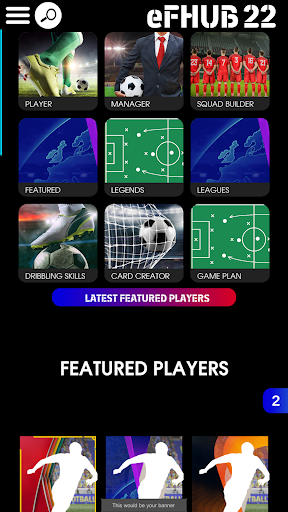
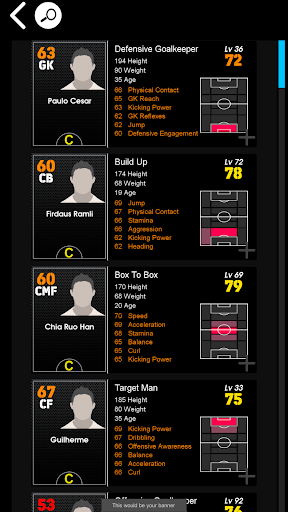
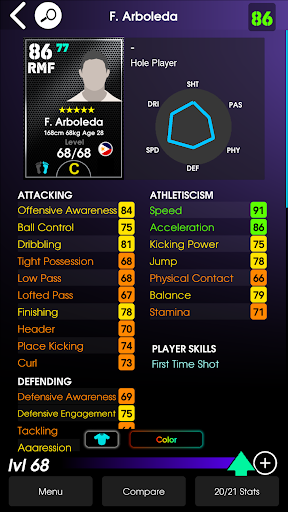
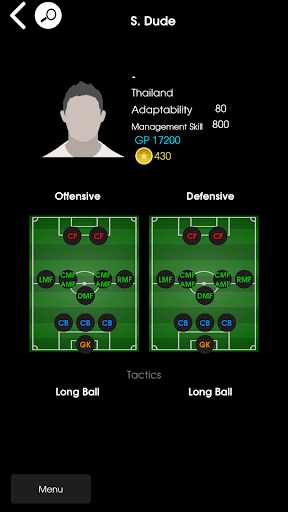
This app is not a game.
This application features...
PLAYER DATABASE
Featuring a complete player database with features such as…
• The ability to search for players using their stats at max level, not just level 1.
• Calculates the dribbling skills that each player can perform and shows controller animations on how to perform them.
• Calculates exactly how player condition affects player stats and overall rating.
• Player cards show the top 6 key stats of each player so you can quickly see each player’s strong points.
• Keeps track of player condition throughout the season to help you make better decisions on who to level-up.
MANAGER DATABASE
Featuring a manager database with features such as…
• Easily see managers that have changed formation and tactics every week.
• Search for managers by their attacking or defensive tactics.
• Custom formation search tool to assist you in finding the exact formation that you need.
SQUAD BUILDER
Featuring a squad builder that is designed to help you learn and understand how to build a squad with high team strength and low contract cost. Features include…
• Team strength calculations which is ideal for building 2,3 and 4 star strength squads.
• See how players can be positioned with different managers.
• Save an unlimited amount of squads.
• Auto squad build that will build a squad for you based on the parameters you choose.
• Total squad contract cost.
GAME PLAN
Game Plan simulates player off the ball movement in attack and defence. This allows you to view any weak and strong points in your manager's tactics against other managers.
HIDDEN GEM FINDER
Easily find hidden gems with high potential and low contract renewal cost.
MY TEAM
Save your players and managers so that they are easily accessible for viewing or squad building.
DRIBBLING SKILL TUTORIALS
Tutorials with controller animations showing you exactly how to perform dribbling skill move for console and mobile.
This is the app of eFOOTBALLHUB.
Disclaimer,
This is an unofficial companion app. This application does not have any relation to any game. This app only provides tutorials and information for learning purposes.
أظهر المزيد

1. قم بتنزيل برنامج MEmu واكمال تثبيته

2. قم بتشغيل برنامج MEmu وفتح Google Play على الصفحة الرئيسية

3. ابح eFHUB™ 25 في Google Play
Install
4. تنزيل وتثبيت eFHUB™ 25
5. انقر على الرمز للتشغيل بعد اكتمال التثبيت

6. استخدم MEmu لتجربة eFHUB™ 25 على جهاز الكمبيوتر الخاص بك.
تطبيق MEmuهو افضل محاكى اندرويد مجانى وبالفعل 50 مليون شخص يستمتعون حاليا بتجربه اللعب عليه. تمكّنك تقنية MEmu الافتراضية من تشغيل آلاف ألعاب Android بسلاسة على الكمبيوتر الشخصي ، حتى أكثرها استخدامًا للرسومات.
شاشة أكبر وجرافيك افضل ووقت أطول بدون حدود البطارية وباقة التليفون
لوحة مفاتيح كاملة تدعم تحكم كامل عن طريق لوحة المفاتيح و الفأره وجيم باد
عدة العاب وحسابات ومهمات علي جهاز الكمبيوتر في وقت معين عن طريق Memu متعدد النوافذ
Use eFHUB™ 25 on PC by following steps: