
eFHUB™ 25
Обновлено
Текущая версия
1.8.442
Продавец

Перестаньте беспокоиться о быстром разряде батареи при использовании eFHUB™ 25 на вашем телефоне. Освободитесь от крошечного экрана и наслаждайтесь приложением на гораздо большем экране. Теперь вы можете работать с приложением в полноэкранном режиме с удобством клавиатуры и мыши. MEmu предлагает вам все ожидаемые удивительные функции: быструю установку и простую настройку, интуитивно понятное управление и больше никаких забот о времени автономной работы, мобильном трафике или неожиданных звонках. Совершенно новый MEmu 9 — идеальный выбор для использования eFHUB™ 25 на вашем компьютере. С помощью менеджера нескольких экземпляров MEmu вы можете одновременно использовать два или более аккаунтов. И самое главное, наш эксклюзивный движок эмуляции раскрывает весь потенциал вашего ПК, обеспечивая плавную и приятную работу.
Показать больше
Скачайте eFHUB™ 25 на ПК с помощью Андроид эмулятора MEmu. Наслаждайтесь на большом экране. This app is not a game.
This app is not a game.
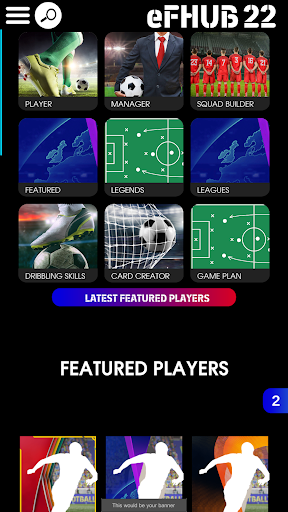
This application features...
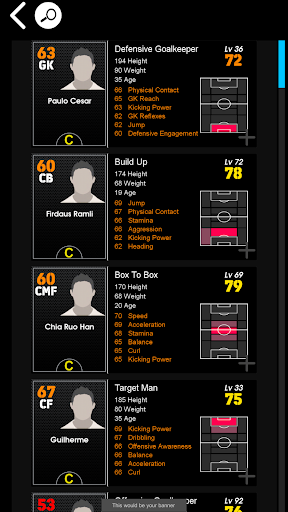
PLAYER DATABASE
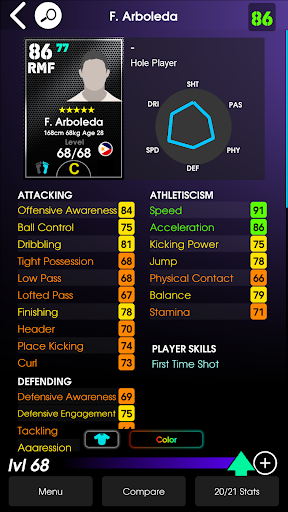
Featuring a complete player database with features such as…
• The ability to search for players using their stats at max level, not just level 1.
• Calculates the dribbling skills that each player can perform and shows controller animations on how to perform them.
• Calculates exactly how player condition affects player stats and overall rating.
• Player cards show the top 6 key stats of each player so you can quickly see each player’s strong points.
• Keeps track of player condition throughout the season to help you make better decisions on who to level-up.
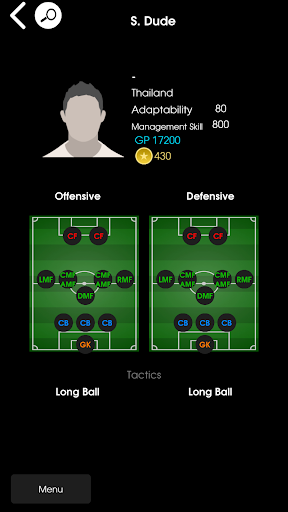
MANAGER DATABASE
Featuring a manager database with features such as…
• Easily see managers that have changed formation and tactics every week.
• Search for managers by their attacking or defensive tactics.
• Custom formation search tool to assist you in finding the exact formation that you need.
SQUAD BUILDER
Featuring a squad builder that is designed to help you learn and understand how to build a squad with high team strength and low contract cost. Features include…
• Team strength calculations which is ideal for building 2,3 and 4 star strength squads.
• See how players can be positioned with different managers.
• Save an unlimited amount of squads.
• Auto squad build that will build a squad for you based on the parameters you choose.
• Total squad contract cost.
GAME PLAN
Game Plan simulates player off the ball movement in attack and defence. This allows you to view any weak and strong points in your manager's tactics against other managers.
HIDDEN GEM FINDER
Easily find hidden gems with high potential and low contract renewal cost.
MY TEAM
Save your players and managers so that they are easily accessible for viewing or squad building.
DRIBBLING SKILL TUTORIALS
Tutorials with controller animations showing you exactly how to perform dribbling skill move for console and mobile.
This is the app of eFOOTBALLHUB.
Disclaimer,
This is an unofficial companion app. This application does not have any relation to any game. This app only provides tutorials and information for learning purposes.
Показать больше

1. Скачать инсталлятор MEmu и завершайте установку

2. Запускайте MEmu, затем откройте Google Play на главной странице

3. Ищите eFHUB™ 25 в Google Play
Install
4. Скачайте и установите eFHUB™ 25
5. При завершении установки, нажмите на значок для старта

6. Наслаждайтесь eFHUB™ 25 на своем компьютере с помощью MEmu.
MEmu Play — лучший бесплатный эмулятор Android, превосходный опыт работы с которым оценили 50 миллионов пользователей. Технология виртуализации MEmu позволяет без проблем запускать тысячи Android-приложений на вашем компьютере, даже самые требовательные.
Большой экран с лучшей графикой; Большая продолжительность, без ограничения батареи или мобильных данных.
Полная поддержка установки клавиш для точного управления клавиатурой и мышью или геймпадом.
Несколько игровых учетных записей или задач на одном компьютере одновременно с менеджером нескольких экземпляров.
Use eFHUB™ 25 on PC by following steps: