Kahoot! Play & Create Quizzes
تم التحديث
الإصدار الحالي
0
تقديم

لا داعي للقلق بشأن الشحن الزائد عند استخدام Kahoot! Play & Create Quizzes على هاتفك. تحرر من قيود الشاشة الصغيرة واستمتع به على شاشة أكبر باستخدام لوحة المفاتيح والفأرة. يوفر MEmu جميع الميزات الرائعة التي تتوقعها: تثبيت سريع، إعداد سهل، أدوات تحكم بديهية، ودون قيود على عمر البطارية، أو استخدام البيانات، أو المكالمات الواردة. يُعد MEmu 9 الجديد الخيار الأمثل لتجربة Kahoot! Play & Create Quizzes على جهاز الكمبيوتر. بفضل تقنية التشفير الفريدة، يتيح لك مدير الحسابات المتعددة تشغيل حسابين أو أكثر في وقت واحد. والأهم من ذلك، أن محرك المحاكاة الفريد يستغل أداء جهاز الكمبيوتر بالكامل، مما يُحسّن تجربة التطبيق ويجعل كل شيء سلسًا للغاية.
أظهر المزيد
قم بتنزيل Kahoot! Play & Create Quizzes على الكمبيوتر بإستخدام جهاز مقلد أندروز MEmu.استمتع بمتعة اللعب على الشاشة الكبيرة. Play engaging quiz-based games (kahoots) at school, at home and at work, create your own kahoots and learn something new!
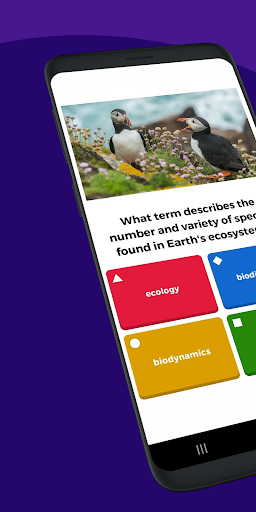
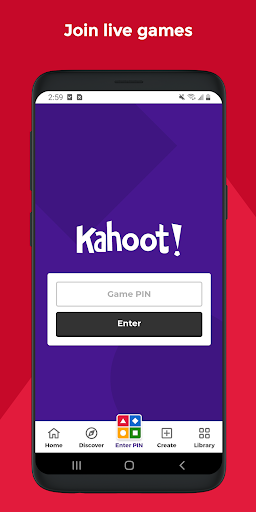
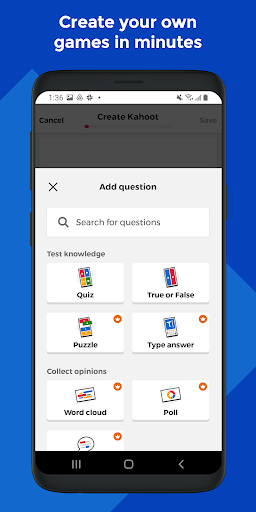
Play engaging quiz-based games (kahoots) at school, at home and at work, create your own kahoots and learn something new! Kahoot! brings the magic of learning for students, teachers, office superheroes, trivia fans and lifelong learners.
Here’s what you can do with the Kahoot! app, now available in English, Spanish, French, German, Italian, Brazilian Portuguese and Norwegian:
Students
- Study with unlimited free flashcards and other smart study modes
- Join kahoots hosted live - in class or virtually - and use the app to submit answers
- Complete self-paced challenges
- Study at home or on the go with flashcards and other study modes
- Compete with friends in study leagues
- Challenge your friends with kahoots you found or created
- Create your own kahoots and add images or videos
- Host kahoots live for family and friends directly from your mobile device
Families and friends
- Find a kahoot on any topic, fit for any age
- Host a kahoot live by casting your screen to a big screen or screen share via video conferencing apps
- Engage your kids with studying at home
- Send a Kahoot! challenge to family members or friends
- Create your own kahoots and add different question types and image effects
Teachers
- Search among millions of ready-to-play kahoots on any topic
- Create or edit your own kahoots in minutes
- Combine different question types to increase engagement
- Host kahoots live in class or virtually for distance learning
- Assign student-paced challenges for content review
- Assess learning outcomes with reports
Company employees
- Create kahoots for e-learning, presentations, events and other occasions
- Encourage audience participation with polls and word cloud questions
- Host Kahoot! live in person or in a virtual meeting
- Assign self-paced challenges, for example, for e-learning
- Assess progress and results with reports
Premium features:
Kahoot! is free for teachers and their students, and it’s our commitment to keep it that way as part of our mission to make learning awesome. We offer optional upgrades that unlock advanced features, such as an image library with millions of images and advanced question types, such as puzzles, polls, open-ended questions and slides. To take advantage of these features, users will need a paid subscription.
To create and host kahoots in a work context, as well as get access to additional features, business users will need a paid subscription.
أظهر المزيد

1. قم بتنزيل برنامج MEmu واكمال تثبيته

2. قم بتشغيل برنامج MEmu وفتح Google Play على الصفحة الرئيسية

3. ابح Kahoot! Play & Create Quizzes في Google Play
Install
4. تنزيل وتثبيت Kahoot! Play & Create Quizzes
5. انقر على الرمز للتشغيل بعد اكتمال التثبيت

6. استخدم MEmu لتجربة Kahoot! Play & Create Quizzes على جهاز الكمبيوتر الخاص بك.
تطبيق MEmuهو افضل محاكى اندرويد مجانى وبالفعل 50 مليون شخص يستمتعون حاليا بتجربه اللعب عليه. تمكّنك تقنية MEmu الافتراضية من تشغيل آلاف ألعاب Android بسلاسة على الكمبيوتر الشخصي ، حتى أكثرها استخدامًا للرسومات.
شاشة أكبر وجرافيك افضل ووقت أطول بدون حدود البطارية وباقة التليفون
لوحة مفاتيح كاملة تدعم تحكم كامل عن طريق لوحة المفاتيح و الفأره وجيم باد
عدة العاب وحسابات ومهمات علي جهاز الكمبيوتر في وقت معين عن طريق Memu متعدد النوافذ
Use Kahoot! Play & Create Quizzes on PC by following steps: