Kahoot! Play & Create Quizzes
Обновлено
Текущая версия
9
Продавец

Перестаньте беспокоиться о быстром разряде батареи при использовании Kahoot! Play & Create Quizzes на вашем телефоне. Освободитесь от крошечного экрана и наслаждайтесь приложением на гораздо большем экране. Теперь вы можете работать с приложением в полноэкранном режиме с удобством клавиатуры и мыши. MEmu предлагает вам все ожидаемые удивительные функции: быструю установку и простую настройку, интуитивно понятное управление и больше никаких забот о времени автономной работы, мобильном трафике или неожиданных звонках. Совершенно новый MEmu 9 — идеальный выбор для использования Kahoot! Play & Create Quizzes на вашем компьютере. С помощью менеджера нескольких экземпляров MEmu вы можете одновременно использовать два или более аккаунтов. И самое главное, наш эксклюзивный движок эмуляции раскрывает весь потенциал вашего ПК, обеспечивая плавную и приятную работу.
Показать больше
Скачайте Kahoot! Play & Create Quizzes на ПК с помощью Андроид эмулятора MEmu. Наслаждайтесь на большом экране. Play engaging quiz-based games (kahoots) at school, at home and at work, create your own kahoots and learn something new!
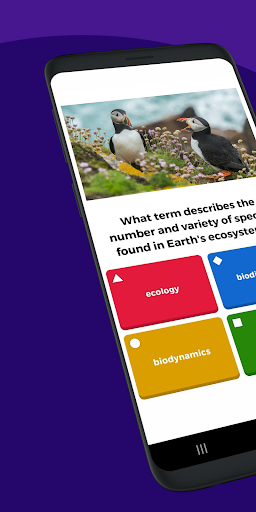
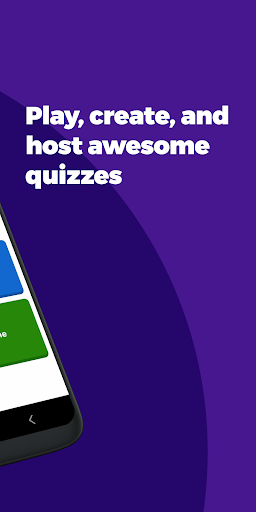
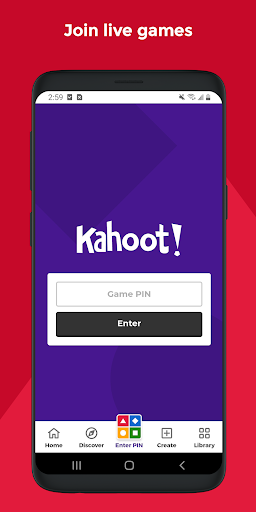
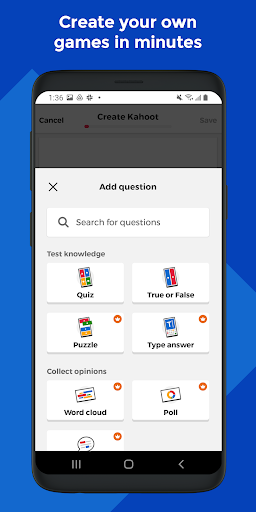
Play engaging quiz-based games (kahoots) at school, at home and at work, create your own kahoots and learn something new! Kahoot! brings the magic of learning for students, teachers, office superheroes, trivia fans and lifelong learners.
Here’s what you can do with the Kahoot! app, now available in English, Spanish, French, German, Italian, Brazilian Portuguese and Norwegian:
Students
- Study with unlimited free flashcards and other smart study modes
- Join kahoots hosted live - in class or virtually - and use the app to submit answers
- Complete self-paced challenges
- Study at home or on the go with flashcards and other study modes
- Compete with friends in study leagues
- Challenge your friends with kahoots you found or created
- Create your own kahoots and add images or videos
- Host kahoots live for family and friends directly from your mobile device
Families and friends
- Find a kahoot on any topic, fit for any age
- Host a kahoot live by casting your screen to a big screen or screen share via video conferencing apps
- Engage your kids with studying at home
- Send a Kahoot! challenge to family members or friends
- Create your own kahoots and add different question types and image effects
Teachers
- Search among millions of ready-to-play kahoots on any topic
- Create or edit your own kahoots in minutes
- Combine different question types to increase engagement
- Host kahoots live in class or virtually for distance learning
- Assign student-paced challenges for content review
- Assess learning outcomes with reports
Company employees
- Create kahoots for e-learning, presentations, events and other occasions
- Encourage audience participation with polls and word cloud questions
- Host Kahoot! live in person or in a virtual meeting
- Assign self-paced challenges, for example, for e-learning
- Assess progress and results with reports
Premium features:
Kahoot! is free for teachers and their students, and it’s our commitment to keep it that way as part of our mission to make learning awesome. We offer optional upgrades that unlock advanced features, such as an image library with millions of images and advanced question types, such as puzzles, polls, open-ended questions and slides. To take advantage of these features, users will need a paid subscription.
To create and host kahoots in a work context, as well as get access to additional features, business users will need a paid subscription.
Показать больше

1. Скачать инсталлятор MEmu и завершайте установку

2. Запускайте MEmu, затем откройте Google Play на главной странице

3. Ищите Kahoot! Play & Create Quizzes в Google Play
Install
4. Скачайте и установите Kahoot! Play & Create Quizzes
5. При завершении установки, нажмите на значок для старта

6. Наслаждайтесь Kahoot! Play & Create Quizzes на своем компьютере с помощью MEmu.
MEmu Play — лучший бесплатный эмулятор Android, превосходный опыт работы с которым оценили 50 миллионов пользователей. Технология виртуализации MEmu позволяет без проблем запускать тысячи Android-приложений на вашем компьютере, даже самые требовательные.
Большой экран с лучшей графикой; Большая продолжительность, без ограничения батареи или мобильных данных.
Полная поддержка установки клавиш для точного управления клавиатурой и мышью или геймпадом.
Несколько игровых учетных записей или задач на одном компьютере одновременно с менеджером нескольких экземпляров.
Use Kahoot! Play & Create Quizzes on PC by following steps: