MDCalc Medical Calculator
تم التحديث
الإصدار الحالي
5.2.44
تقديم

لا داعي للقلق بشأن الشحن الزائد عند استخدام MDCalc Medical Calculator على هاتفك. تحرر من قيود الشاشة الصغيرة واستمتع به على شاشة أكبر باستخدام لوحة المفاتيح والفأرة. يوفر MEmu جميع الميزات الرائعة التي تتوقعها: تثبيت سريع، إعداد سهل، أدوات تحكم بديهية، ودون قيود على عمر البطارية، أو استخدام البيانات، أو المكالمات الواردة. يُعد MEmu 9 الجديد الخيار الأمثل لتجربة MDCalc Medical Calculator على جهاز الكمبيوتر. بفضل تقنية التشفير الفريدة، يتيح لك مدير الحسابات المتعددة تشغيل حسابين أو أكثر في وقت واحد. والأهم من ذلك، أن محرك المحاكاة الفريد يستغل أداء جهاز الكمبيوتر بالكامل، مما يُحسّن تجربة التطبيق ويجعل كل شيء سلسًا للغاية.
أظهر المزيد
قم بتنزيل MDCalc Medical Calculator على الكمبيوتر بإستخدام جهاز مقلد أندروز MEmu.استمتع بمتعة اللعب على الشاشة الكبيرة. Join the millions of medical professionals who use MDCalc daily to support clinical decision making at the bedside.
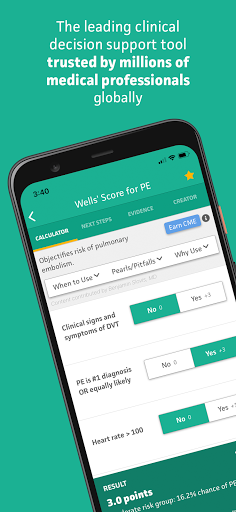
Join the millions of medical professionals who use MDCalc daily to support clinical decision making at the bedside. Since 2005, MDCalc has been the leading medical reference for the most relevant, up-to-date and widely-used clinical calculators that support evidence-based patient care. Registration is free and takes less than 30 seconds for full, unlimited access.
MDCalc clinical decision support is created exclusively by board-certified physicians for use by physicians, physician assistants, nurse practitioners, pharmacists, and medical students. The simple yet sleek app provides access to 550+ easy-to-use clinical decision tools including risk scores, algorithms, equations, formulas, classifications, dosing calculators, and more.
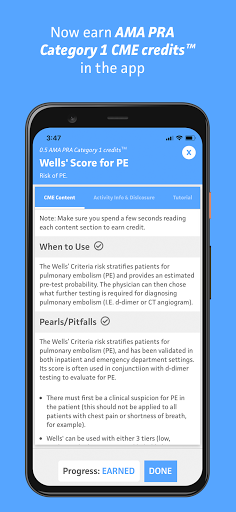
With a new enhancement, clinicians can now earn AMA PRA Category 1TM CME credits by simply reading the clinical content for 150+ calculators. The app will keep track of the CME credits earned in a personal dashboard, where users can also redeem credits for certificates and access their receipts for easy documentation. In order to redeem CME credits, users will need to sign up for a paid CME plan.
Unique features, ideal for the busy practicing clinician:
• Works offline and in limited connection settings. (CME tracking requires a connection.)
• Fast and easy search and filter to discover new calculators.
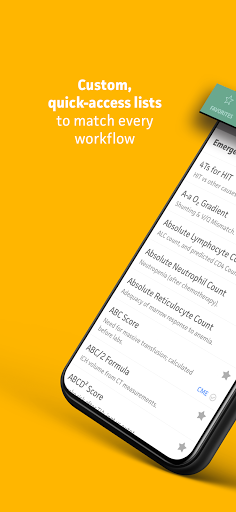
• Customizable lists for quick access: favorites, recently used, your specialty.
• Auto-syncing between the website and app.
• Quick toggle between US and SI units.
• Error warnings and normal values to help avoid mistakes and improper inputs.
Our exclusive “MDCalc Method” for selecting tools - including in-depth appraisal and validation of evidence AND clinical relevance - results in only the highest-quality tools to help you make better decisions and be more efficient in your workflow. And our network of academic and practicing physician experts create easy-to-digest content to reinforce decision making and support training:
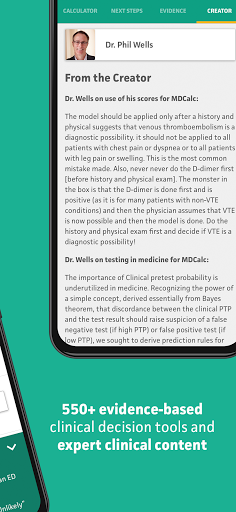
• Insights and advice from the EBM creators (e.g. Dr. Phil Wells’ on the Wells’ Criteria).
• Expert content by specialists on use cases, pearls & pitfalls, results interpretation and more.
• Synopses of the evidence from the original and validation research.
From iMedicalApps in 2016: “The evidence based medicine (EBM) components of the medical app are what really set MDCalc apart from its peers... The MDCalc app gives brief summaries of the critical studies concerning the medical calculator, links to the studies on PubMed as well as “pearls/pitfalls”, “next steps” and expert commentary from the authors of the calculators.” - iMedicalApps “MDCalc app, the best online medical calculator is now an app”
MDCalc clinical decision tools support 35+ specialties including cardiology, critical care/ICU, emergency medicine, endocrinology, gastroenterology, hematology, hepatology, infectious disease, internal medicine, nephrology, neurology, obstetrics, oncology, orthopedics, pediatrics, primary care, psychiatry, pulmonology, surgery, urology, and more! Here are some examples of the tools:
* Calculators that include CME content
» Creatinine Clearance (Cockcroft-Gault Equation)
» CHA2DS2-VASc Score for Atrial Fibrillation Stroke Risk
» Calcium Correction for Hypoalbuminemia
» MELD Score (Model For End-Stage Liver Disease) (12 and older)
» HAS-BLED Score for Major Bleeding Risk
» CHADS2 Score for Atrial Fibrillation Stroke Risk
» HEART Score for Major Cardiac Events *
» SIRS, Sepsis, and Septic Shock Criteria *
» Fractional Excretion of Sodium (FENa)
» Mean Arterial Pressure (MAP) *
» Wells’ Criteria for Pulmonary Embolism *
» Wells’ Criteria for DVT
أظهر المزيد

1. قم بتنزيل برنامج MEmu واكمال تثبيته

2. قم بتشغيل برنامج MEmu وفتح Google Play على الصفحة الرئيسية

3. ابح MDCalc Medical Calculator في Google Play
Install
4. تنزيل وتثبيت MDCalc Medical Calculator
5. انقر على الرمز للتشغيل بعد اكتمال التثبيت

6. استخدم MEmu لتجربة MDCalc Medical Calculator على جهاز الكمبيوتر الخاص بك.
تطبيق MEmuهو افضل محاكى اندرويد مجانى وبالفعل 50 مليون شخص يستمتعون حاليا بتجربه اللعب عليه. تمكّنك تقنية MEmu الافتراضية من تشغيل آلاف ألعاب Android بسلاسة على الكمبيوتر الشخصي ، حتى أكثرها استخدامًا للرسومات.
شاشة أكبر وجرافيك افضل ووقت أطول بدون حدود البطارية وباقة التليفون
لوحة مفاتيح كاملة تدعم تحكم كامل عن طريق لوحة المفاتيح و الفأره وجيم باد
عدة العاب وحسابات ومهمات علي جهاز الكمبيوتر في وقت معين عن طريق Memu متعدد النوافذ
Use MDCalc Medical Calculator on PC by following steps: