![Color Changer Lite [root] الحاسوب](https://dl.memuplay.com/new_market/img/mobi.omegacentauri.red.icon.2024-12-14-22-12-09.png)
Color Changer Lite [root]
تم التحديث
الإصدار الحالي
1.35
تقديم
![Color Changer Lite [root] الحاسوب](/home/Public/img/gp_logo_dark.png)
لا داعي للقلق بشأن الشحن الزائد عند استخدام Color Changer Lite [root] على هاتفك. تحرر من قيود الشاشة الصغيرة واستمتع به على شاشة أكبر باستخدام لوحة المفاتيح والفأرة. يوفر MEmu جميع الميزات الرائعة التي تتوقعها: تثبيت سريع، إعداد سهل، أدوات تحكم بديهية، ودون قيود على عمر البطارية، أو استخدام البيانات، أو المكالمات الواردة. يُعد MEmu 9 الجديد الخيار الأمثل لتجربة Color Changer Lite [root] على جهاز الكمبيوتر. بفضل تقنية التشفير الفريدة، يتيح لك مدير الحسابات المتعددة تشغيل حسابين أو أكثر في وقت واحد. والأهم من ذلك، أن محرك المحاكاة الفريد يستغل أداء جهاز الكمبيوتر بالكامل، مما يُحسّن تجربة التطبيق ويجعل كل شيء سلسًا للغاية.
أظهر المزيد
قم بتنزيل Color Changer Lite [root] على الكمبيوتر بإستخدام جهاز مقلد أندروز MEmu.استمتع بمتعة اللعب على الشاشة الكبيرة. Completely recolor all apps!
![Color Changer Lite [root] الحاسوب](https://dl.memuplay.com/new_market/img/mobi.omegacentauri.red.sc0.2024-12-14-22-12-09.jpg)
![Color Changer Lite [root] الحاسوب](https://dl.memuplay.com/new_market/img/mobi.omegacentauri.red.sc1.2024-12-14-22-12-09.jpg)
![Color Changer Lite [root] الحاسوب](https://dl.memuplay.com/new_market/img/mobi.omegacentauri.red.sc2.2024-12-14-22-12-09.jpg)
![Color Changer Lite [root] الحاسوب](https://dl.memuplay.com/new_market/img/mobi.omegacentauri.red.sc3.2024-12-14-22-12-09.jpg)
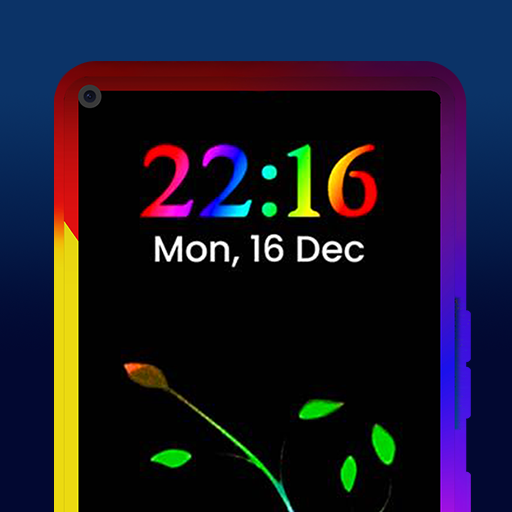
Completely recolor all apps!
Color Changer requires a rooted device.
Features of the Pro version:
- Use red or amber or green on black to preserve night vision for astronomy or reading ebooks in bed.
- Set sepia for more pleasant reading in a browser.
- Oversaturated outdoor mode.
- Have fun with monochrome black and white.
- Customize your colors with R/G/B/saturation/hue sliders.
- Prepare for sleep by turning off blue light.
- Includes widget support and Tasker integration plugin.
The Lite version includes red, green, amber, outdoor and inverted color modes, widget support, Tasker integration, experimental gamma support, and a four-day trial of the Pro features.
This is NOT an overlay: it completely remaps your colors in all apps. (May not be compatible with screen recording and screenshot apps, though.)
The method used for re-coloring is experimental. Use at your own risk. Try the Lite version before buying the Pro version. Do not set to activate on boot until you've successfully tested.
Note 1: Graphically demanding games will likely lower their framerate by an amount depending on your device.
Note 2: As a safety measure, Color Changer's settings are disabled on boot if you boot with device upside-down.
أظهر المزيد
![Color Changer Lite [root] الحاسوب](/home/Public/img/nusernote1.png)
1. قم بتنزيل برنامج MEmu واكمال تثبيته
![Color Changer Lite [root] الحاسوب](/home/Public/img/nusernote2.png)
2. قم بتشغيل برنامج MEmu وفتح Google Play على الصفحة الرئيسية
![Color Changer Lite [root] الحاسوب](/home/Public/img/nusernote3.png)
3. ابح Color Changer Lite [root] في Google Play
Install
4. تنزيل وتثبيت Color Changer Lite [root]
5. انقر على الرمز للتشغيل بعد اكتمال التثبيت
![Color Changer Lite [root] الحاسوب](/home/Public/img/nusernote6.png)
6. استخدم MEmu لتجربة Color Changer Lite [root] على جهاز الكمبيوتر الخاص بك.
تطبيق MEmuهو افضل محاكى اندرويد مجانى وبالفعل 50 مليون شخص يستمتعون حاليا بتجربه اللعب عليه. تمكّنك تقنية MEmu الافتراضية من تشغيل آلاف ألعاب Android بسلاسة على الكمبيوتر الشخصي ، حتى أكثرها استخدامًا للرسومات.
شاشة أكبر وجرافيك افضل ووقت أطول بدون حدود البطارية وباقة التليفون
لوحة مفاتيح كاملة تدعم تحكم كامل عن طريق لوحة المفاتيح و الفأره وجيم باد
عدة العاب وحسابات ومهمات علي جهاز الكمبيوتر في وقت معين عن طريق Memu متعدد النوافذ
Use Color Changer Lite [root] on PC by following steps:
![Color Changer Lite [root] الحاسوب](/home/Public/img/app-background.jpg)
![Color Changer Pro [root] الحاسوب](https://dl.memuplay.com/new_market/img/mobi.omegacentauri.red_pro.icon.2025-01-15-17-40-04.png)