Monese - A banking alternative
تم التحديث
الإصدار الحالي
9.11.0.28172
تقديم

لا داعي للقلق بشأن الشحن الزائد عند استخدام Monese - A banking alternative على هاتفك. تحرر من قيود الشاشة الصغيرة واستمتع به على شاشة أكبر باستخدام لوحة المفاتيح والفأرة. يوفر MEmu جميع الميزات الرائعة التي تتوقعها: تثبيت سريع، إعداد سهل، أدوات تحكم بديهية، ودون قيود على عمر البطارية، أو استخدام البيانات، أو المكالمات الواردة. يُعد MEmu 9 الجديد الخيار الأمثل لتجربة Monese - A banking alternative على جهاز الكمبيوتر. بفضل تقنية التشفير الفريدة، يتيح لك مدير الحسابات المتعددة تشغيل حسابين أو أكثر في وقت واحد. والأهم من ذلك، أن محرك المحاكاة الفريد يستغل أداء جهاز الكمبيوتر بالكامل، مما يُحسّن تجربة التطبيق ويجعل كل شيء سلسًا للغاية.
أظهر المزيد
قم بتنزيل Monese - A banking alternative على الكمبيوتر بإستخدام جهاز مقلد أندروز MEmu.استمتع بمتعة اللعب على الشاشة الكبيرة. Monese is the banking alternative you’ve been waiting for.
Monese is the banking alternative you’ve been waiting for.
We’re the money app that helps you budget smartly, spend wisely and switch between currencies in a flash.
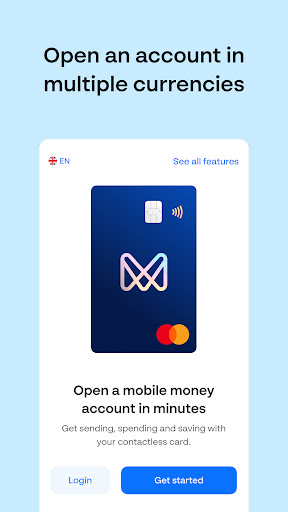
Whether you need a GBP, EUR or RON account (or all 3!), you’ll be able to manage your money straight from your phone and enjoy the flexibility to live, work, travel, study and thrive wherever life takes you. We even have business accounts!
Join over 2 million people and open a Monese mobile money account today.
It’s simple, fuss-free and easy – so how does it work?
• Open a GBP, EUR or RON account, straight from your phone
• Easily switch between currencies and manage your money all in one place
• Get a contactless Mastercard debit card you can use globally – online, in-store or at ATMs
• Spend abroad with no extra fees on card spending and ATM withdrawals
• Quickly send and receive money locally and internationally in multiple currencies
• Create a virtual card and pay online or in-store for an extra layer of security
• Open a joint account to easily spend, share and save with a loved one, roommate or friend
With our feature-rich smartphone app, you’ll also get:
• Real-time notifications: Instant updates whenever you use your account
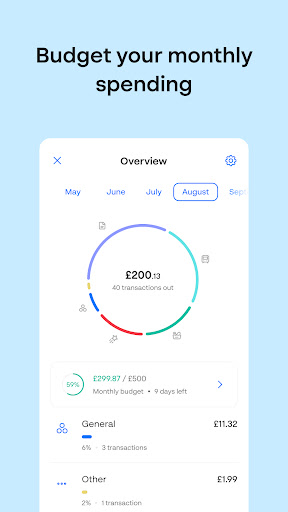
• A detailed spending overview: Full transparency around your transactions
• Savings pots: Put money aside for something special
• Google Pay: A fast, easy and secure way to pay with your Google Pay
• Automatic Direct Debits and recurring payments: the easy way to pay for things like mobile phone contracts, rent, or gym memberships
Plus, you can also:
• Build your credit score: Use Credit Builder to grow your credit history and savings at the same time (UK only)
• Link your PayPal account: Manage your PayPal balance and transactions from Monese, and add your Monese card to your PayPal wallet
• Enjoy state-of-the art security features: 3D Secure, card locking, strong encryption and biometric login
• Get instant account statements in PDF or XLS whenever you need
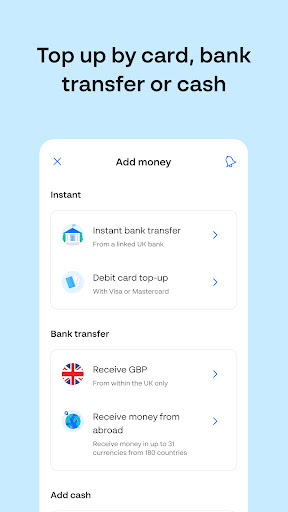
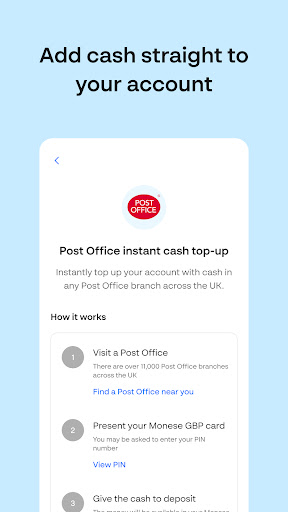
Enjoy the convenience of being able to send and receive money straight from your phone, get your salary paid in, set up Direct Debits and recurring payments, all while maintaining a complete overview of your earning, spending and saving. Withdraw cash from ATMs worldwide for free, within generous allowances, and add money to your account by bank transfer, debit card, or with cash at over 84,000 locations in the UK, Austria, Belgium, Bulgaria, France, Luxembourg, the Netherlands, Poland, Portugal or Spain.
You can open an account with us regardless of your citizenship or financial history, as long as you’re at least 18 years old and live in the European Economic Area (EEA).
أظهر المزيد

1. قم بتنزيل برنامج MEmu واكمال تثبيته

2. قم بتشغيل برنامج MEmu وفتح Google Play على الصفحة الرئيسية

3. ابح Monese - A banking alternative في Google Play
Install
4. تنزيل وتثبيت Monese - A banking alternative
5. انقر على الرمز للتشغيل بعد اكتمال التثبيت

6. استخدم MEmu لتجربة Monese - A banking alternative على جهاز الكمبيوتر الخاص بك.
تطبيق MEmuهو افضل محاكى اندرويد مجانى وبالفعل 50 مليون شخص يستمتعون حاليا بتجربه اللعب عليه. تمكّنك تقنية MEmu الافتراضية من تشغيل آلاف ألعاب Android بسلاسة على الكمبيوتر الشخصي ، حتى أكثرها استخدامًا للرسومات.
شاشة أكبر وجرافيك افضل ووقت أطول بدون حدود البطارية وباقة التليفون
لوحة مفاتيح كاملة تدعم تحكم كامل عن طريق لوحة المفاتيح و الفأره وجيم باد
عدة العاب وحسابات ومهمات علي جهاز الكمبيوتر في وقت معين عن طريق Memu متعدد النوافذ
Use Monese - A banking alternative on PC by following steps: